9 Best Food Tracking Apps for Weight Loss
We tested the best food tracking apps for weight loss. Compare fast logging, flexibility, free features, and find the app you’ll actually stick with.
- Published
- Updated
- 12 min read
- 12 min read

TL;DR Calorie tracking only works if you actually do it. This guide ranks 9 food tracking apps by logging speed, flexibility, and free plan value, not just features. Fitia wins overall for fast logging and AI coaching. Cronometer is best for biohackers. FatSecret is a solid free option. MacroFactor suits data-driven recompers. Whatever you pick, consistency with a "good enough" app beats perfect tracking you quit after three days.
Table of Contents
- Quick Comparison: Best Food Tracking Apps at a Glance
- How We Chose These Apps
- Scoring criteria
- Who this guide is for
- The 9 Best Food Tracking Apps, Ranked & Reviewed
- Fitia — Best Overall
- Cronometer — Best for Micronutrients
- Lose It! — Best for Beginners
- MacroFactor — Best for Recomp
- MyFitnessPal — Best Database Size
- Lifesum — Best for Habit-Style Guidance
- Yazio — Best Clean UI
- FatSecret — Best Free Option
- MyNetDiary — Best for Health Conditions
- How to Track for Weight Loss Without Burnout
- FAQs
Final Verdict
If calorie counting felt time-consuming or mentally draining, you're not alone. The best food tracking app isn't the one with the most features, it's the one you can actually use consistently. Below, we compare 9 top apps by logging speed, flexibility, accuracy, and free features, so you can pick one and download today.
Quick Comparison: Best Food Tracking Apps at a Glance
| App | Best for | Fast logging tools | Flexibility features | Integrations | Free plan: worth it? |
|---|---|---|---|---|---|
| Fitia | Fast logging + flexible dieting | Scanner, saved meals, recipes | Custom goals, AI coach, flexible logging | Apple Health, Fitbit, Health Connect | Yes - core features |
| Cronometer | Micronutrient tracking | Barcode scanner, custom recipes | Custom nutrient targets | Apple Health, Fitbit, Garmin | Functional |
| Lose It! | Simple calorie tracking | Barcode scanner, snap photos | Basic goal setting | Apple Health, Fitbit | Good for basics |
| MacroFactor | Adaptive macro coaching | Quick add, frequent foods | Weekly adjustments | Apple Health | No free version |
| MyFitnessPal | Large food database | Barcode scanner, recent foods | Custom goals (premium) | Most wearables | Decent but ads |
| Lifesum | Habit-based guidance | Barcode scanner, meal plans | Diet templates | Apple Health, Fitbit | Very limited |
| Yazio | Clean UI tracking | Barcode scanner, recipes | Fasting tracker | Apple Health, Fitbit | Basic features only |
| FatSecret | Budget tracking | Barcode scanner | Basic customization | Health Connect, Fitbit | Full-featured |
| MyNetDiary | Condition management | Barcode scanner, voice input | Diabetes/cholesterol tracking | Apple Health, Fitbit | Limited |
The fastest food tracker. The most flexible approach. An AI coach that keeps you consistent. Start with Fitia — use code FITIANOW to save on Premium.
How We Chose These Apps (So You Can Trust the List)
Our scoring criteria (what matters for weight loss without burnout)
When we tested these apps, we weren’t looking for the ones with the most features, but the ones people would actually stick with. Here’s what separated the winners from the also-rans:
- Logging speed: Can you log a meal in under 30 seconds? The best apps have barcode scanners that actually work, recently logged foods at your fingertips, and the ability to save entire meals for one-tap logging.
- Database quality + editability: A massive database means nothing if half the entries are wrong. We checked accuracy for common foods and how easy it was to fix incorrect entries.
- Recipe builder + portion logging: Home cooking shouldn't be a tracking nightmare. The best apps let you build recipes once and log portions forever.
- Macro & calorie goal flexibility: Your goals will change. Can the app adapt without forcing you into rigid templates?
- Coaching/support: Whether it's AI coaching, community features, or educational content, something needs to keep you going when motivation dips.
- Integrations: Your fitness tracker already counts steps. The best food apps play nicely with Apple Health, Fitbit, and other wearables.
- Free plan value + paywall severity: Nobody wants to hit a paywall mid-meal. We tested what you actually get for free.
- Ease of sustaining long-term: The anti-obsession factor. Does the app encourage a healthy relationship with tracking, or does it push perfectionism?
Who this guide is for
This guide is specifically for people pursuing weight loss, body recomposition, higher-protein eating patterns, or managing health conditions like insulin resistance, prediabetes, or high cholesterol. If you're someone who wants structure now with the option for more flexibility later—rather than an all-or-nothing approach—you'll find the right fit here.
This isn’t for competitive bodybuilders who need to hit their macros within 2 grams. This guide is written for everyday people who need tracking to work around soccer practice, business dinners, and the occasional pizza night. If that’s you, let’s find your app.
The 9 Best Food Tracking Apps for Weight Loss (Ranked & Reviewed)
1. Fitia — Best Overall for Fast Logging + Flexible Dieting
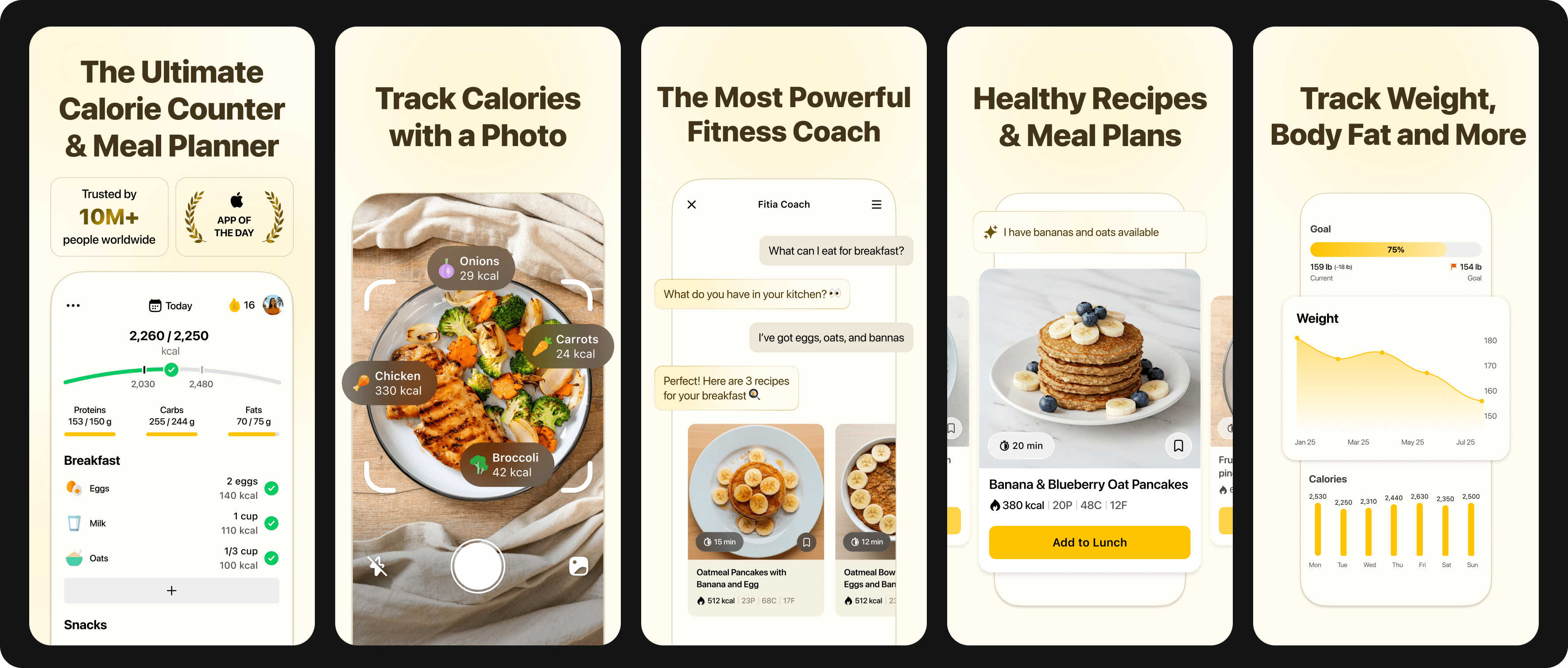
Why it's #1:
- Built for speed: log meals quickly with a food scanner and repeat-friendly logging
- Designed for flexibility: supports structure without forcing perfection
- Fitia Coach (AI nutrition coach) helps you stay consistent and make adjustments without overthinking
Standout features:
- Food scanner for quick entries (works on packaged foods and restaurant menus)
- Fitia Coach: personalized guidance, gentle nudges, and help staying aligned with goals
- Macro-friendly tracking that doesn't feel "all-or-nothing"
- Tools that reduce daily friction (saved foods/meals, easy edits, copy previous days)
- Full smart meal planning and suggestions based on your remaining macros.
- Progress photos and measurements alongside weight tracking
What it's like day-to-day:
Fitia is best when you want tracking to take minutes, not mental energy. You scan your breakfast yogurt, tap to add your saved "usual lunch," and quickly log dinner without stress. When you're unsure about portion sizes or need help hitting protein goals, Fitia Coach jumps in with practical suggestions. The app learns your patterns and makes logging faster over time.
Pros:
- Fastest logging experience in testing (average 20 seconds per meal after first week)
- AI coach provides personalized guidance without being pushy
- Flexible goal setting accommodates different diet approaches
- Excellent recipe builder with scaling features
- Barcode scanner accuracy rate over 95%
- Can track without obsessing over perfection
Cons:
- Some advanced analytics require premium subscription
Best for:
- Best for: People who want weight loss tracking they can sustain for months, busy professionals who need efficiency, anyone who's burned out on rigid tracking
Download Fitia and try it for 3 days—judge it on logging time + consistency.
2. Cronometer — Best for Micronutrient Detail & Accuracy
Quick Overview
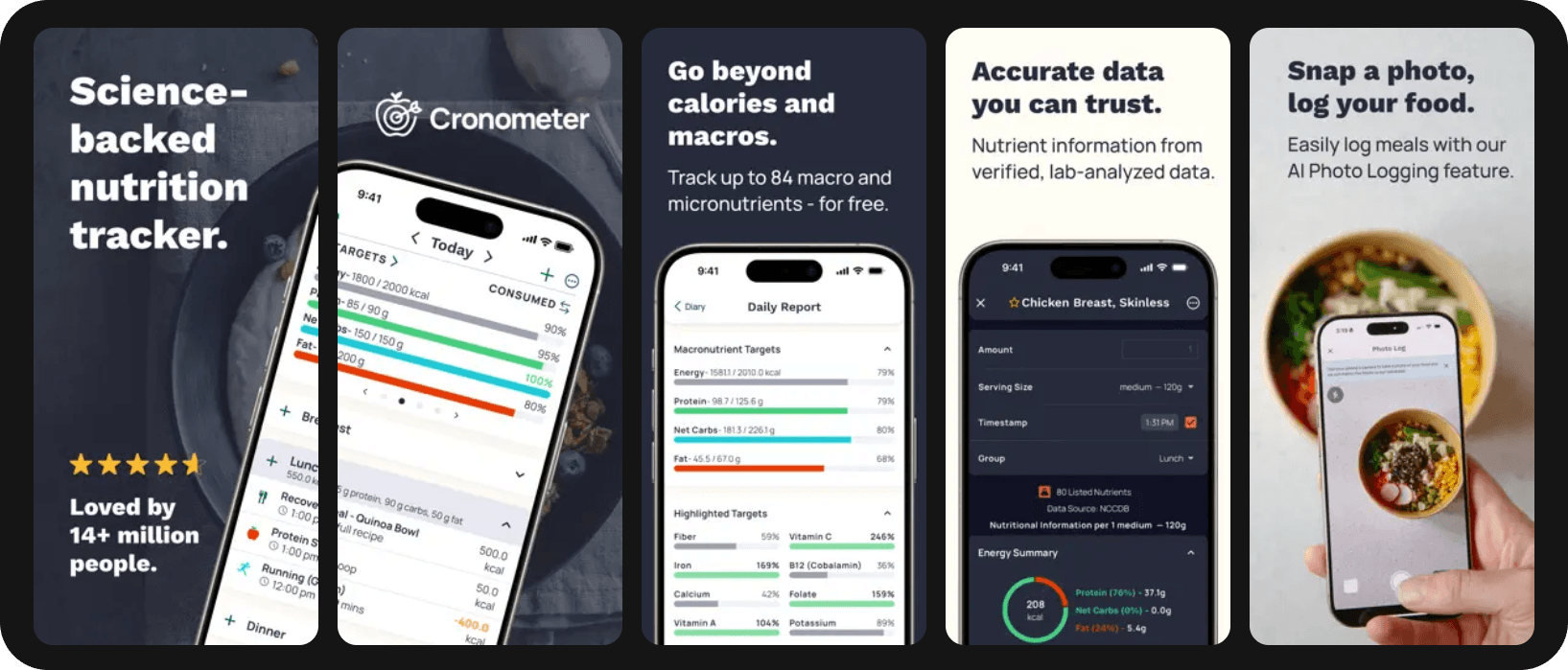
Cronometer tracks 82+ nutrients. It pulls from verified databases like USDA and NCCDB. If you're managing a health condition or optimizing nutrition beyond macronutrients, this is a good fit.
Best For: People tracking specific nutrient deficiencies, managing health conditions, or following therapeutic diets
Pros:
- Timestamp features for intermittent fasting
- No crowd-sourced entries
- Tracks vitamins, minerals, amino acids, lipids
- Excellent for medical nutrition therapy
Cons:
- Smaller food database than mainstream apps
- The interface feels a bit clunky.
Watch-outs: Can feel "too detailed" for burnout-prone users. The abundance of data might overwhelm if you just want simple calorie tracking.
3. Lose It! — Best for Simple Calorie Tracking (Beginner-Friendly)
Quick Overview
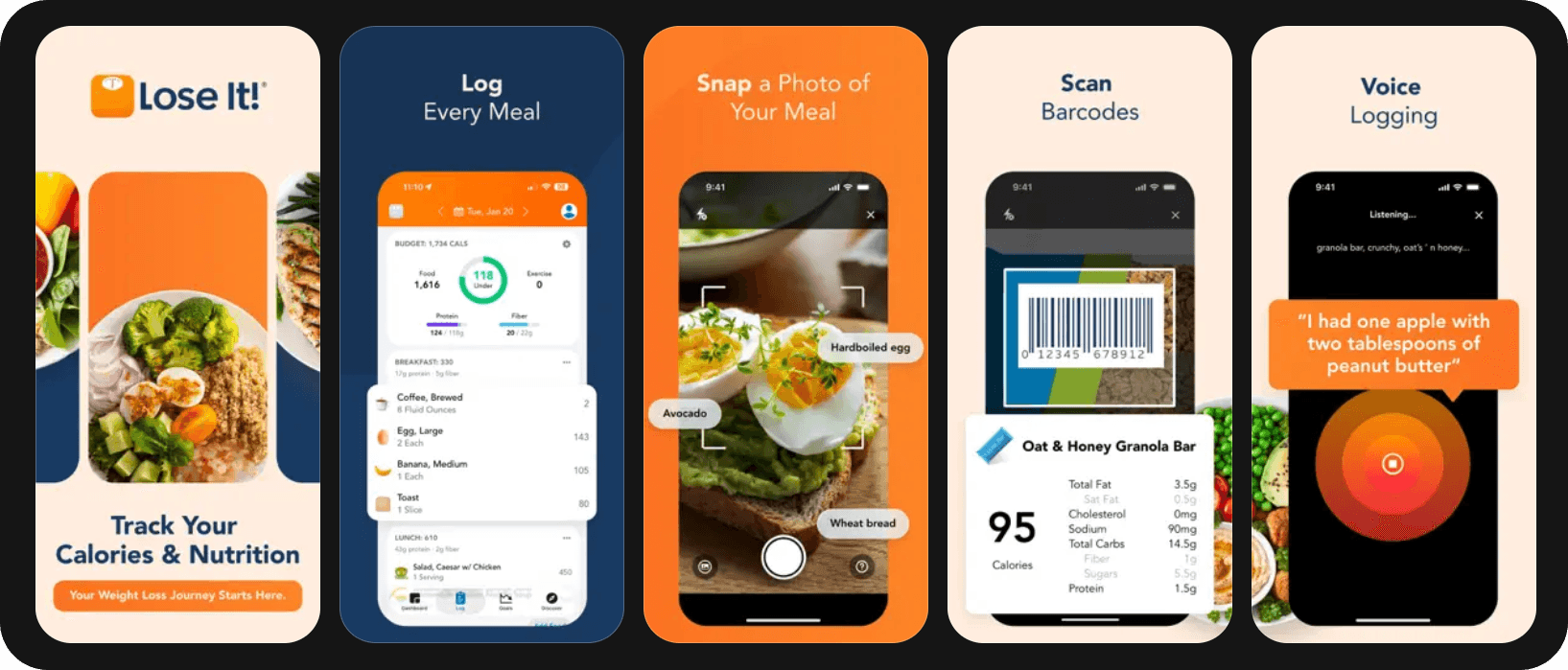
Lose It! strips tracking down to essentials: calories in, calories out, done. The app's strength lies in making weight loss approachable for complete beginners.
Best For: Calorie counting newcomers who want the simplest possible experience
Pros:
- Snap It feature (photo logging with AI recognition)
- Challenges and community features for motivation
- Pattern recognition helps identify habits
Cons:
- Limited macro tracking in free version
- Less flexibility for advanced dieters
Watch-outs: May be less macro-coach-y depending on the plan. You’ll need premium for detailed macro tracking.
4. MacroFactor — Best for Recomp & Adaptive Macro Targets
Quick Overview
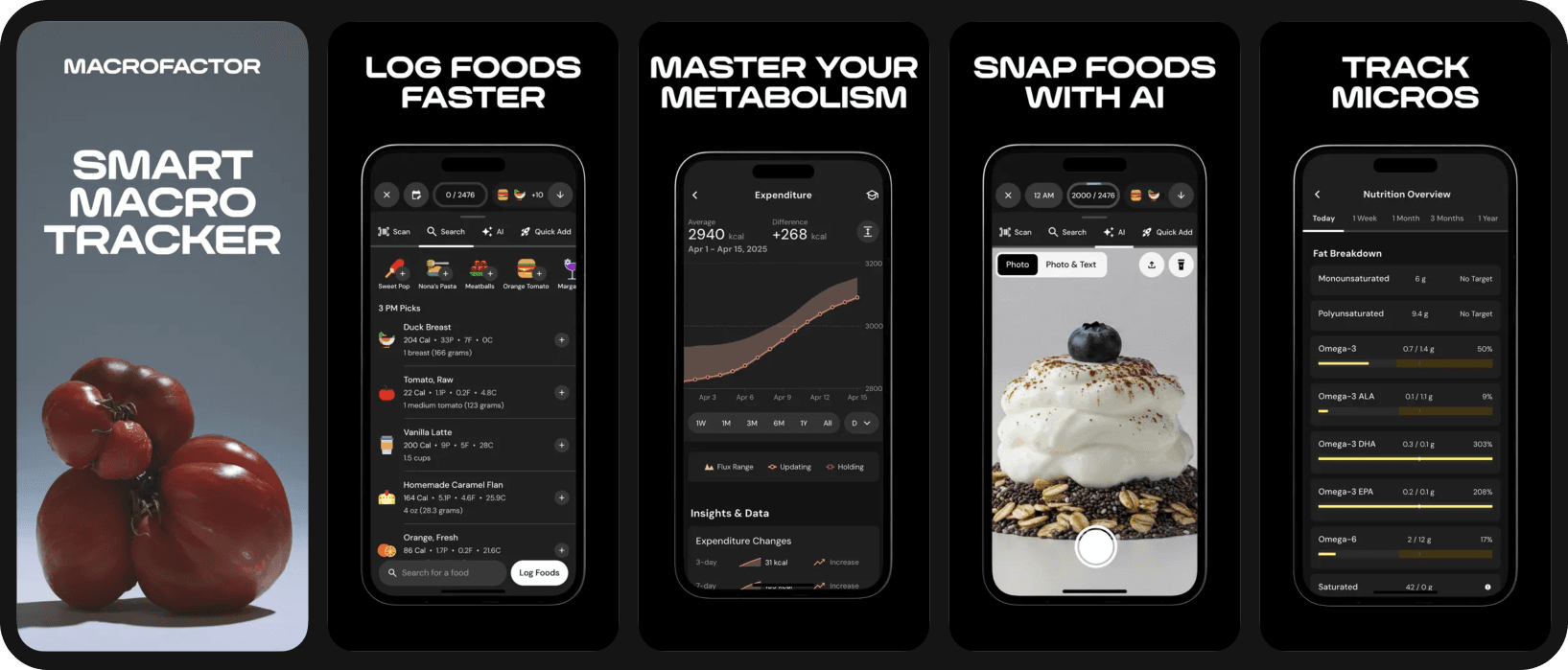
MacroFactor uses an internal algorithm to adjust your targets weekly based on actual progress. It adapts your macros based on your metabolism.
Best For: Experienced trackers pursuing specific body composition goals
Pros:
- Weekly expenditure updates based on your data
- Multiple tracking modes (coached, collaborative, manual)
- Trend weight algorithm smooths fluctuations
Cons:
- No free version
- Requires consistent tracking for algorithm to work
Watch-outs: More numbers-focused; not everyone wants that intensity. Best for people comfortable with data-driven approaches.
5. MyFitnessPal — Best for Mainstream Database Size
Quick Overview
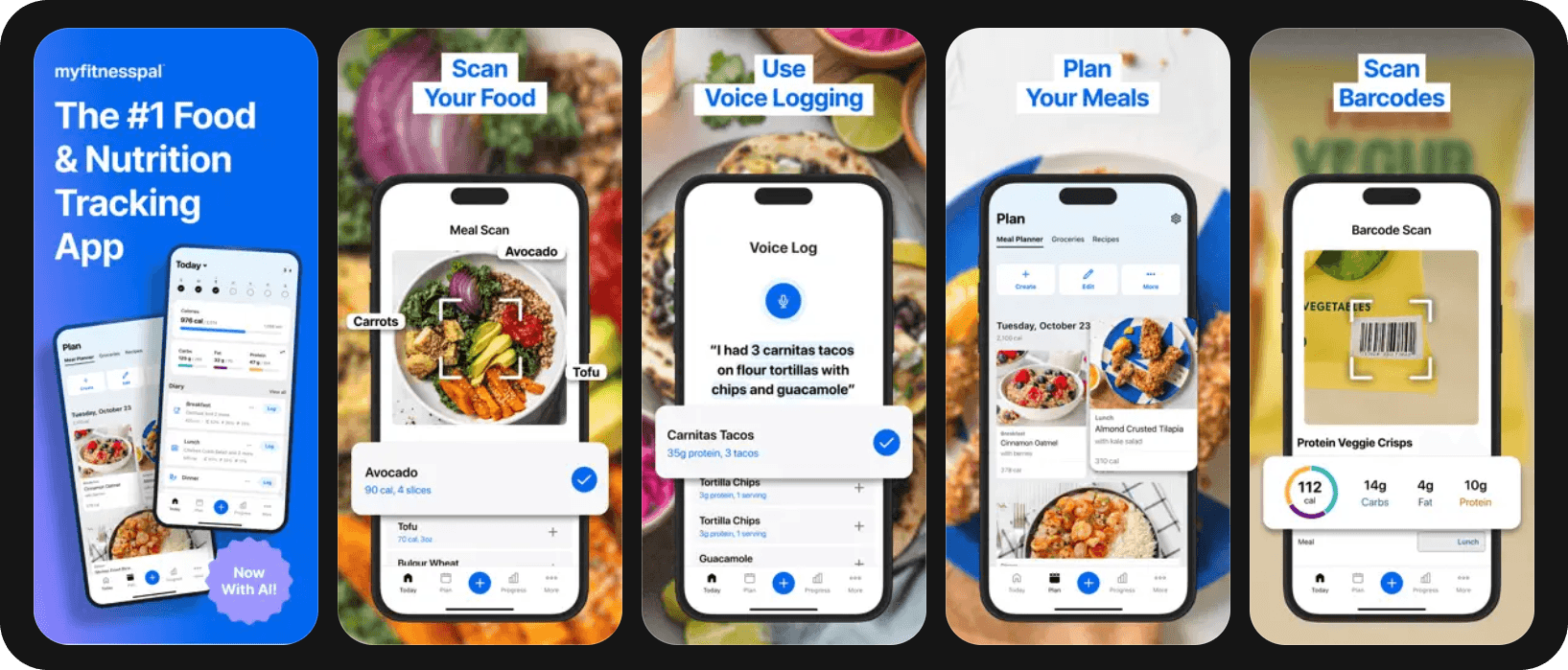
With 14+ million foods in its database, MyFitnessPal is the McDonald’s of food tracking. Not fancy, but reliable.
Best For: People who eat lots of packaged/restaurant foods and value database size over accuracy
Pros:
- Large food database (most restaurant chains included)
- Strong wearable integrations
- Large community for support
Cons:
- Many user-submitted entries with errors
- Heavy premium pushing with ads
Watch-outs: Can feel time-consuming to find accurate entries; some key features like barcode scanning now require premium.
6. Lifesum — Best for Habit-Style Guidance + Meal Plan Feel
Quick Overview
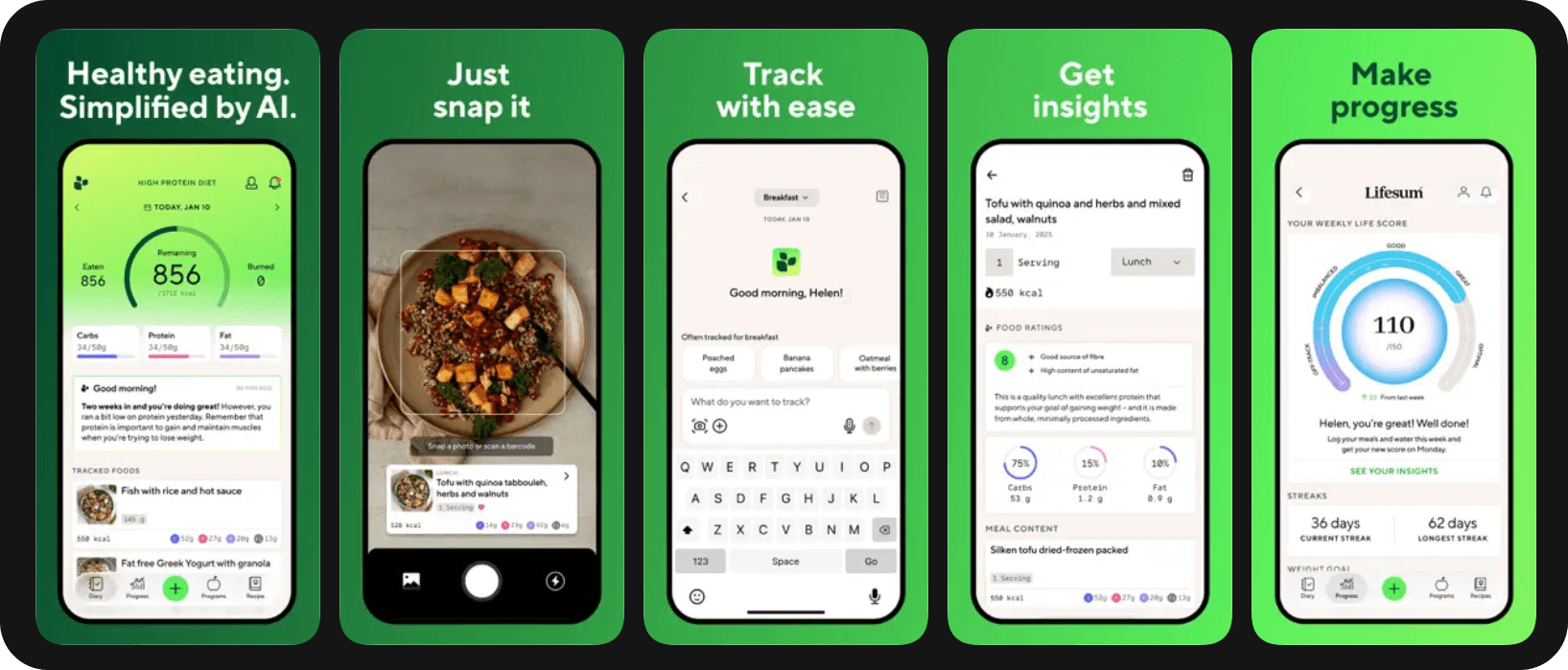
Lifesum treats food tracking as one part of a larger wellness journey. The app includes meal plans and lifestyle tracking.
Best For: Visual learners who want structure through meal plans and diet templates
Pros:
- Built-in meal plans and diet programs
- Life Score feature for overall health
- Water tracking with reminders
- Fasting timer integration
Cons:
- Free version very limited
- Less precise than dedicated macro trackers
Watch-outs: May be less "macro power-user" friendly for those wanting granular control.
7. Yazio — Best for Clean UI + Straightforward Tracking
Quick Overview
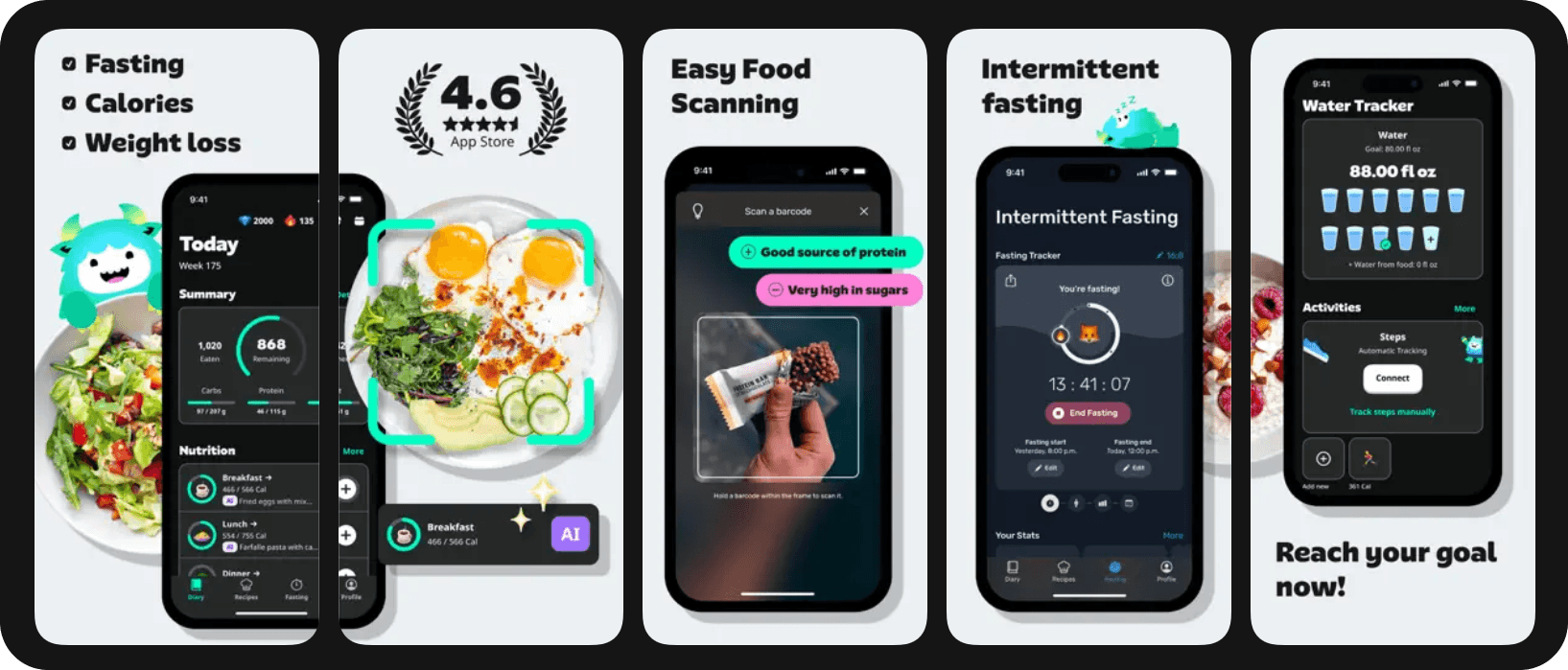
Yazio has a very efficient design. The app strikes a strong balance between simplicity and functionality, with built-in fasting features and recipe collections.
Best For: Users who value design and want tracking without clutter
Pros:
- Intuitive interface
- Integrated intermittent fasting tracker
- Automatic water tracking reminders
- Recipe database with nutritional info
Cons:
- Smaller food database than competitors
- Many features locked behind paywall
Watch-outs: Feature depth varies significantly between free and paid versions.
8. FatSecret — Best Free Food Tracker (Basic but Functional)
Quick Overview
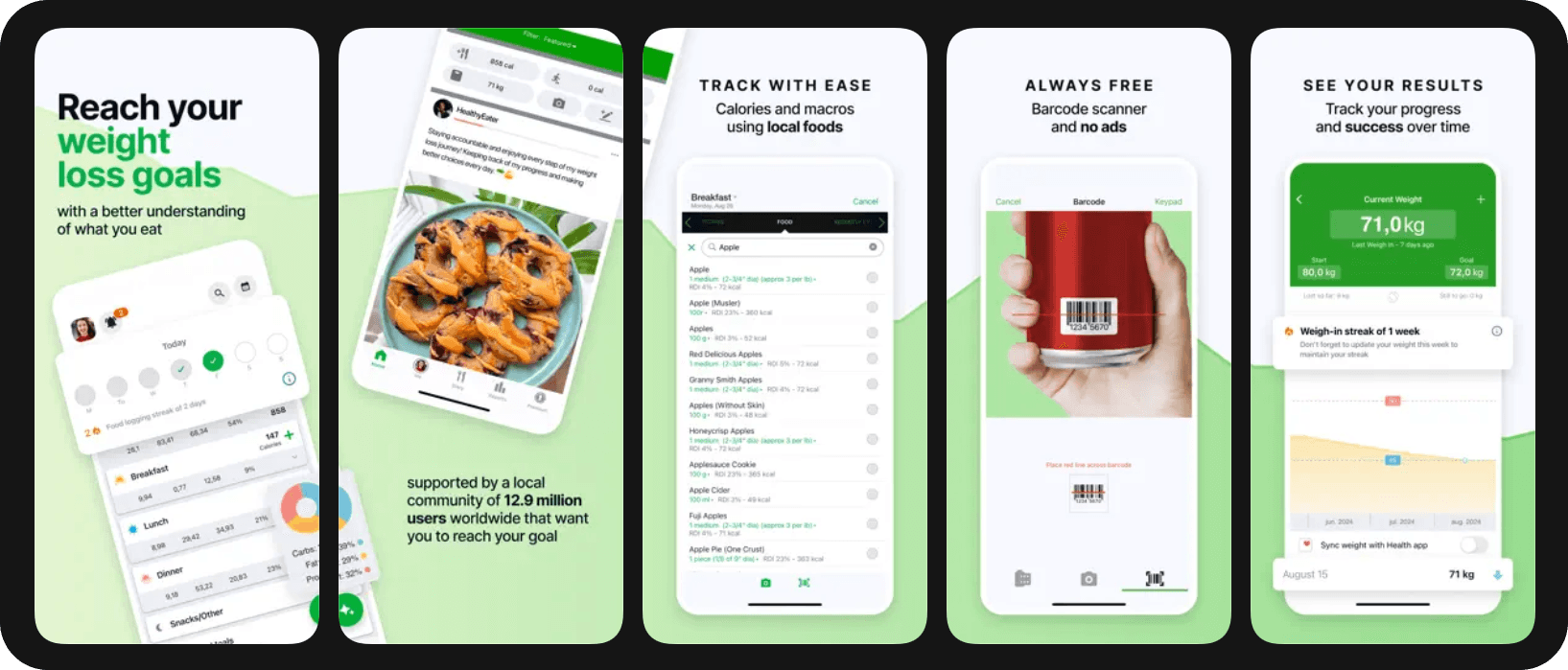
FatSecret is the Toyota Corolla of food trackers—not fancy, but reliable and gets you where you need to go. The completely free version includes features that other apps charge for, making it perfect for budget-conscious trackers.
Best For: Budget users who still want comprehensive tracking features
Pros:
- Fully featured free version
- Professional verification on many entries
- Community features and challenges
Cons:
- Dated interface design
- Slower barcode scanner
Watch-outs: UX and advanced features may lag behind premium apps, but functionality is solid.
9. MyNetDiary — Best for Condition-Focused Tracking (Prediabetes, Cholesterol)
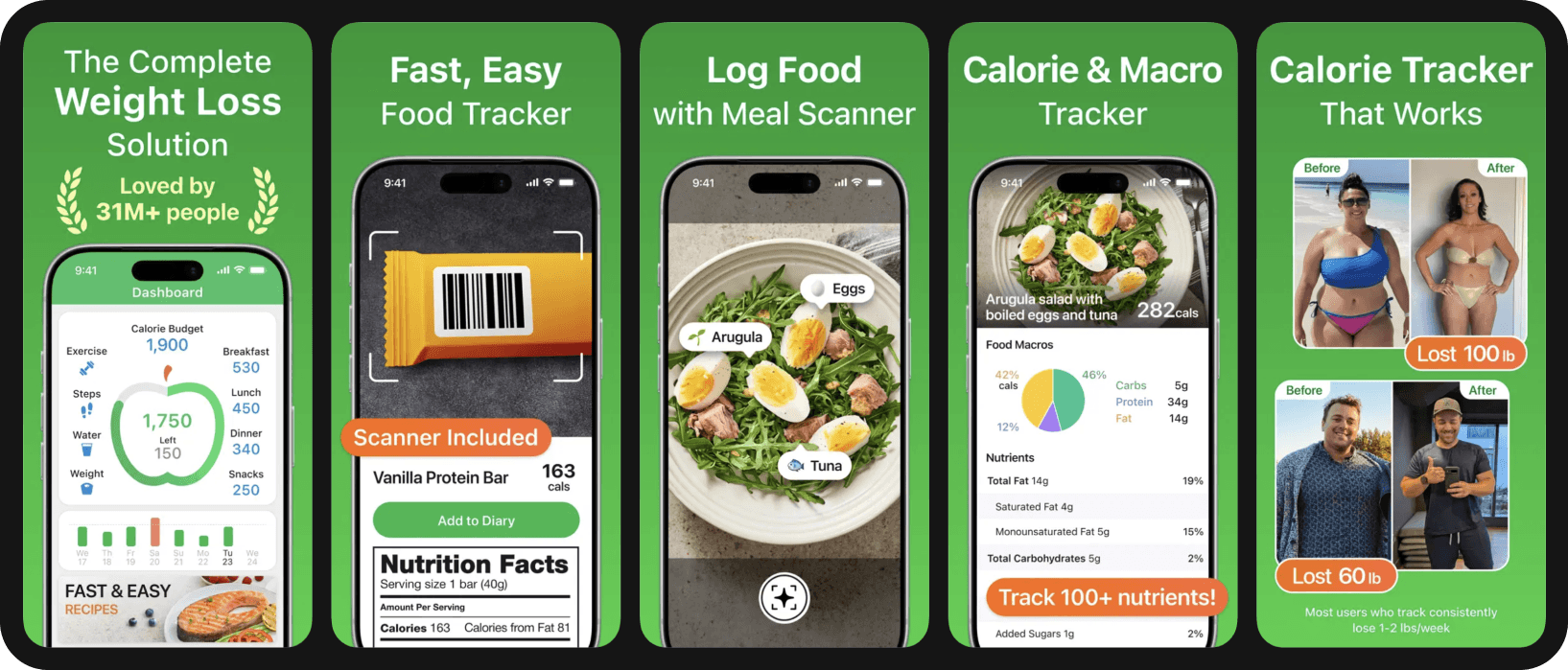
Quick Overview
MyNetDiary specializes in medical nutrition therapy, with specific features for diabetes management, cardiovascular health, and weight-related conditions.
Best For: Users managing specific health conditions with dietary intervention
Pros:
- Diabetes-specific features (glucose tracking, insulin logging)
- Cholesterol and blood pressure monitoring
- Medication reminders and tracking
- Detailed reports
Cons:
- Interface feels medical rather than motivational
- Premium features essential for condition tracking
Watch-outs: May feel more clinical than flexible, better for medical necessity than lifestyle change.
How to Track for Weight Loss Without Burnout (Flexible Framework)
Make tracking faster immediately
The difference between sustainable tracking and burnout often comes down to speed. Here's how to cut your logging time by 75%:
Scan packaged foods Every barcode saves you 30 seconds of searching. Make scanning your default for anything with a package.
Save repeat meals You probably eat the same breakfast 80% of the time. Save it as a meal, then one-tap log it daily. Same for your standard lunch salad or protein shake.
Use "close enough" entries Restaurant meal not in the database? Find something similar and move on. That local Thai place's pad thai is probably within 10% of Cheesecake Factory's version. Precision matters less than consistency.
Focus on trends, not perfect days Your weight loss depends on your average deficit over weeks, not whether you logged 650 or 700 calories for dinner last Tuesday. Track the big picture, estimate the details.
The psychology of sustainable tracking
The apps that succeed understand something crucial: tracking is emotionally loaded. Every entry carries judgment potential. The best apps (like Fitia) build in psychological safety nets:
- No red/green foods (all foods fit)
- No "you went over" shame notifications
- Quick-add options for rough days
- Progress beyond just weight (measurements, photos, fitness)
- Recovery without starting over (missed days don't break streaks)
When choosing an app, pay attention to how it makes you feel after a less-than-perfect day. That emotional response predicts long-term success more than any feature list.
FAQs
What's the best food tracking app for weight loss if I hate calorie counting?
If traditional calorie counting feels oppressive, try Fitia. Fitia's AI coach helps you focus on behaviors rather than numbers. You could also try portion-based tracking, many apps now support photo logging where AI estimates calories so you don't have to.
Are barcode scanners accurate?
Barcode scanners are generally 90-95% accurate for packaged foods, but accuracy depends on the app's database quality. Fitia, Cronometer, and MyFitnessPal have the highest accuracy rates in testing. The scanner pulls nutrition data linked to that specific UPC code, so it's usually more accurate than searching manually.
Do I need to track macros to lose weight?
No, you don't need to track macros for weight loss, a simple calorie deficit works. However, tracking protein specifically can help preserve muscle mass during weight loss, leading to better body composition results. Most successful maintainers track at least protein alongside calories.
Final Verdict
Best overall (fast + flexible + coaching): Fitia If you only try one app, make it Fitia. The combination of logging speed, flexibility, and AI coaching creates the most sustainable tracking experience available. It's the only app that made tracking feel like less work over time, not more.
Remember: The best diet is the one you can stick to, and the best tracking app is the one you'll actually open. Your consistency with a "good enough" app will beat perfect tracking that lasts three days. Choose your tool, commit to three weeks, and watch the magic of awareness transform your results.
Weight loss doesn't require perfection, it requires persistence. Pick your app today and start building the awareness that creates lasting change. Your future self will thank you for starting now rather than waiting for the perfect moment.
Better tracking habits start with the right tool. Fitia makes logging fast, flexible and sustainable. Download Fitia and use code FITIANOW to save on premium.
Related articles
 Fat Loss
Weight Loss Calorie Chart (2026): How Many Calories to Eat by Body Weight, Sex, and Activity
See how many calories to eat to lose weight, with simple charts by body weight and activity, plus why your target changes as you go.
Read article Fat Loss
Best Personalized Meal Planning App for Weight Loss in the US (2026): Comparing Apps That Plan Around Your Likes, Dislikes & Food Preferences
Compare Fitia, Eat This Much, Lifesum & Mealime on how deeply each one plans meals around your likes, dislikes, and dietary patterns for weight loss.
Read article Fat Loss
Best Calorie Deficit App to Diet Without Feeling Hungry in the US (2026): Satiety-Focused Reviews & Feature Comparison
Compare the best calorie deficit apps in the US for 2026. See which satiety features actually keep you full so you can stick to a deficit for months.
Read article