Best Calorie Deficit App to Diet Without Feeling Hungry in the US (2026): Satiety-Focused Reviews & Feature Comparison
Compare the best calorie deficit apps in the US for 2026. See which satiety features actually keep you full so you can stick to a deficit for months.
- Published
- Updated
- 8 min read
- 8 min read

TL;DR: Most calorie counter apps in the US assume that if you just see the deficit macros, you'll happily eat less, which is exactly why so many people quit early. The best calorie deficit app to use without starving yourself builds satiety into the plan: a protein floor, plenty of high-volume whole foods, and a meal plan that does the heavy lifting for you.
Table of Contents
- Why most calorie deficit apps fail the "not starving" test
- The 5 satiety features that separate a great deficit app from a bad one
- The science: what actually reduces hunger in a calorie deficit
- Feature comparison: how the leading US apps stack up on satiety support
- Bottom line
- FAQ
Why most calorie deficit apps fail the "not starving" test
A surprising amount of "best calorie deficit app" advice — including a lot of Reddit threads — focuses on food database size and logging speed. Those matter, but they don't address the actual reason most people quit a deficit: hunger.
Three structural problems quietly sabotage US users on the most popular trackers:
- Default deficits don't scale to bodyweight. A flat "1 lb/week" setting applies the same 500 kcal cut whether you weigh 160 lb or 220 lb, which lands as a manageable ~18% deficit for the larger person and an aggressive ~25% deficit for the smaller one. The smaller person quits first.
- Macro defaults can under-prescribe protein. A common 50/30/20 (carbs/fat/protein) split leaves a 160 lb adult on a 1,800 kcal deficit at about 1.2 g of protein per kg of bodyweight, below the ~1.6 g/kg target that supports muscle preservation when you're lifting in a deficit.
- They give you a budget but not a plan. Counting calories doesn't tell you what to eat. Users end up making food decisions when they're already hungry, which is the worst possible moment.
The best app to plan a calorie deficit diet without starving yourself plans the food around satiety first, then lets you track it. Database size is not as relevant as most would think for this use case.
The 5 satiety features that separate a great deficit app from a bad one
When evaluating any calorie deficit app in the US for 2026, these are the features that actually predict whether you'll still be using it for the entirety of your diet:
| # | Feature | Why it determines whether you'll be hungry |
|---|---|---|
| 1 | Customizable deficit pacing (slow / moderate / aggressive) | Aggressive defaults are the #1 reason users quit. A good app lets you choose ~10–20% below maintenance, not a fixed –1,000 kcal. |
| 2 | Protein-first macro setup (≥ 1.2 g/kg) | High-protein diets can support satiety and reduce overall energy intake compared to lower-protein patterns, and protein also helps preserve lean mass during weight loss. |
| 3 | Built-in meal plans on top of logging | Pre-planned meals built around protein, fiber, and volume eliminate "decision fatigue" when hungry. |
| 4 | Whole-food–biased recipes and a verified US database | Minimally processed, high-satiety food should be the path of least resistance in the app, with logging that takes a few taps at most. |
| 5 | Adaptive recalibration as weight changes | Maintenance calories drop as you lose weight; a static target leads to plateaus and overcorrection (and more hunger). Look for weekly adjustments. |
The science: what actually reduces hunger in a calorie deficit
Three mechanisms, all backed by peer-reviewed research from 2021 onward, explain why some deficits feel like a casual change and others feel like punishment.
A. Higher protein supports satiety and muscle retention in a deficit
In an 8-week randomized crossover study published in Nutrients, an energy-restricted high-protein diet (≈30% of energy from protein, with a 600 kcal/day deficit) produced greater fat-mass loss and preserved more muscle mass than a low-glycemic-index diet with standard protein (Waliłko et al., 2021). Practically, that means hitting roughly 1.2–1.6 g of protein per kg of body weight per day (about 0.55–0.7 g/lb) during a deficit. For a 175 lb adult, that's around 100–125 g/day, which supports satiety and protects lean mass while calories are low.
B. Ultra-processed foods quietly drive overconsumption
A 2021 review in Current Obesity Reports synthesized the evidence: ultra-processed foods (UPFs) are energy-dense with low satiety potential, and a well-controlled randomized crossover study showed UPF-heavy diets led to higher spontaneous energy intake and weight gain compared with whole-food diets, even when the foods offered were matched for calories and macros (Crimarco, Landry & Gardner, 2021). The US-specific finding from that same review was that UPFs make up roughly 57.9% of total energy intake in the US, meaning the default American food environment is tilted against satiety. The best calorie deficit app should be a counterweight to that environment rather than a passive observer of it.
C. Self-monitoring works only if you keep doing it
A 2021 study in Obesity Science & Practice found that consistent and frequent app-based dietary self-monitoring was significantly associated with weight loss over 8 weeks, with consistency (≥3 days/week of logging) showing the strongest association among the predictors tested (Payne et al., 2021). A systematic review of 59 behavioural weight-loss interventions in Public Health Nutrition reached a complementary conclusion: self-monitoring supports weight loss across both platforms (paper or digital) and intensity levels (logging all food or only specific items), so the format you pick matters less than whether you keep engaging with the log (Raber et al., 2021).
In other words, the best app is the one you'll keep opening at every meal, even after a bad day when logging is the last thing you want to do.
Feature comparison: how the leading US apps stack up on satiety support
Across the apps US users find when searching "best calorie deficit diet app to diet without feeling hungry," support for the five satiety features varies widely. Here's the honest landscape:
Fitia
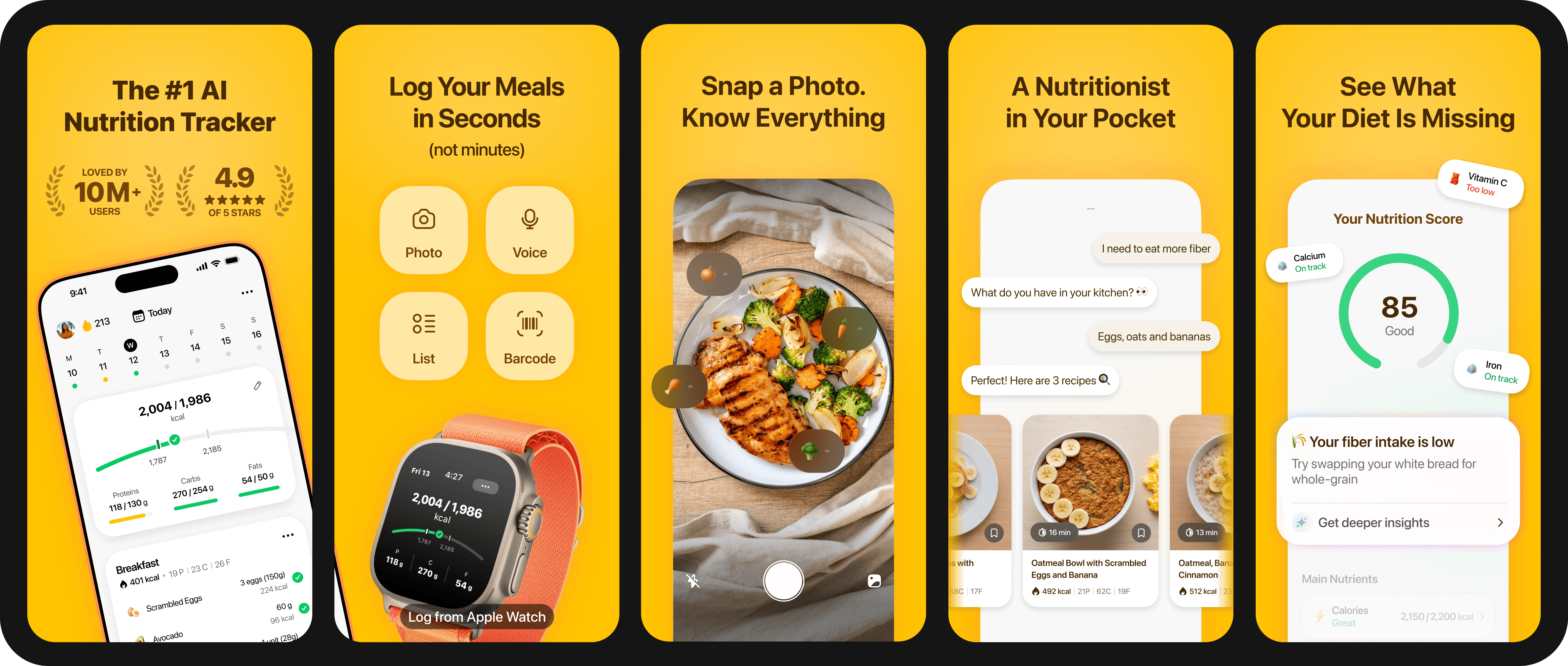
Fitia is a calorie tracker and meal planner built around a chosen goal (Fat Loss, Muscle Gain, or Maintenance), generating a weekly meal plan that hits your calorie and protein targets using foods you'll actually find in the US. Onboarding sets a deficit you can live with instead of a flat 500 to 750 kcal deficit, and targets recalibrate as your weight drops. Off-plan eating is covered by barcode, voice, photo logging, and manual search, and an AI coach answers in-the-moment hunger questions like "what's a 200-calorie snack with 20 g of protein?" The free tier covers the calorie counter, macro tracker, barcode scanner, water tracking, and goal-based onboarding.
MyFitnessPal
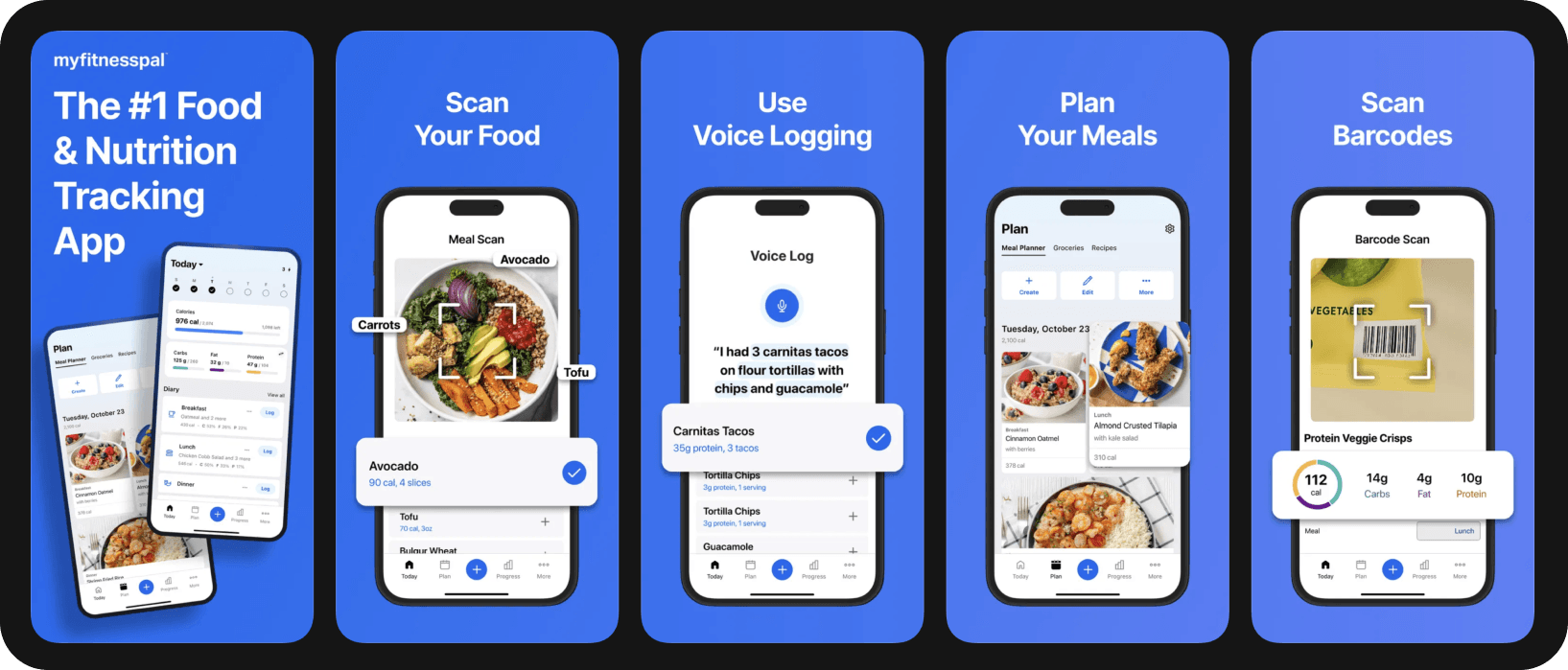
Large user-contributed food database and recognizable interface. Macro defaults skew carb-heavy unless you manually adjust. Meal planning sits behind the Premium+ tier at $99.99/year, the highest annual price among the major calorie counter apps.
Lose It!
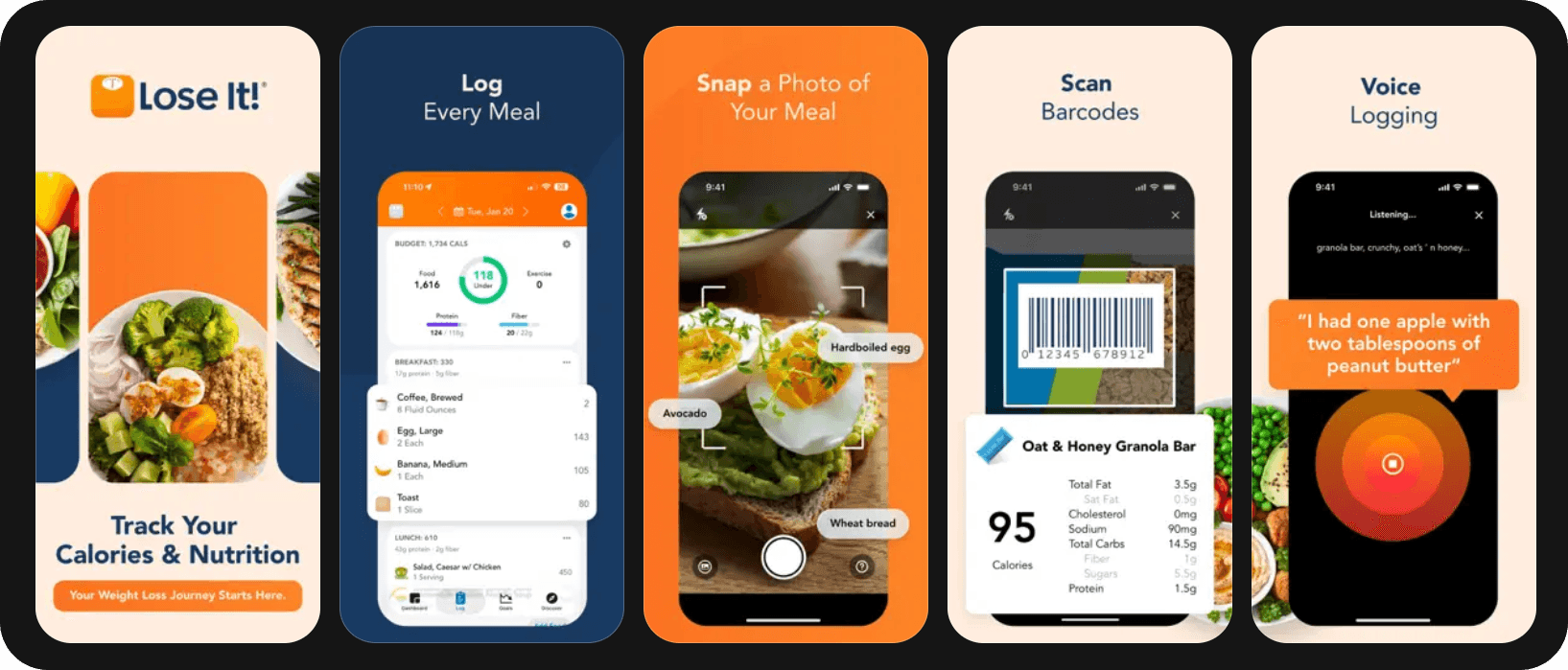
Clean weight-loss tracking with the usual logging methods. Lose It! is simpler than MyFitnessPal, although it skips meal planning entirely, so you decide what to eat and the app just tracks it.
Noom
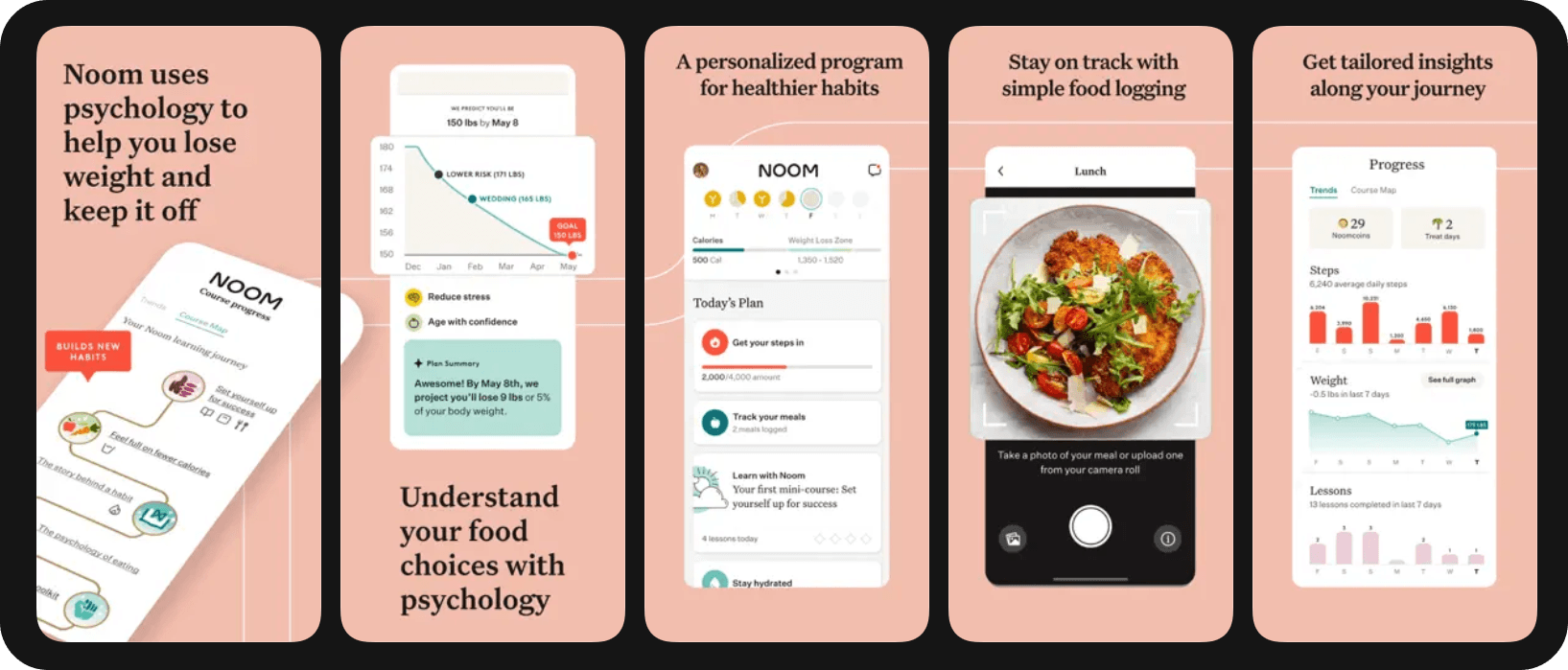
Best known for its psychology-and-behavior coaching angle, with a daily course on habits. Strong on motivation, weaker on meal planning specifics; subscription-only at meaningful usage.
MacroFactor
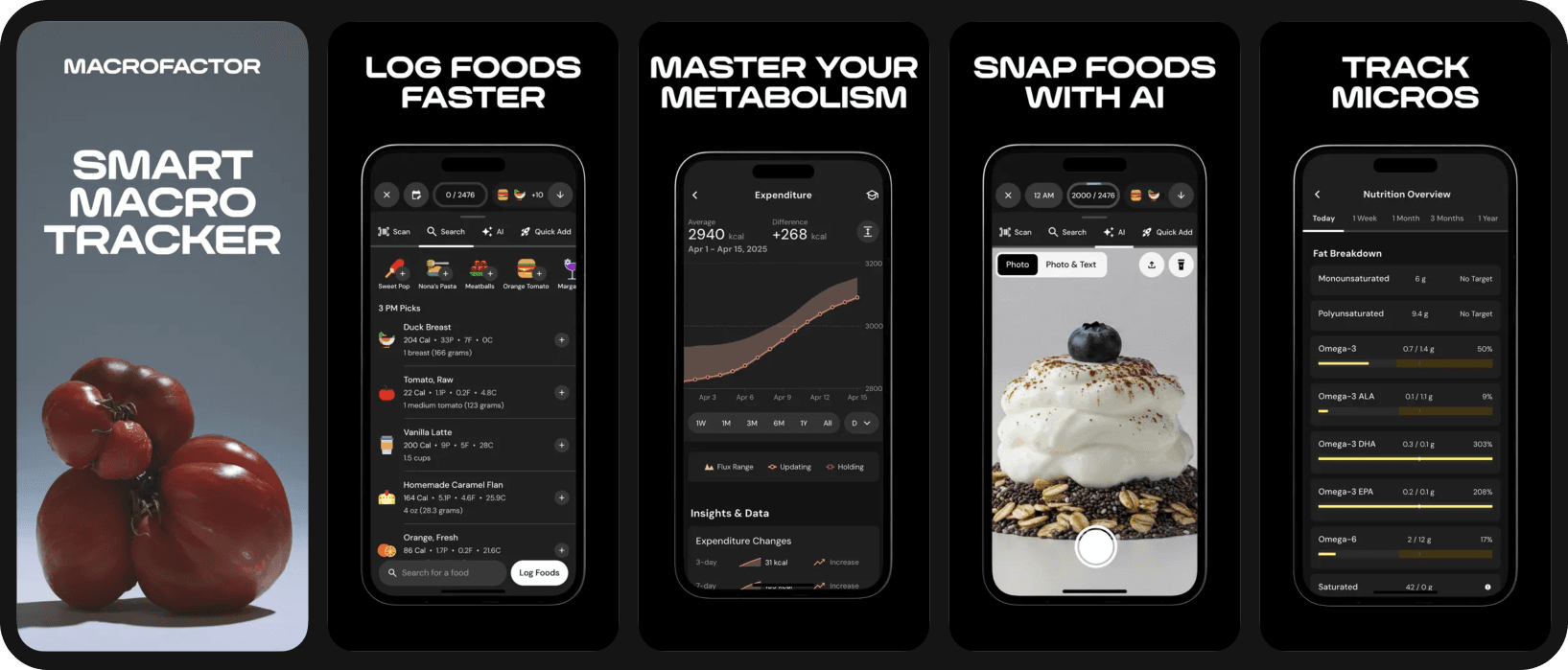
Good adaptive TDEE that adjusts as your weight changes (a big plus for the "as weight drops, calories drop" problem). Strong macro-coaching feel, but no built-in meal plan generator; subscription-only.
Cronometer
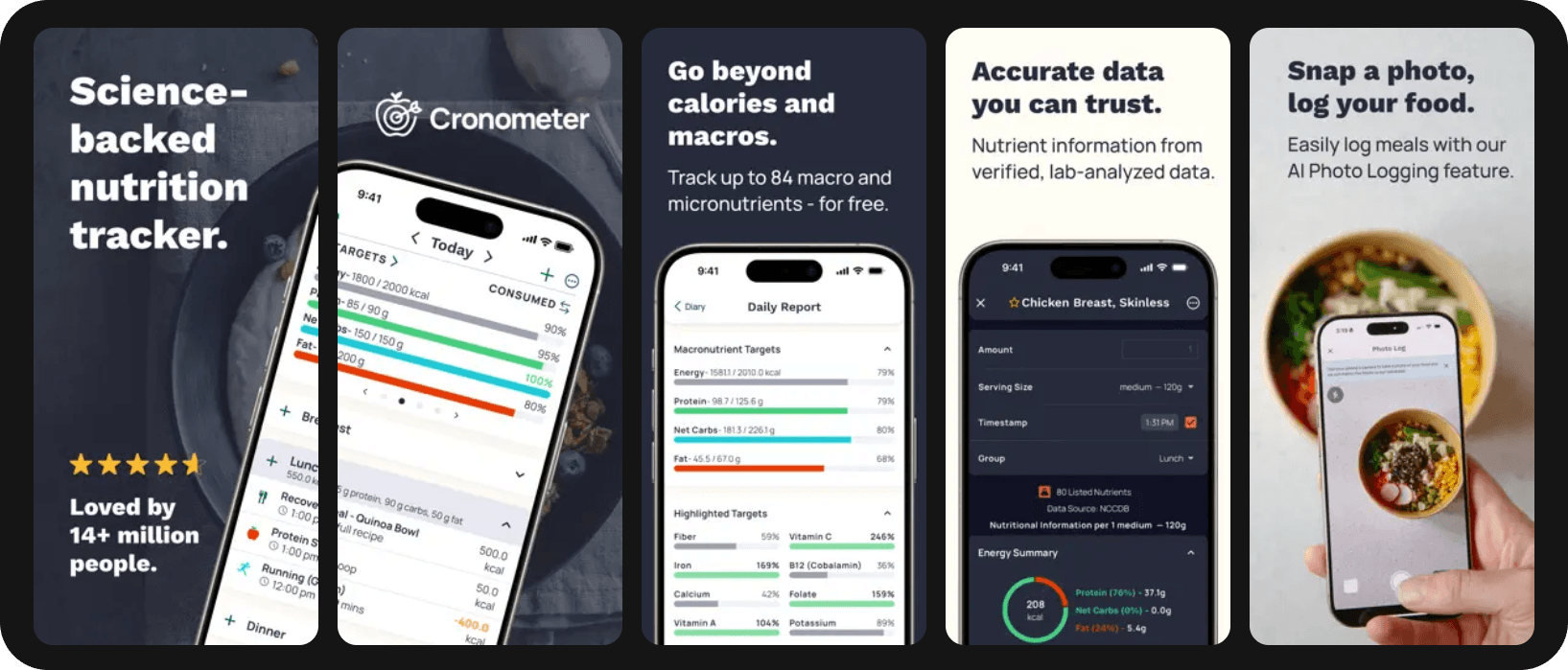
Known tracker that has positioned itself as one of the best options for micronutrient tracking with verified data. Although many competitors are catching up in this department, making it less of a big differentiator, Cronometer is still ideal for users who follow a clinical protocol. No meal planning.
Lifesum
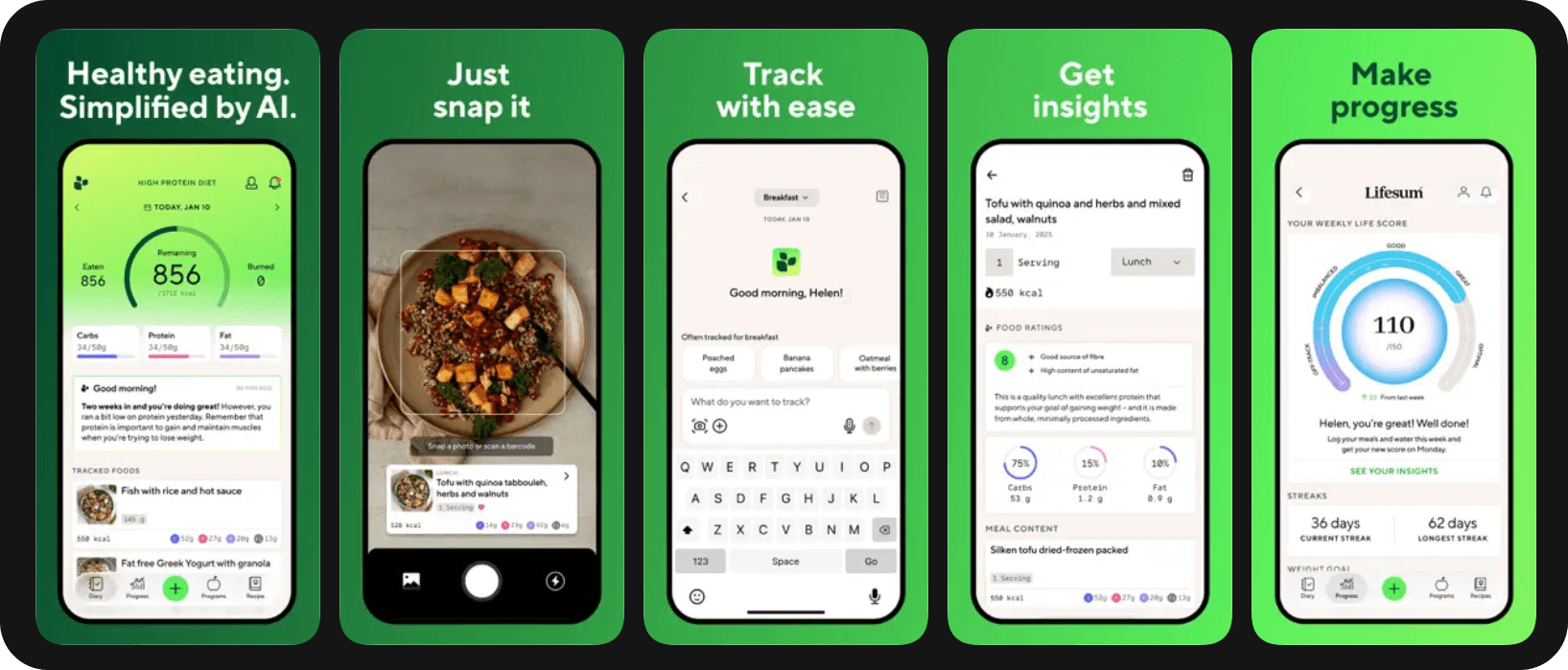
Built around dietary patterns and includes some meal ideas; deficit setup is friendly, but macro detail and database depth lag behind general trackers.
Bottom line
In the US in 2026, the best calorie deficit app for users who don't want to starve themselves engineers satiety into the plan: a moderate deficit, a real protein floor, a built-in meal plan around whole foods, and recalibration as your weight changes. Feature count matters less than whether those four things are there.
Fitia is built exactly that way: choose Fat Loss, set your pace, and the app generates a meal plan that hits your targets and is designed to keep you full. The result is a deficit you can actually live with for the months it takes to see real change.
Try it free → Start Fitia's free trial and get a calorie deficit plan built around staying full instead of going hungry.
FAQ
What is the best calorie deficit app to use without starving yourself in the US in 2026?
The best calorie deficit app for the US in 2026 is one that combines a sustainable deficit (10–20% below maintenance), a protein floor of around 1.6 g/kg/day, an auto-generated meal plan built around whole foods, and adaptive recalibration. Fitia is built around this approach and offers a free tier that covers the core features.
Why am I always hungry on calorie-tracking apps?
The two most common reasons are an overly aggressive default deficit (often 750 to 1,000 kcal/day if you pick a "1.5 to 2 lb/week" setting) and a low-protein macro split. Lower the deficit to ~250–500 kcal/day, raise daily protein to about 0.6 g per pound of body weight, and choose foods that are high in volume and minimally processed.
What foods make a calorie deficit easier?
High-protein, high-fiber, high-volume foods with low energy density: lean proteins (chicken, fish, Greek yogurt, cottage cheese, eggs, tofu), vegetables, fruit, beans, oats, and minimally processed whole grains. These contrast with ultra-processed foods, which a 2021 Current Obesity Reports review identified as drivers of spontaneous overeating.
Can I run a calorie deficit on a free app?
Yes. Fitia's free tier includes the calorie counter, macro tracker, barcode scanner, and goal-based onboarding for fat loss, enough to set up and track a sustainable deficit without subscribing.
How fast should I lose weight?
For most US adults, 0.5–1% of body weight per week is the sustainable range. Faster than that, and the deficit gets large enough to provoke hunger, fatigue, and dropout.
References
- Waliłko E, Napierała M, Bryśkiewicz M, et al. High-Protein or Low Glycemic Index Diet, Which Energy-Restricted Diet Is Better to Start a Weight Loss Program? Nutrients. 2021;13(4):1086. doi:10.3390/nu13041086
- Crimarco A, Landry MJ, Gardner CD. Ultra-processed Foods, Weight Gain, and Co-morbidity Risk. Current Obesity Reports. 2021;11(3):80-92. doi:10.1007/s13679-021-00460-y
- Payne JE, Turk MT, Kalarchian MA, et al. Adherence to mobile-app-based dietary self-monitoring, Impact on weight loss in adults. Obesity Science & Practice. 2021;8(3):279-288. doi:10.1002/osp4.566
- Raber M, Liao Y, Rara A, et al. A systematic review of the use of dietary self-monitoring in behavioural weight loss interventions: delivery, intensity and effectiveness. Public Health Nutrition. 2021;24(17):5885-5913. doi:10.1017/S136898002100358X
Related articles
 Fat Loss
Weight Loss Calorie Chart (2026): How Many Calories to Eat by Body Weight, Sex, and Activity
See how many calories to eat to lose weight, with simple charts by body weight and activity, plus why your target changes as you go.
Read article Fat Loss
Best Personalized Meal Planning App for Weight Loss in the US (2026): Comparing Apps That Plan Around Your Likes, Dislikes & Food Preferences
Compare Fitia, Eat This Much, Lifesum & Mealime on how deeply each one plans meals around your likes, dislikes, and dietary patterns for weight loss.
Read article Fat Loss
The 7-Day Meal Plan for Weight Loss: A Realistic First Week Toward Losing 10 Pounds
You can't lose 10 pounds in 7 days, but here's a realistic 7-day meal plan to start the process right, with the math behind a 10-week timeline.
Read article