Sync Fitia with Apple Watch: Step-by-Step & Key Benefits
Learn how to sync Fitia with your Apple Watch and track meals, calories, and macros right from your wrist.
- Published
- 4 min read
- 4 min read

Syncing Fitia with your Apple Watch turns nutrition tracking from a chore into a seamless part of your day. No more reaching for your phone at meals, no more forgotten logs, and no more guessing if you have calories left for that evening snack. Setup takes less than 30 seconds, and the benefits can truly change how you approach your health goals.
How to Sync Fitia with Apple Watch
The syncing process depends on whether you have Automatic App Install enabled on your iPhone. Most users do, which makes setup incredibly simple.
For most users (Automatic App Install enabled):
- Open Fitia on your iPhone and keep it running during setup
- Open Fitia on your Apple Watch (it should already be installed)
- Tap Start on your watch to begin syncing
Your accounts are now connected. You can close Fitia on your iPhone and track everything from your wrist.
If you need manual installation:
- Open the Apple Watch app on your iPhone
- Navigate to My Watch > Available Apps
- Tap Install next to Fitia
- Follow the same steps as in the previous section
Quick troubleshooting
Can't find Fitia on your watch? Check these common issues:
- Make sure you're logged into Fitia on your iPhone first
- Keep your iPhone nearby during initial setup
- Verify you have enough storage on your Apple Watch (Settings > General > Usage)
- Force restart both devices if the sync fails
Main Benefits of Syncing Fitia with Apple Watch
1. View your day – instant progress tracking
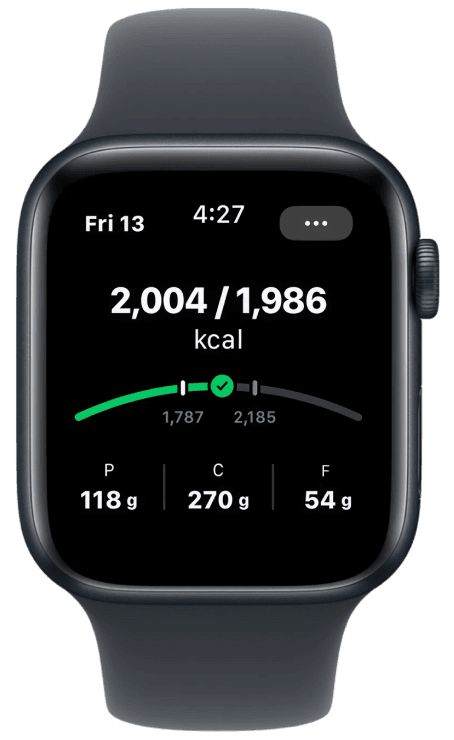
A quick glance at your wrist shows your real-time calorie balance. See exactly how much you’ve eaten and how much you have left to consume at any moment.
2. Add foods by voice or database search – natural, fast logging
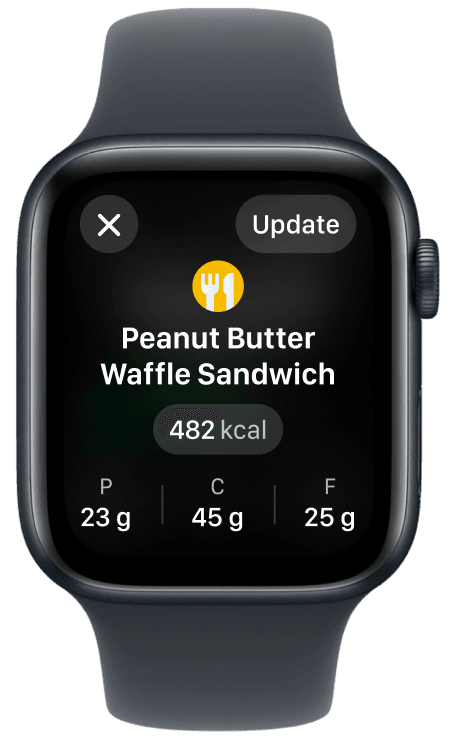
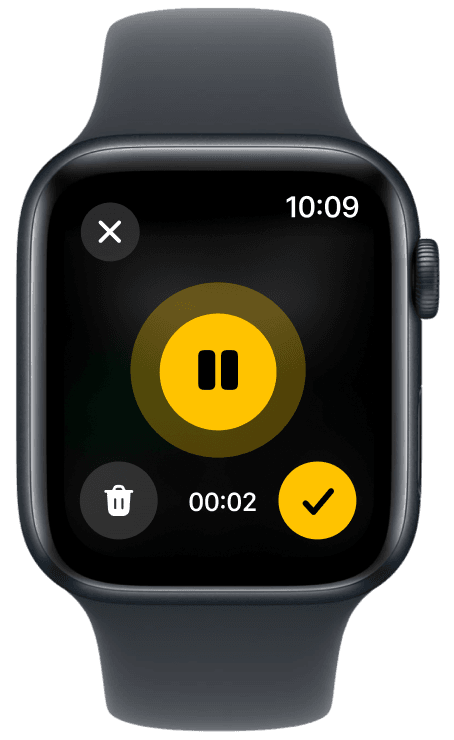
Log meals quickly by speaking naturally or searching the built-in food database. Say “grilled chicken with brown rice and broccoli,” and Fitia logs it accurately with proper portions. The voice recognition understands cooking methods, brand names, and restaurant dishes. If you prefer typing, the database search is optimized for the small screen with smart predictions.
3. Mark and unmark foods – quick adjustments
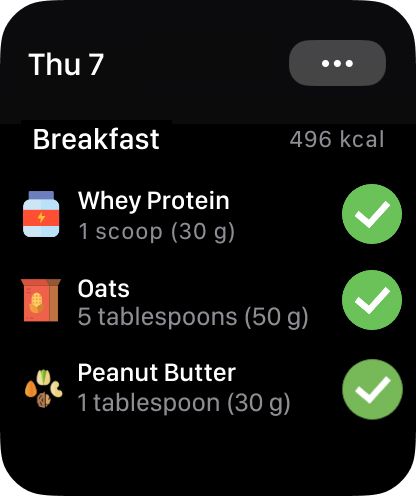
Easily manage your logged meals right from your wrist without reaching for your phone. Logged breakfast but ended up eating something different? Mark it as uneaten with one tap. Forgot to log that morning coffee? Mark it as consumed instantly. This flexibility is crucial for real-world tracking, where plans change constantly.
4. Copy meals from yesterday or last week – save time every day
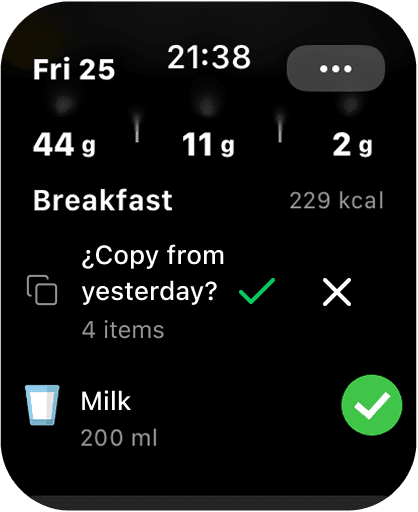
Save time by reusing past meals with a single tap, just like in Fitia on iPhone. This feature alone can save power users 5–10 minutes a day. If you eat similar meals regularly, that’s over 25 minutes a week gained instead of spent on repetitive logging.
5. Delete and edit foods – instant fixes
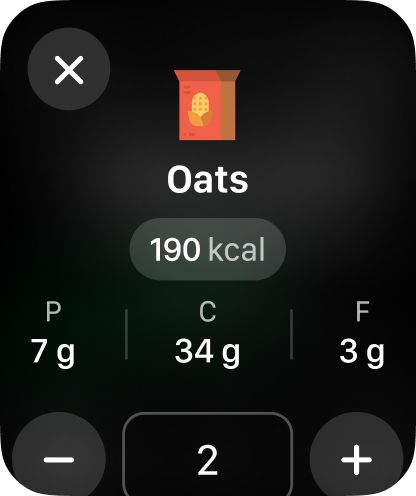
Easily correct your food log right from your watch. Remove items you logged by mistake or adjust portions when needed. Keep your daily log accurate and up to date.
6. Complications (watch widgets) – always-visible accountability
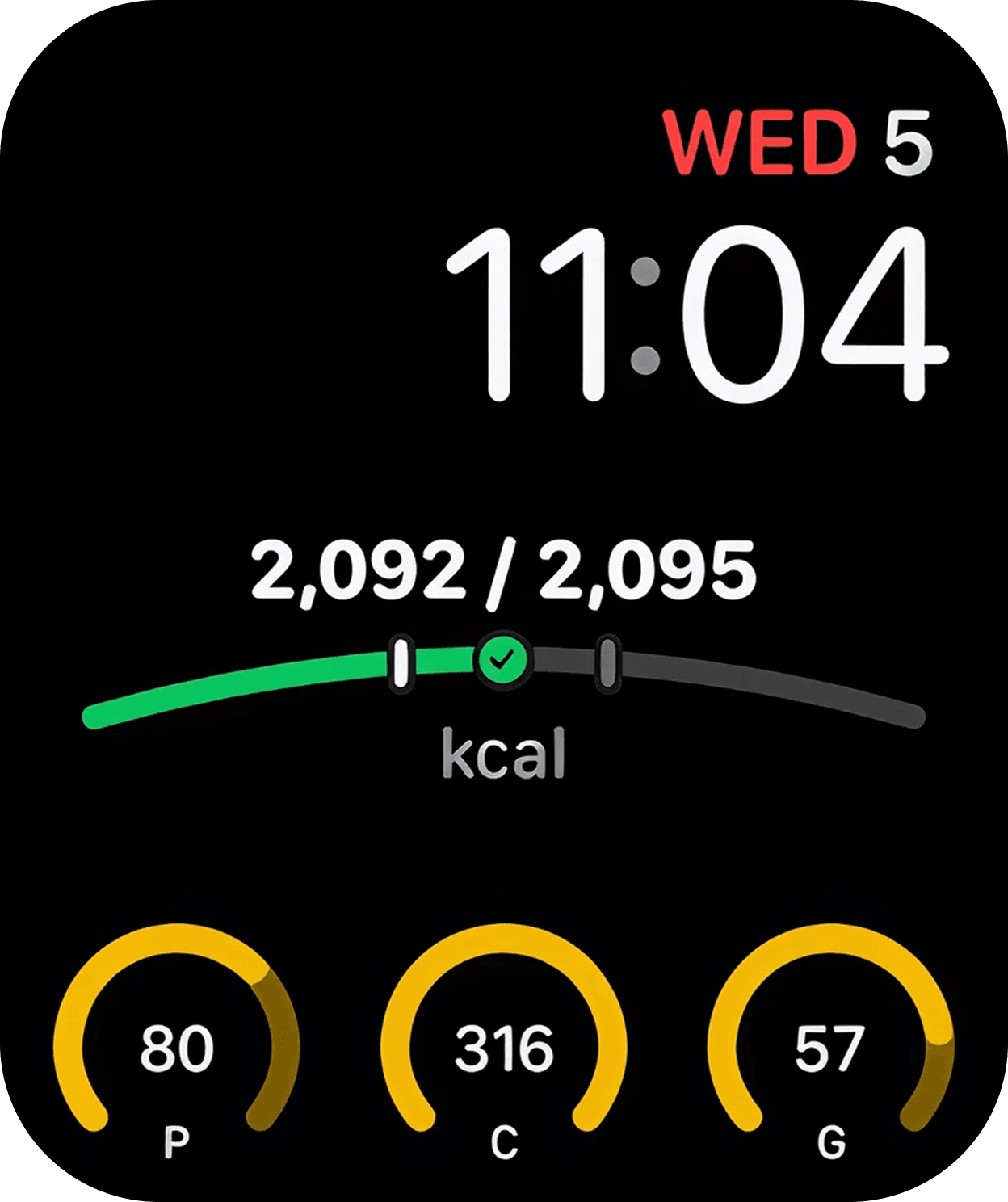
Choose from multiple complication types: calories remaining (most popular), calories consumed, or full macro breakdown. This constant visibility builds subtle awareness that encourages better choices.
Start Your Seamless Tracking Journey Today
The difference between successful long-term nutrition tracking and another abandoned attempt often comes down to friction. Every second saved, every tap eliminated, and every convenience added dramatically increases your chances of success.
Syncing Fitia with your Apple Watch removes the friction that kills most tracking attempts. When logging is as simple as telling your watch what you ate, when your goals are visible with every glance, and when tracking works everywhere without your phone, consistency becomes automatic, not forced.
Transform your nutrition tracking today – download Fitia for free
Frequently Asked Questions
Do I need my phone nearby after the initial setup?
No, once synced, your Apple Watch can track independently. Your phone is only required for the first-time setup and for detailed meal planning or recipe creation.
How accurate is the voice logging feature?
Remarkably accurate. The AI understands natural language, typical portion sizes, cooking methods, and even recognizes restaurant dishes and brand names. It gets smarter with use.
Will this significantly drain my Apple Watch battery?
No, the impact is minimal—less than 5% for typical daily use. Heavy voice users might see slightly more, but nothing that prevents all-day wear.
Can multiple people share the same Apple Watch for tracking?
Fitia is tied to individual accounts, so each person needs their own Apple Watch for accurate personal tracking and goal management.
Related articles
 App Tutorials
How to Create and Add a Custom Meal or Recipe in Fitia
Learn how to create custom meals and AI recipes in Fitia. Build your own dishes, add ingredients, and use Fitia Coach to get personalized recipe ideas fast.
Read article App Tutorials
How to Calculate Daily Calories for Students and Young Adults
Learn how students and young adults can calculate daily calories with Fitia. Get accurate, science-based targets to fuel energy, focus, and health.
Read article App Tutorials
How to Register and Configure your Water Consumption in Fitia?
Hydration is essential to maintain your performance and health. In Fitia, you will be able to register and configure your water consumption.
Read article