
Nov 15, 2025
How to Create and Add a Custom Meal or Recipe in Fitia
Creating recipes in Fitia transforms nutrition tracking from repetitive data entry into the experience of building your own personalized cookbook. With over 25k recipes in its database and AI-powered meal suggestions, the app makes crafting recipes both powerful and practical for anyone serious about achieving their nutrition goals.
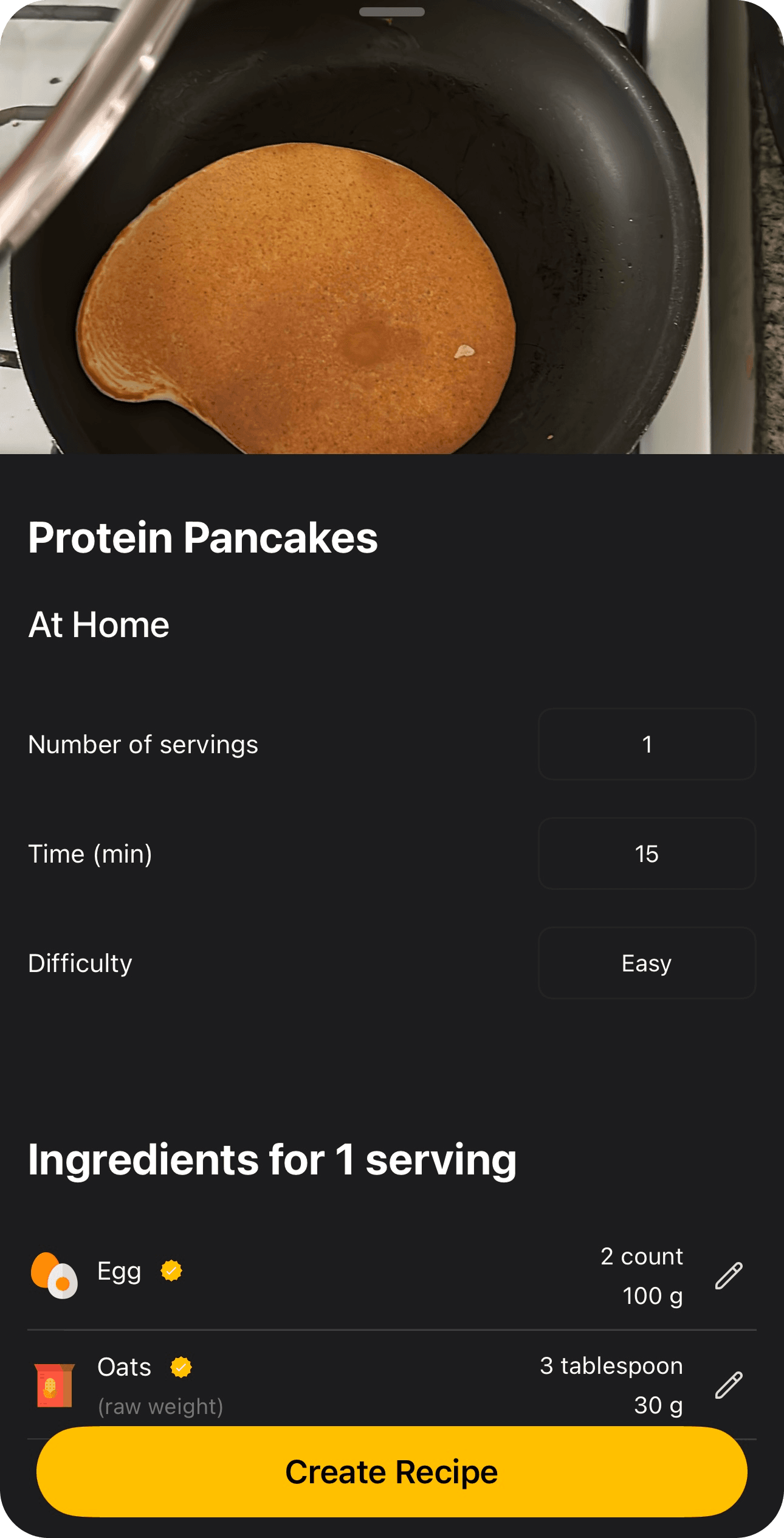
Create a Personalized Recipe
Steps:
1.-Tap the Search tab.
2.-Tap the three dots at the top of the app.
3.-Select Create Recipe.
4.-Fill in the details: recipe name, photo, brand or restaurant, and add ingredients, instructions, and any other relevant information.
Create Recipe with AI
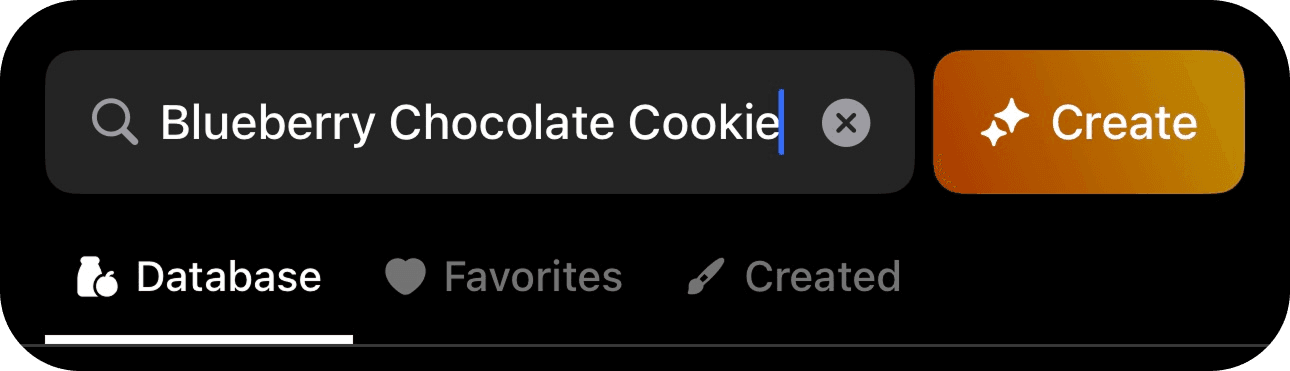
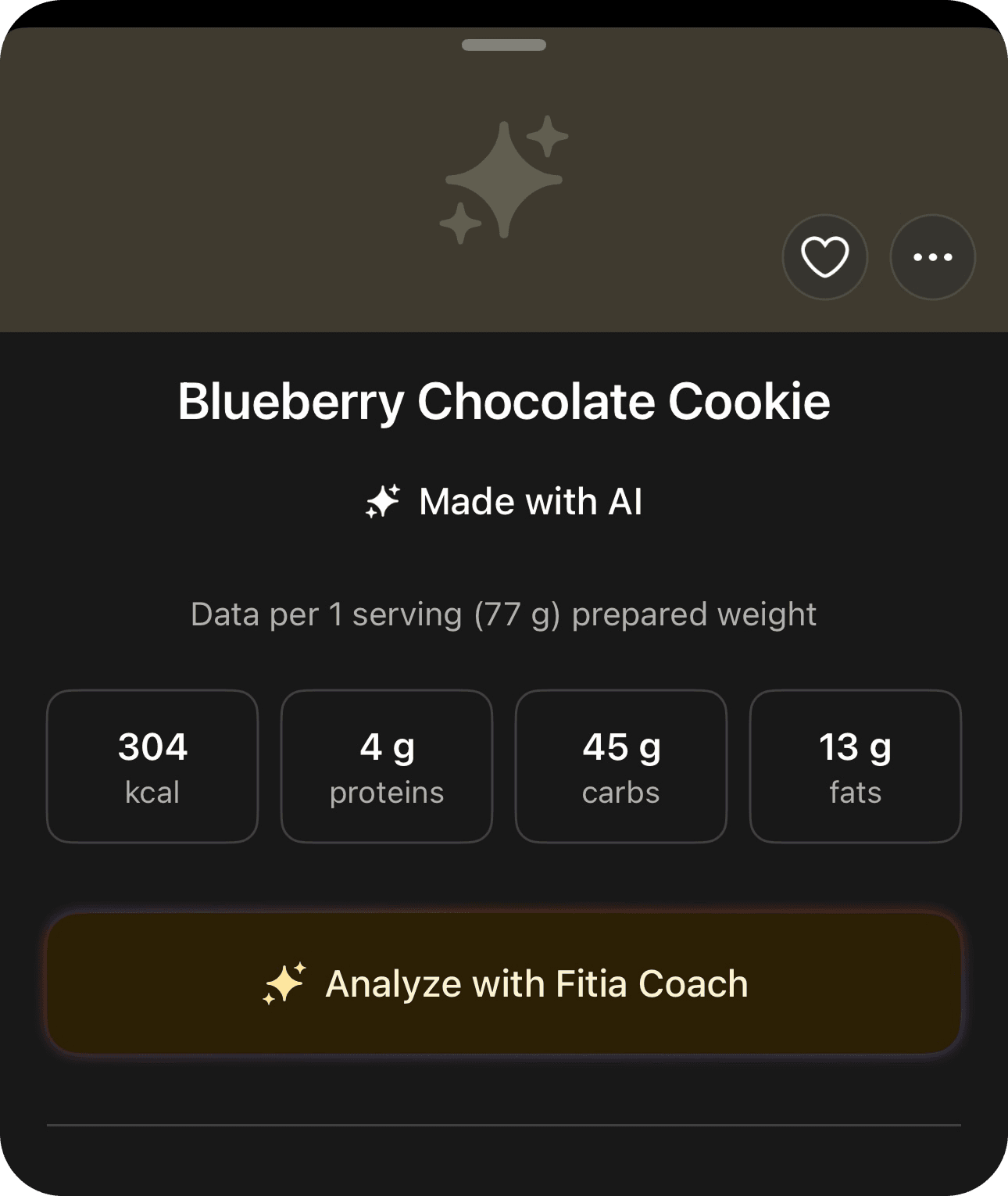
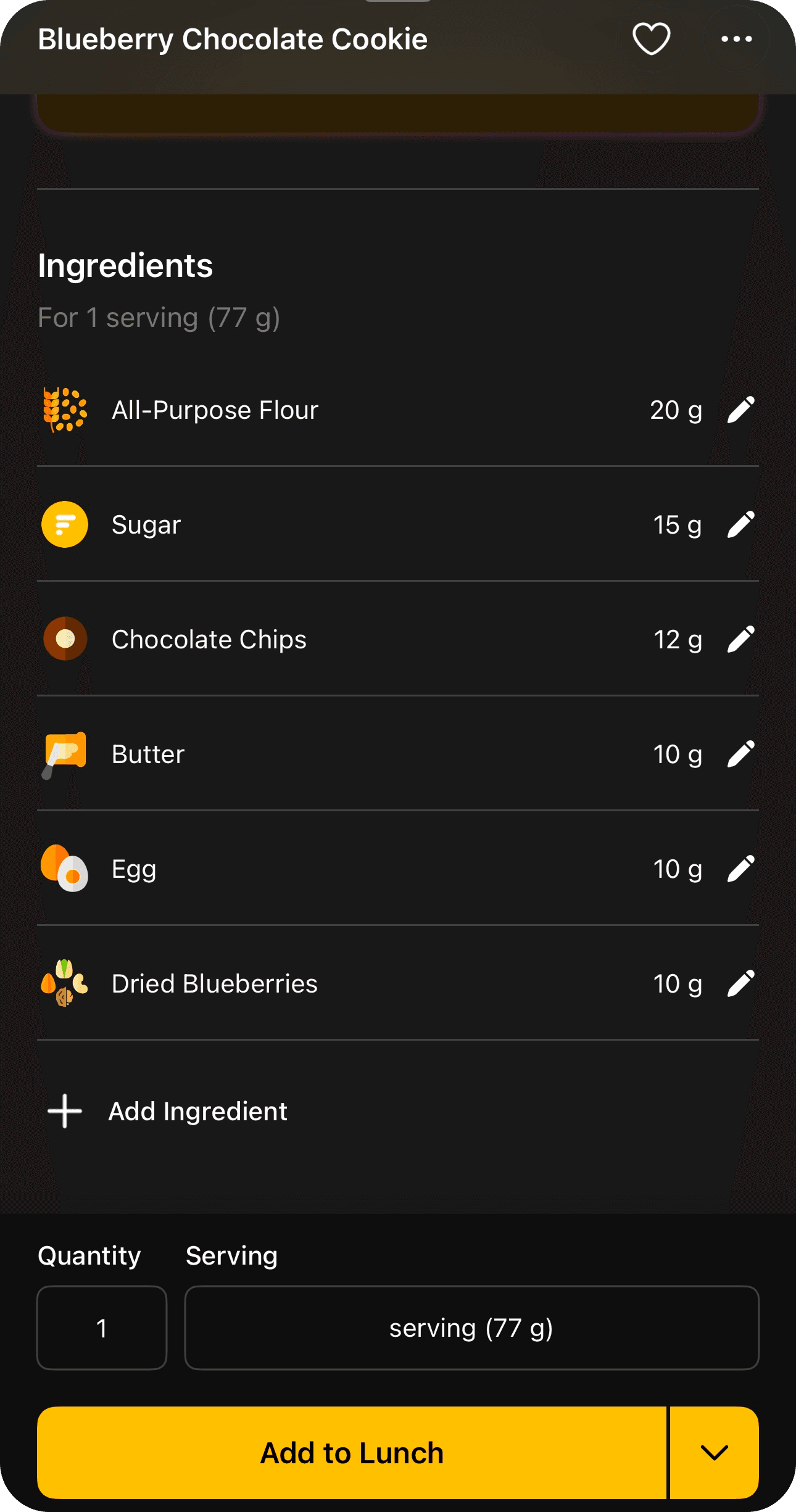
If you’re looking for something in our database and can’t find it, simply type the name of the meal and tap Create with AI.
Steps:
1.-Tap the Search tab.
2.-In the search bar at the top (where it says Search Foods), type the name of the meal or recipe you want to create and tap Create.
3.-Add the meal to your plan.
Fitia Coach for Recipes
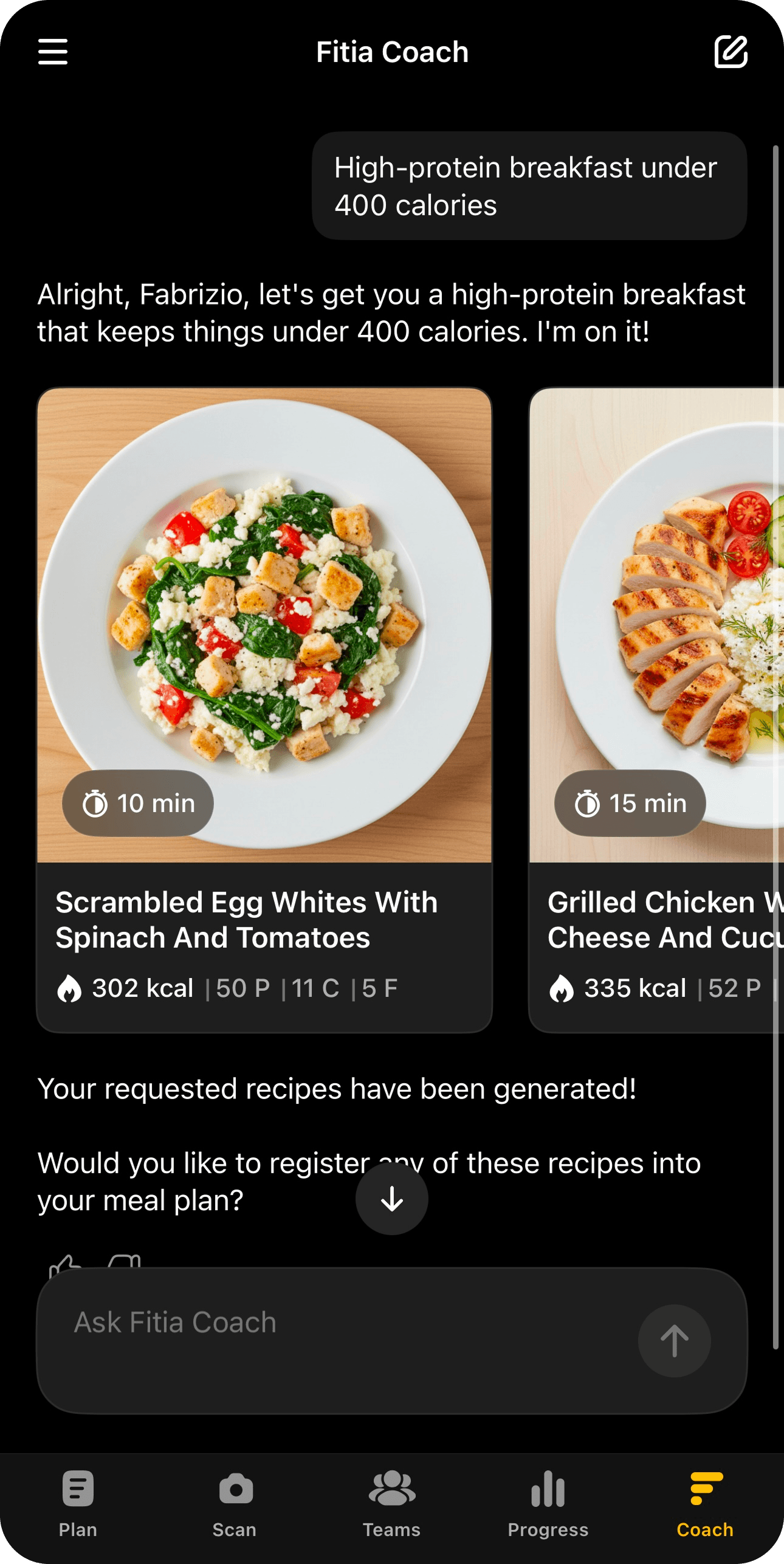
Fitia Coach doesn’t just recommend recipes, it creates them. Based on your preferences and goals, the Coach generates personalized recipes on demand. You can give it specific parameters such as:
- “High-protein breakfast under 400 calories”
- “Vegan dinner with 30g of protein”
- “Low-carb version of my saved pasta recipe”
The Coach analyzes your existing recipes to suggest variations that match your taste preferences while meeting your nutritional targets. It can also generate multiple variations from a single base recipe, adjusting ingredients while keeping the original flavor profile.
Example:
Start creating your own recipes in Fitia and let AI help you build personalized meals that fit your goals. Download it now for free.
Fitia: Meal Plans & Calorie Counter
We use cookies to enhance your browsing experience, analyze site traffic, and personalize content. By clicking 'Accept', you consent to the use of these technologies in accordance with our Privacy Policy.