Tutorial: How to Create Recipes in Fitia?
Create and save your own recipes on Fitia, helping you maintain a personalized and healthy meal plan.
- Published
- Updated
- 1 min read
- 1 min read
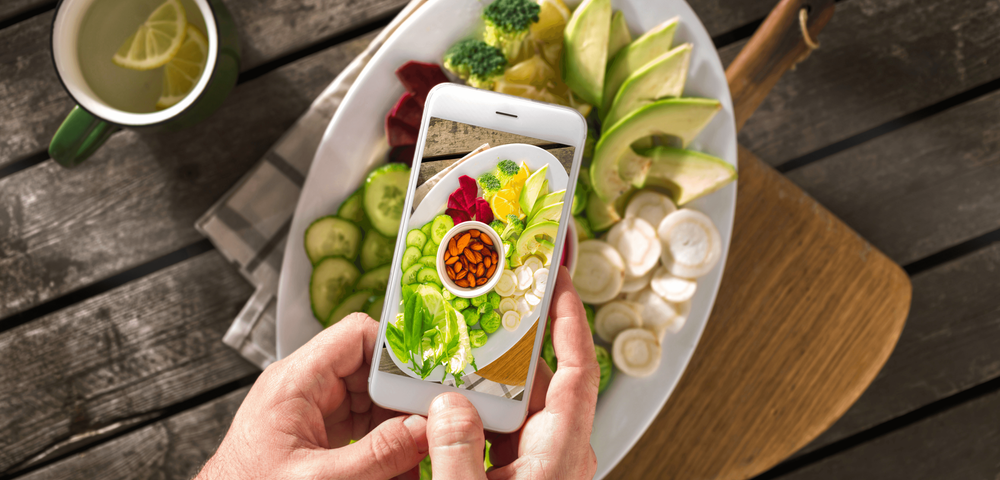
Make your own recipes and enhance your meal plan. This guide will walk you through the process so you can easily add your favorite recipes to the Fitia app and enjoy a more organized and healthy diet.
How to Create Recipes in Fitia?
Step-by-Step Guide
1. Access the Create Recipe Option
You can do this in two ways:
USING SHORTCUTS
First, go to the "Plan" tab in the Fitia app. Scroll down until you find the "Shortcuts"
USING THE DATABASE
First, go to the "Database" tab in the Fitia app. Click on the three dots in the upper right corner. Here, click on "Create Recipe."
2. Set Up Your Recipe Details
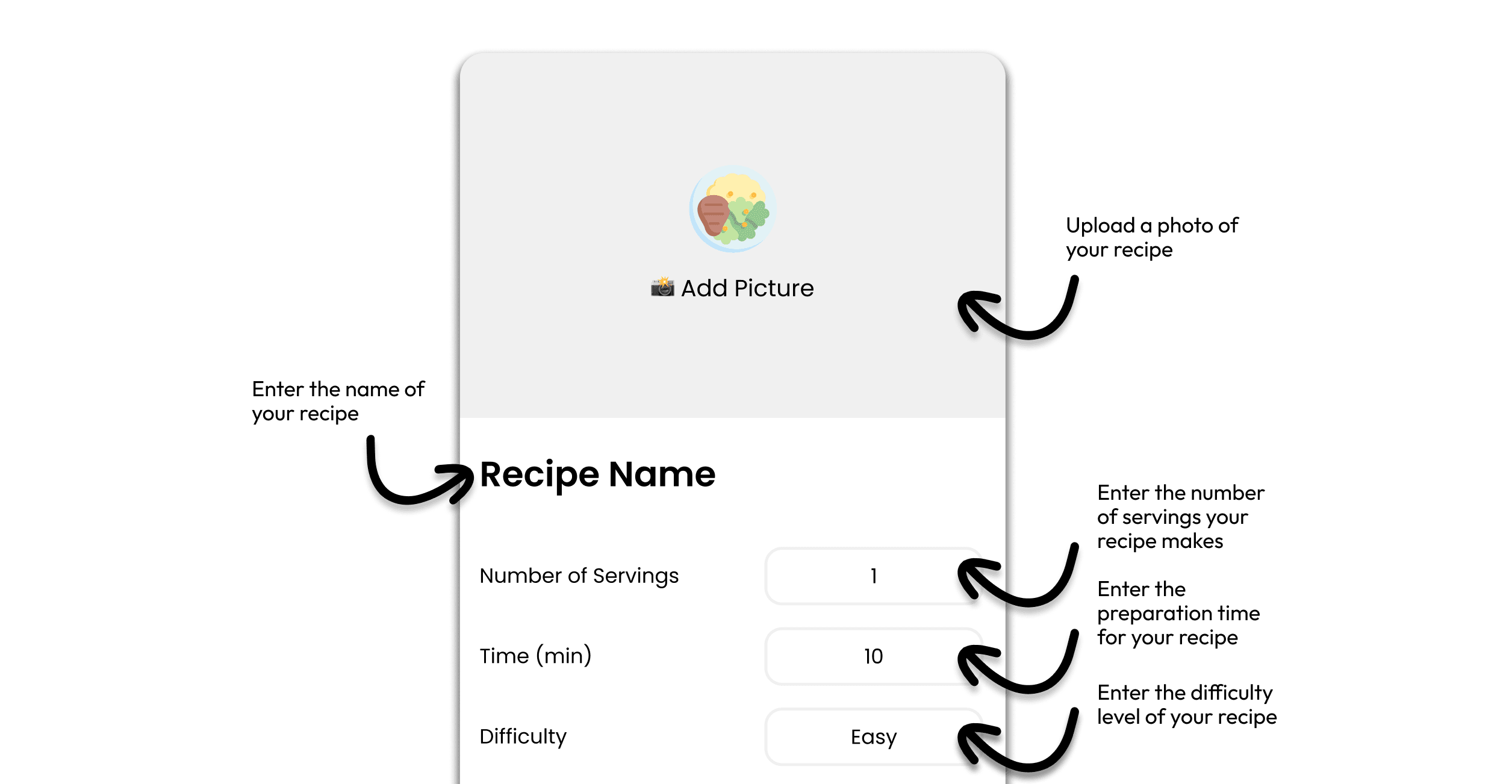
Enter the name and add a photo of your recipe. You'll also need to specify the number of servings, the preparation time, and the difficulty level.
3. Add Ingredients
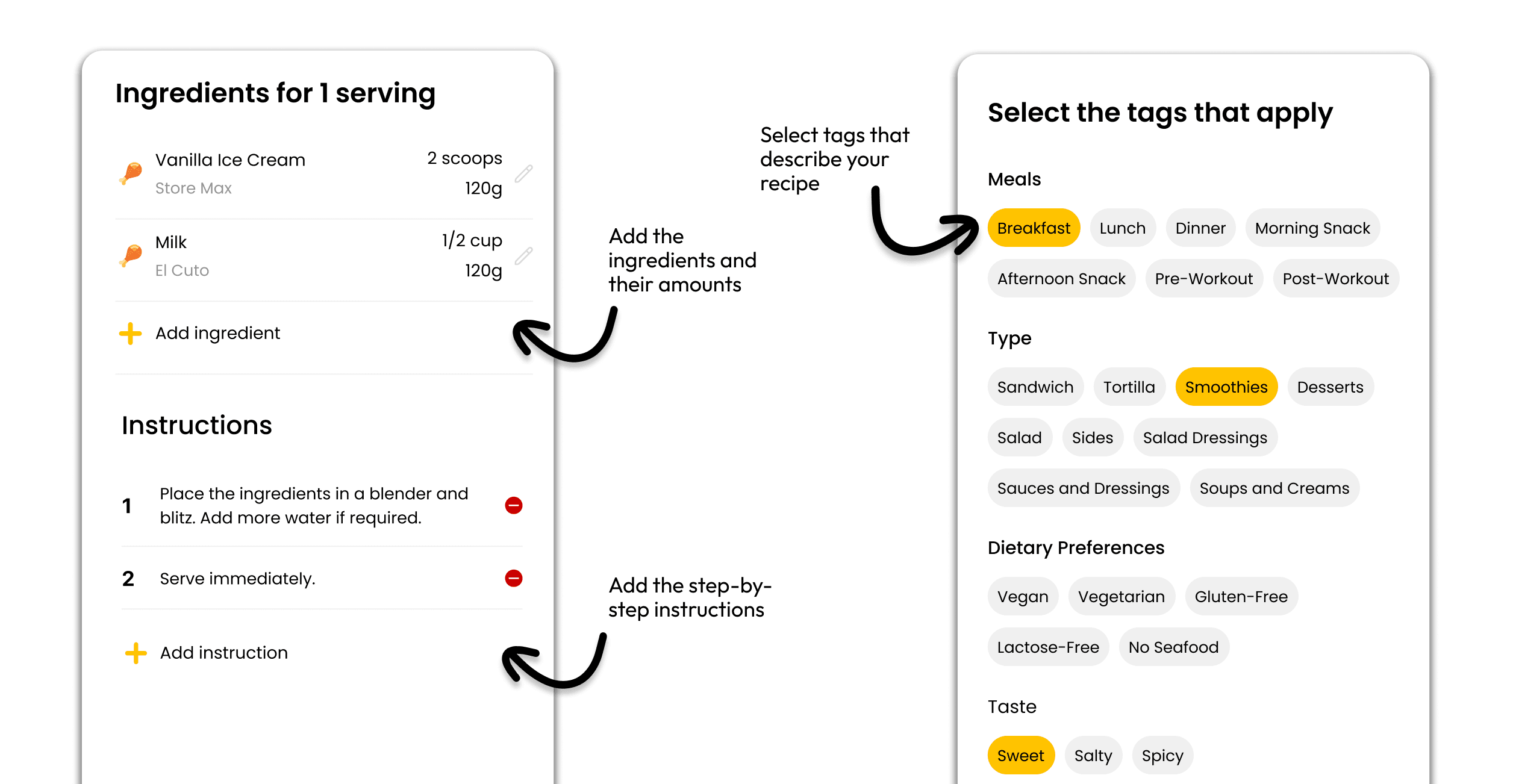
Add the necessary ingredients for your recipe using our database. Make sure to indicate the correct portions for each ingredient.
4. Enter the Instructions
Provide detailed instructions for preparing the recipe. Ensure they are clear and specific for the indicated portion.
5. Select Tags
Choose the tags that best describe your recipe. This will help categorize it and make it easier for other users to find.
6. Review the Nutritional Information
Scroll down to see the complete nutritional information for your recipe. Here you can review the nutritional values per serving, helping you keep a detailed track of your nutritional intake.
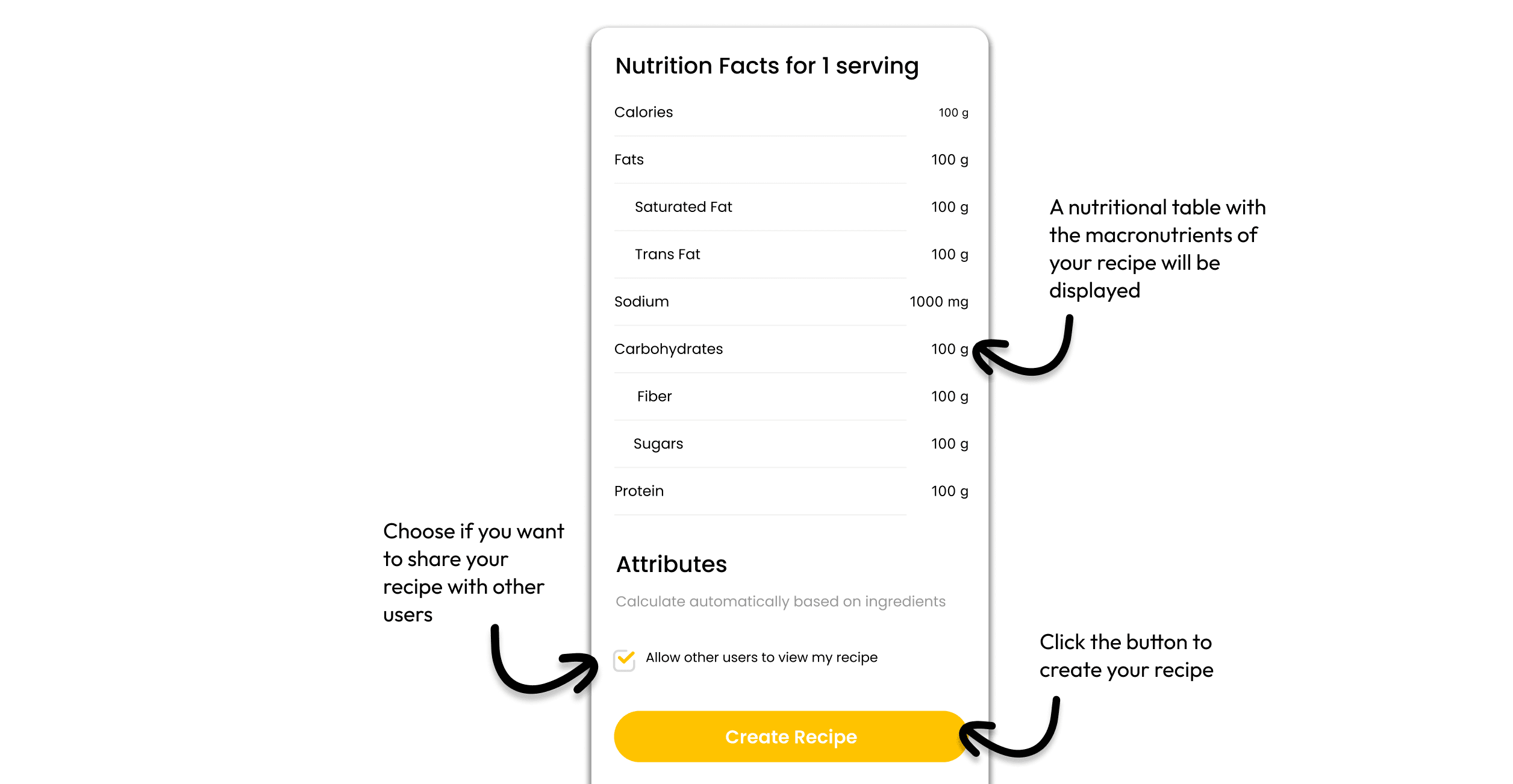
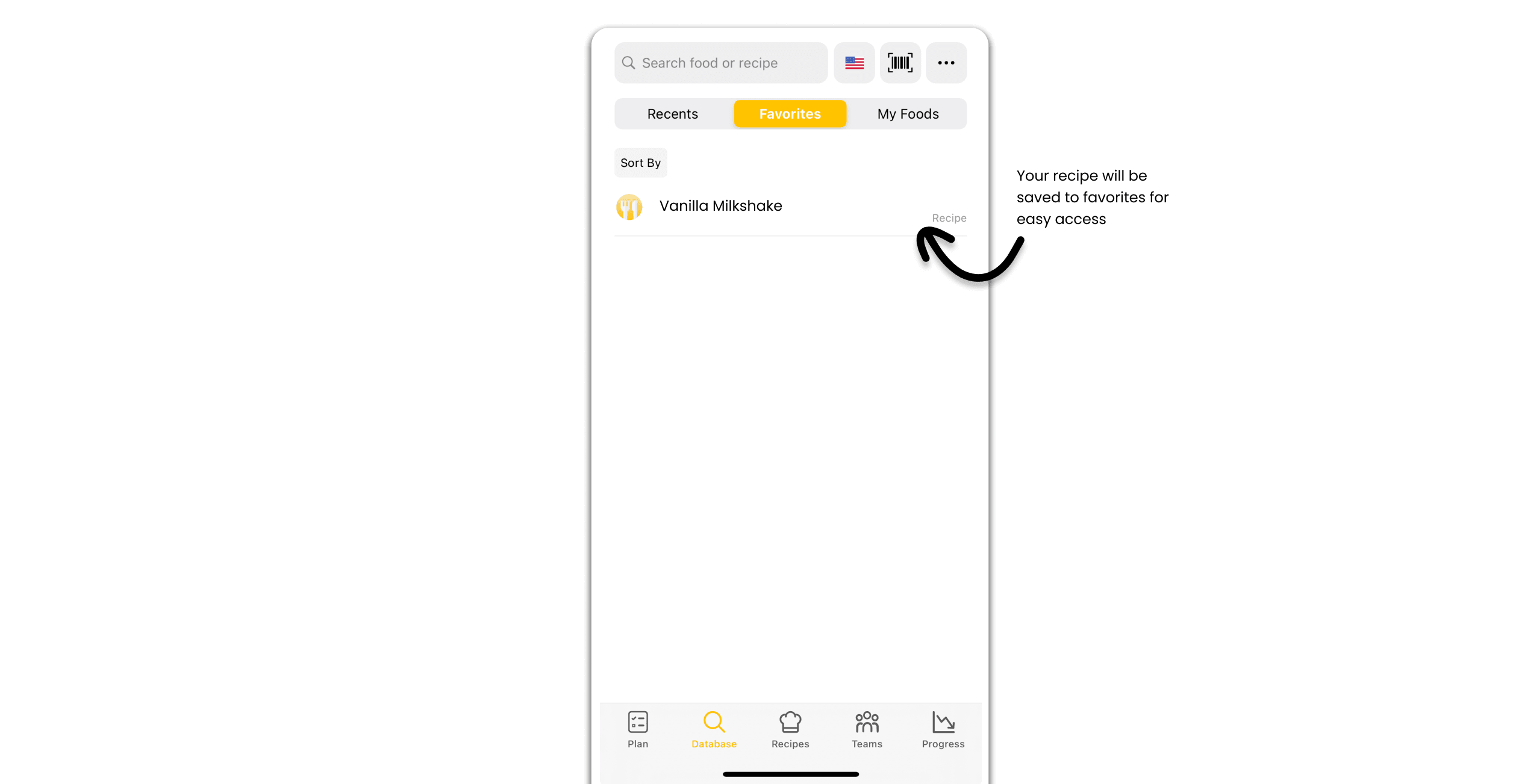
7. The recipe will be saved to your favorites
Ready to Create Your First Recipe?
That's it! With these simple steps, you can create and save your own recipes in Fitia, helping you maintain a personalized and healthy meal plan.
Related articles
 App Tutorials
How to Create and Add a Custom Meal or Recipe in Fitia
Learn how to create custom meals and AI recipes in Fitia. Build your own dishes, add ingredients, and use Fitia Coach to get personalized recipe ideas fast.
Read article App Tutorials
Sync Fitia with Apple Watch: Step-by-Step & Key Benefits
Learn how to sync Fitia with your Apple Watch and track meals, calories, and macros right from your wrist.
Read article App Tutorials
How to Calculate Daily Calories for Students and Young Adults
Learn how students and young adults can calculate daily calories with Fitia. Get accurate, science-based targets to fuel energy, focus, and health.
Read article