
Apr 28, 2026
The 8 Best Apps for Tracking Daily Calorie Intake in 2026, Reviewed by a Licensed Nutritionist
Reviewed by Fabrizio Baca, Licensed Nutritionist with 5 years of experience in nutrition technology. Last updated: April 2026 Reading time: 11 minutes
Table of Contents
- Introduction
- TL;DR — Quick rankings
- The 8 best apps for tracking daily calorie intake in 2026
- Fitia
- MyFitnessPal
- Cronometer
- MacroFactor
- Lose It!
- Yazio
- Lifesum
- FatSecret
- The Bottom Line
- Frequently Asked Questions
Daily calorie tracking is one of the best strategies you can start today to take control of your nutrition and see exactly how what you eat impacts your body.
Often, calorie tracking is applied by people with a serious weight objective and a clear path toward that goal.
But by no means is this something that needs to be gatekept or reserved for those with "deeper knowledge." On the contrary: we live in a world where technology has closed the gap between high-level theory and strategy, and the everyday execution it takes to reach real goals.
Today we look into 8 calorie tracking apps built with the average Joe in mind, without leaving behind those who want to dig deeper into their nutrition data. This list also recognizes that not all tools work for everyone; some will align better with your personality and preferences than others.
We've looked into food database depth, regional coverage, log time, and the accuracy of macro and micronutrient breakdowns, all to find the best of the best. Let's dig in.
TL;DR — Quick rankings
| Rank | App | Best for | Free version | Premium |
|---|---|---|---|---|
| 1 | Fitia | Personalized plans + culturally diverse food database | Yes | $19.99/mo |
| 2 | MyFitnessPal | Large food database, ecosystem integrations | Yes | $19.99/mo |
| 3 | Cronometer | Detailed micronutrient tracking | Yes | $10.99/mo |
| 4 | MacroFactor | Adaptive macro coaching | No (free trial) | $11.99/mo |
| 5 | Lose It! | Beginners and visual learners | Yes | $39.99/yr |
| 6 | Yazio | Intermittent fasting + meal plans | Yes | $47.90/yr |
| 7 | Lifesum | Diet-style tracking (keto, Mediterranean) | Yes | $18.49/mo |
| 8 | FatSecret | Budget-conscious, ad-supported users | Yes | $14.99/mo |
The 8 best apps for tracking daily calorie intake in 2026
1. Fitia
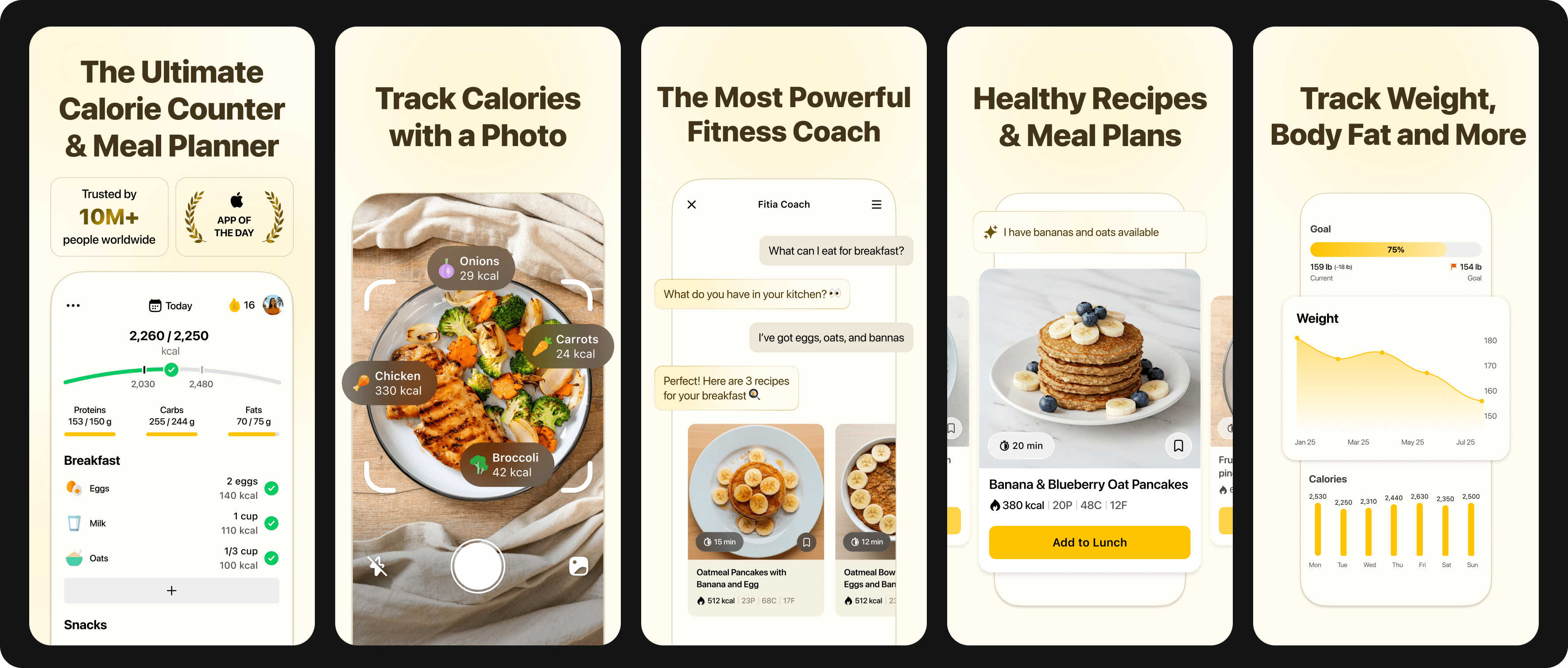
Best for: People who want personalized meal plans alongside calorie tracking, especially those looking for culturally diverse foods that other apps handle poorly.
Fitia stands out because it focuses on a truly personalized experience. You can track your calories the usual way or access a complete meal plan calibrated to your goals, dietary restrictions, and the specific foods available where you live.
It also provides you with a personal nutrition coach that answers your questions 24/7 and gives you meaningful insights into the food you eat or plan to eat.
The food database is the differentiator most users notice first. If you eat arroz con frijoles, empanadas de pino, cachapa con queso, or any of a thousand other dishes that don't appear in most apps' verified entries, Fitia handles them effortlessly thanks to its in-house database, focused on verifying regional foods by country, both packaged and generic, with as much precision as possible.
Two more things Fitia gets right: social integration and flexible logging. An entire section of the app is dedicated to connecting users with each other, and you can log your food fast — by photo, voice, or text.
What we liked
- Personalized choice between traditional calorie tracking and AI-generated meal plans calibrated to your goals, dietary restrictions, and local foods
- 24/7 personal nutrition coach that answers questions and gives insights into what you eat
- Culturally diverse, in-house verified food database with country-level coverage of regional foods (both packaged and generic)
- Flexible logging — log meals by photo, voice, or text in seconds
- Active community section dedicated to connecting users with each other
- Free version covers the core tracking needs
What we didn't like
- Full range of AI-powered features and coaching capabilities only available with premium subscription.
- Available in English and Spanish only.
Pricing: Free version available. Premium: $19.99/month or $59.99/year. The Family Plan is available for $89.99 annually, offering shared access and 75 % savings compared to individual plans (2-6 members).
Bottom line: If you want a calorie tracker that adapts to how you actually eat — culturally diverse foods, a coach for your questions, and logging in seconds — Fitia is the most complete option on this list. The combination of personalization and flexibility is hard to beat.
Personalized nutrition starts with meals built for you. Download Fitia and use code FITIANOW to save on premium.
2. MyFitnessPal
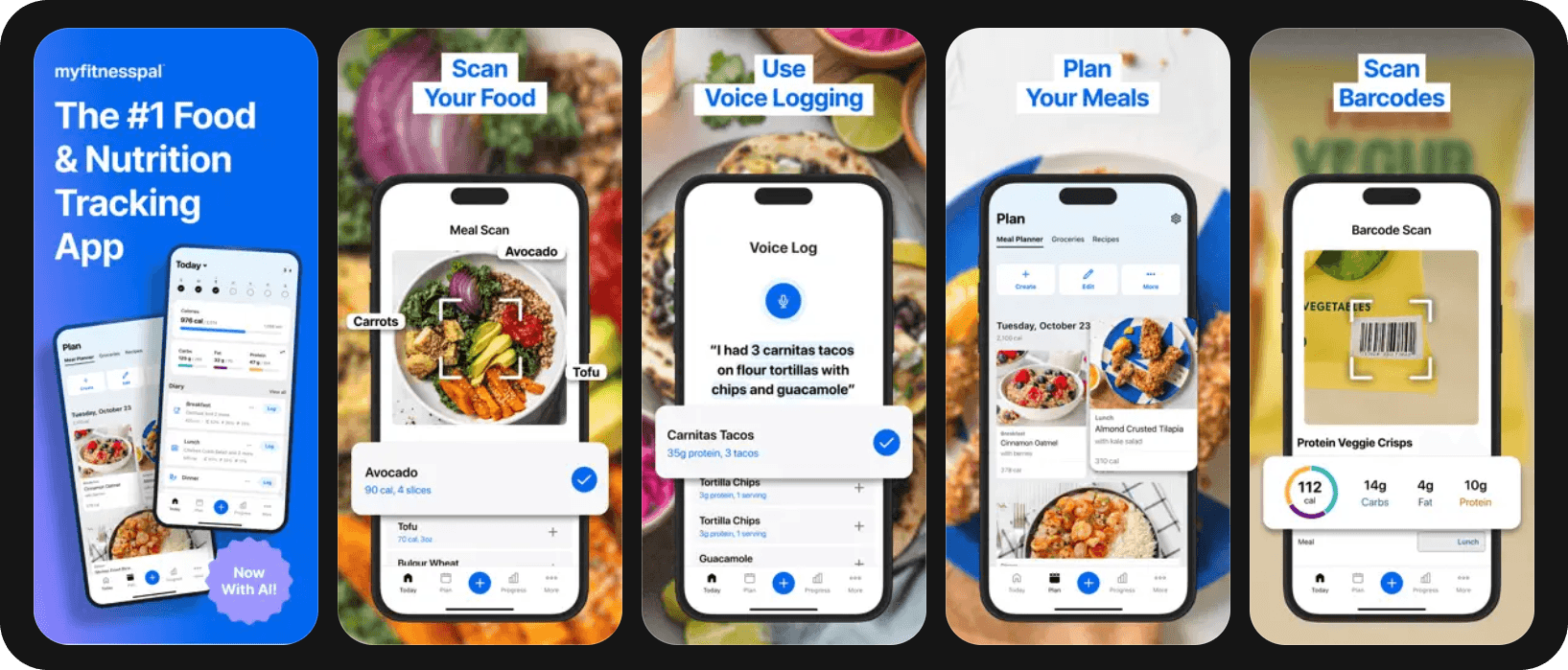
Best for: People who eat mostly US-branded foods and use multiple fitness devices.
MyFitnessPal has been the default calorie tracker for over a decade, and the reason is its database size. With over 18 million entries, it's almost impossible to log a meal and not find a hit, especially for US-branded packaged foods and chain restaurants.
The catch is that database depth comes from user submissions, which means accuracy is wildly inconsistent. The same banana can have 90 calories or 130 calories depending on which entry you tap. The "verified" filter helps, but it shrinks the usable database significantly. For someone logging a Chipotle bowl, this is fine. For someone trying to hit a specific macro target precisely, it's a constant source of friction.
MyFitnessPal also leans heavily on integrations: Apple Health, Fitbit, Garmin, Oura, MyPlate USDA data, and most major scales sync seamlessly. If you live in the Apple Health ecosystem, this matters.
What we liked
- Large food database
- Excellent integration with fitness trackers and smart scales
- Recipe importer pulls nutrition from URLs
- Robust community and forum features
What we didn't like
- Database accuracy is highly variable due to user-generated entries
- Most useful features (macro tracking goals, food analysis, custom meal plans) require Premium
- Limited regional food coverage outside the US, UK, and Australia
Pricing: Free with ads. Premium: $19.99/mo or $79.99/yr.
Bottom line: If you mostly eat branded or chain-restaurant foods and value ecosystem integration over precise database accuracy, MyFitnessPal is hard to beat. For more diverse diets, or anyone tracking exact macros, the database inconsistency gets old fast.
3. Cronometer
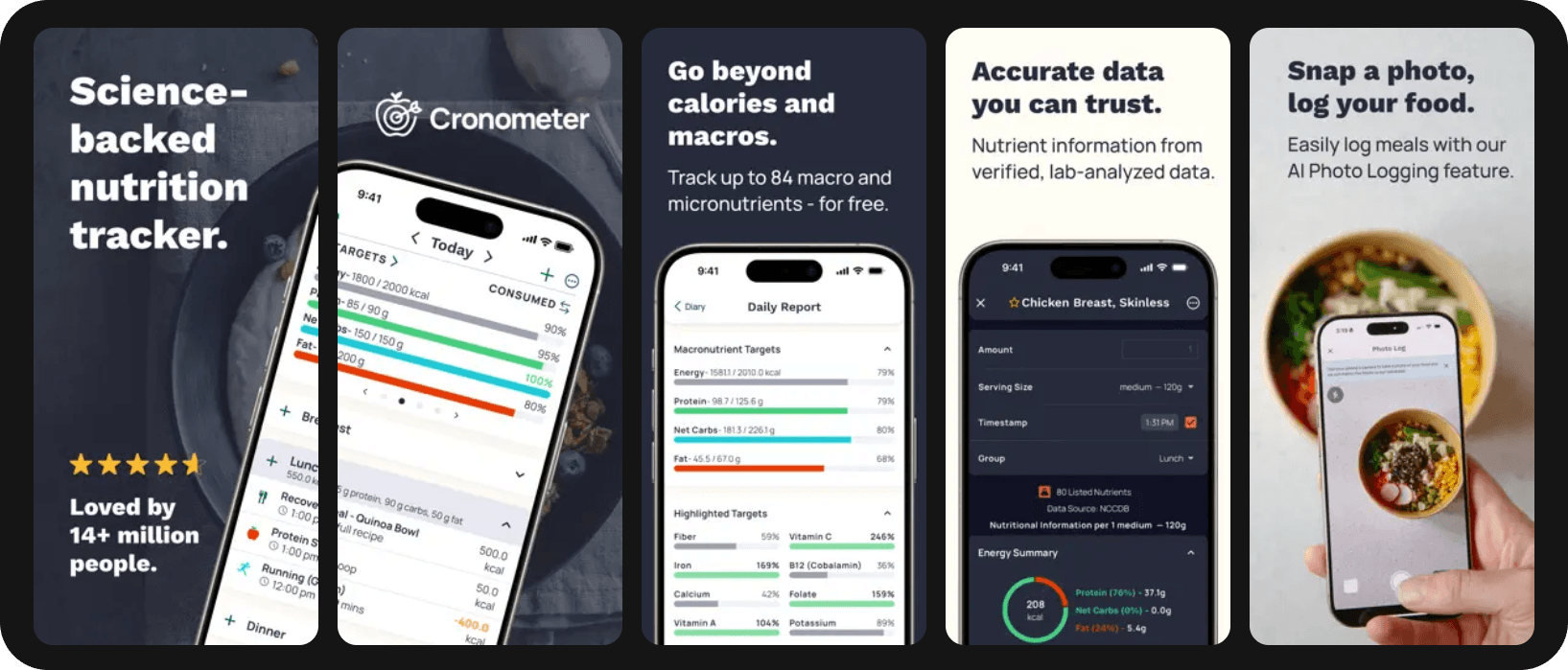
Best for: Anyone tracking specific nutrient deficiencies and people on restrictive diets.
Cronometer is a strong choice for anyone who needs deeper tracking of micronutrients and other health biomarkers. Its food database draws primarily from USDA, NCCDB, and IFCT sources, which means accuracy is much better than user-driven competitors.
The cost of that accuracy is database breadth. You won't find every random restaurant menu item in Cronometer's database. For most home cooks tracking whole foods, that's not a problem. For people who eat out frequently, it can be.
The interface has historically felt utilitarian, closer to a research tool than a consumer app, but recent updates have improved it noticeably. It's still the most data-dense interface on this list.
What we liked
- Tracks 84 nutrients, including amino acids and fatty acids
- Excellent for tracking deficiencies (iron, vitamin D, magnesium, etc.)
What we didn't like
- Smaller database, especially for restaurant and branded foods
- Interface can feel overwhelming for new users
- No meal planning features
- Limited regional coverage outside North America
Pricing: Free version available. Cronometer Gold: $10.99/mo or $59.99/yr.
Bottom line: If you're tracking for health reasons (deficiencies, athletic performance, medical conditions) rather than weight loss alone, Cronometer is one of the best-suited tools on this list. For a general user, the breadth tradeoff needs to be considered.
4. MacroFactor
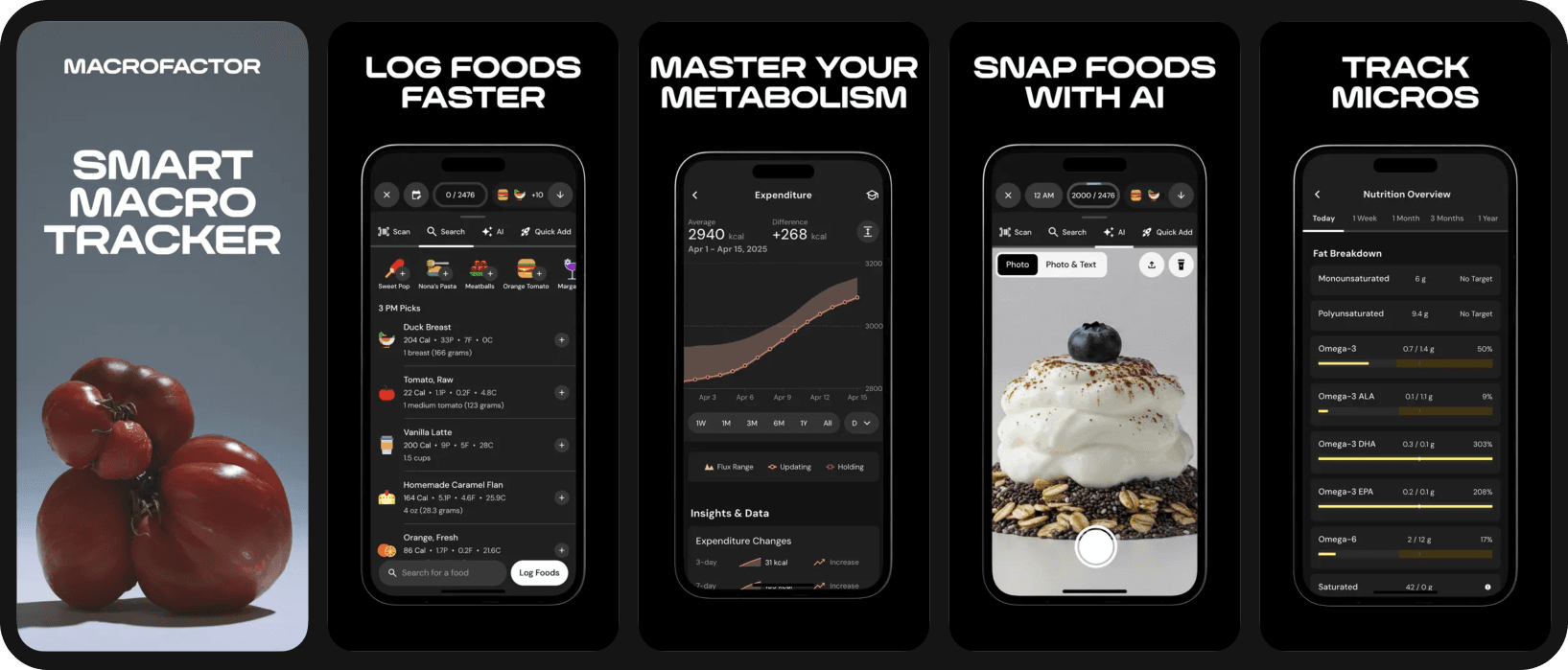
Best for: Experienced trackers and people who want their calorie target to adjust automatically based on metabolic feedback.
MacroFactor’s pitch is that it uses your weight trends and logged intake to recalculate your calories weekly based on your goal and rate of progress, then adjusts your targets accordingly. For people frustrated by the “calorie deficit that stopped working” problem, this is genuinely useful.
The main downside is that there’s no free version, only a free trial, and the algorithm may make incorrect adjustments if users partially log their intake, so the app requires full commitment to work properly.
What we liked
- Adaptive algorithm that adjusts calorie targets based on actual metabolic response
- Curated food database.
- Excellent for people doing serious body recomposition or athletic prep
What we didn't like
- No free version (free trial only)
- The algorithm doesn’t handle partial logging very well.
- Limited regional food coverage
Pricing: $11.99/mo or $71.99/yr. No free tier.
Bottom line: For experienced trackers who want targets that adapt to their rate of progress. Not ideal for first-time loggers.
5. Lose It!
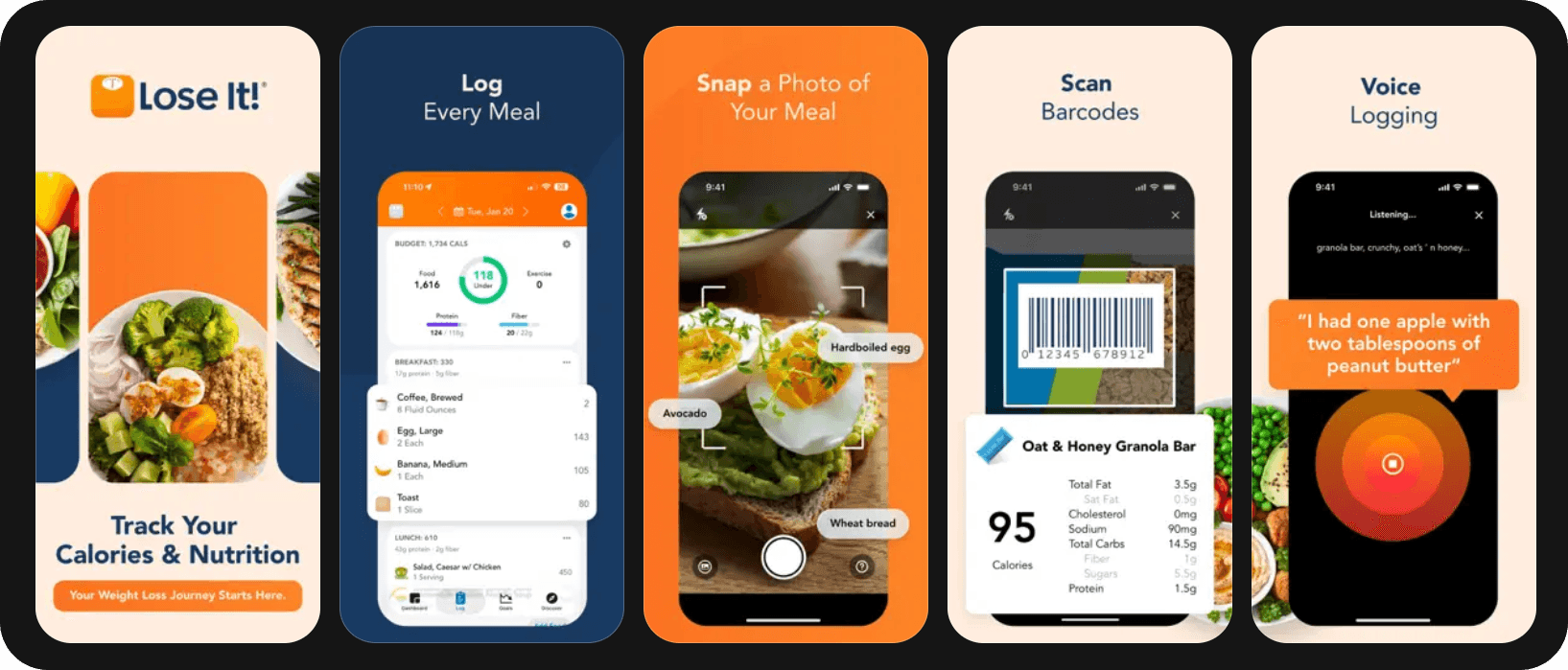
Best for: First-time calorie counters and people who want a low-friction onboarding experience.
Lose It! does a great job helping new users log their first meal in under five minutes.
The Snap It! photo logging feature uses AI to estimate calories from a meal photo. It’s not as accurate as manual logging, but for users who might quit because logging feels tedious, “good enough” estimates are better than no data.
Where Lose It! falls short is depth. Macro tracking is functional but basic, and the food database, while decent, is smaller. For users moving from “I want to lose weight” to “I want to optimize my training nutrition,” it can start to feel limiting quickly.
What we liked
- Great onboarding flow
- Genuinely friendly interface and visual design
- Snap It! photo logging
What we didn't like
- Macro and micronutrient tracking is basic
- Limited regional food coverage
Pricing: Free version available. Premium: $39.99/yr.
Bottom line: If you’ve never tracked calories before and other apps have felt intimidating, this is a solid starting point. Expect to upgrade or switch within 6–12 months as your needs evolve.
6. Yazio
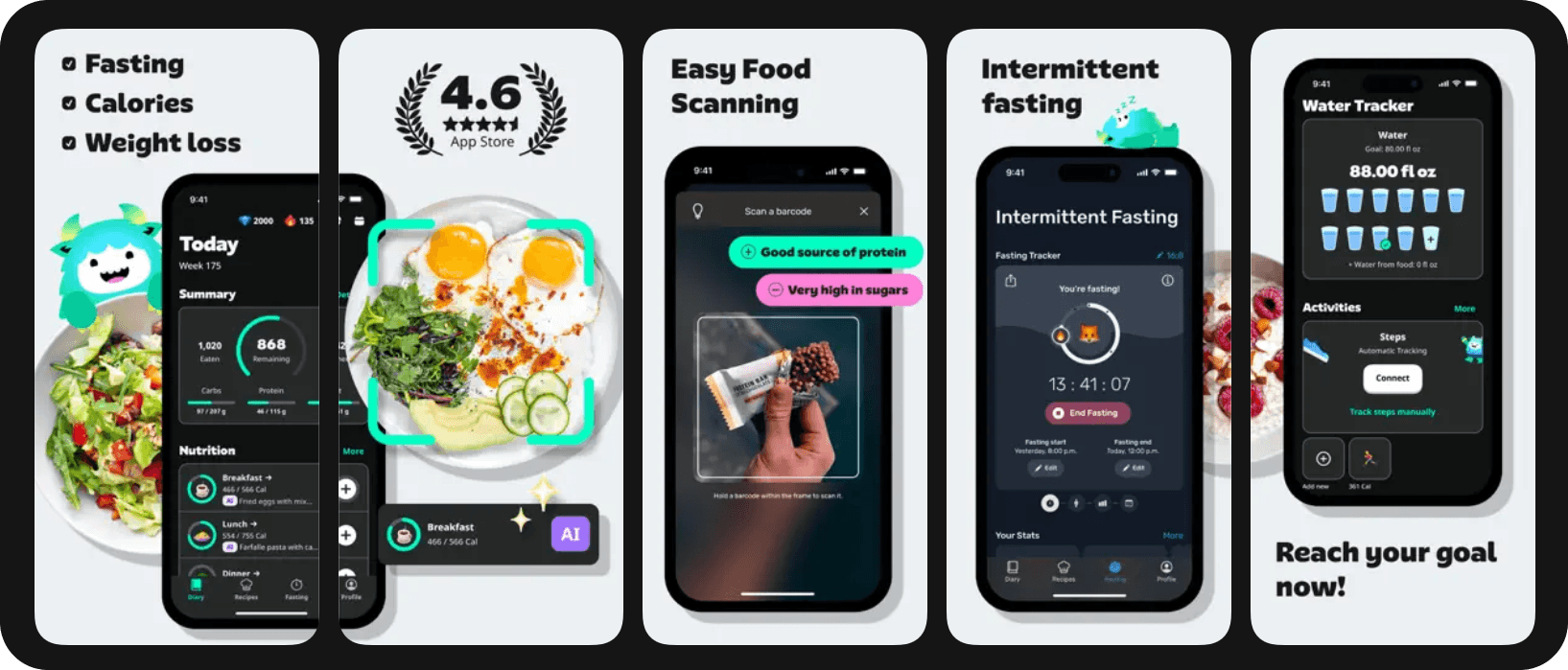
Best for: Users combining calorie tracking with intermittent fasting, plus those who want guided meal plans.
Yazio’s database has noticeably better coverage of European foods than its US-built competitors. The intermittent fasting tracker is well integrated, with multiple protocol presets (16:8, 18:6, 20:4, 5:2, OMAD) and a clear visualization of your fasting window alongside your calorie window. For users combining fasting and tracking, this matters.
The free version is more limited than most apps on this list, with many of the most useful features requiring a Pro upgrade.
What we liked
- Strong European food coverage
- Best-in-class intermittent fasting integration
- Dietitian-approved meal plans
What we didn't like
- Free tier is more limited than competitors'
- LATAM and Asian food coverage is weak
- No adaptive macro features
Pricing: Free version available. Pro: $47.90/yr.
Bottom line: A solid European alternative to MyFitnessPal, especially if intermittent fasting is part of your approach. Less compelling for users in the Americas or Asia.
7. Lifesum
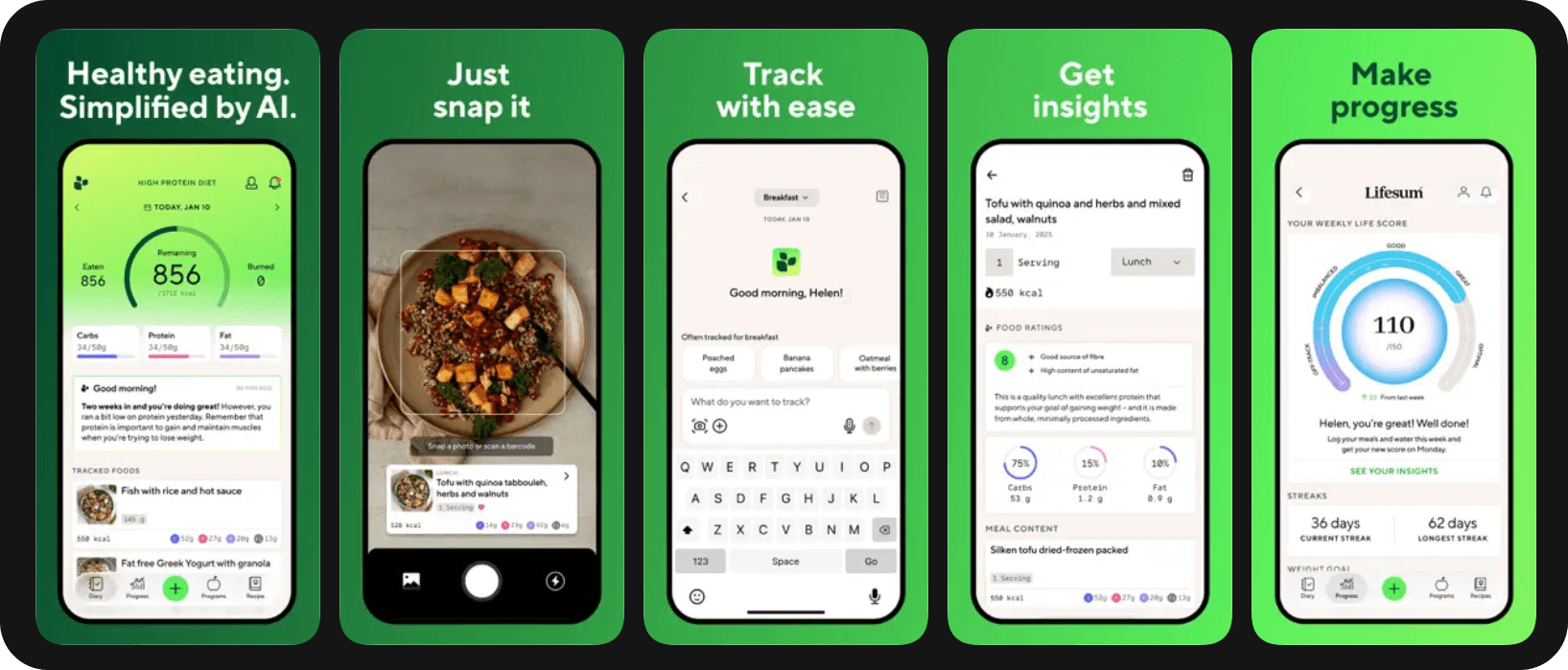
Best for: People following a specific diet (keto, Mediterranean, paleo, high-protein) who want their tracker to enforce that pattern.
Lifesum's angle is dietary patterns. Rather than tracking generic calories and macros, you pick a diet (Mediterranean, keto, scandinavian, high-protein, plant-based) and the app tracks how well your meals align with that pattern, scoring each meal accordingly.
For people who respond well to gamification and pattern-matching, this works. For people who just want raw numbers, it's overhead.
What we liked
- Diet-pattern scoring is genuinely motivating for the right user
- Strong recipe library tied to chosen diet
- Good Apple Health and Health Connect integration
What we didn't like
- Most features behind premium paywall
- Pattern-matching can feel restrictive after a few months
- Database is moderate in size
Pricing: Free version available. Premium: $18.49/mo or $99.99/yr
Bottom line: If you're committed to a specific dietary pattern and want feedback on adherence, Lifesum is a smart choice. If you want flexible, precise tracking, look elsewhere.
8. FatSecret
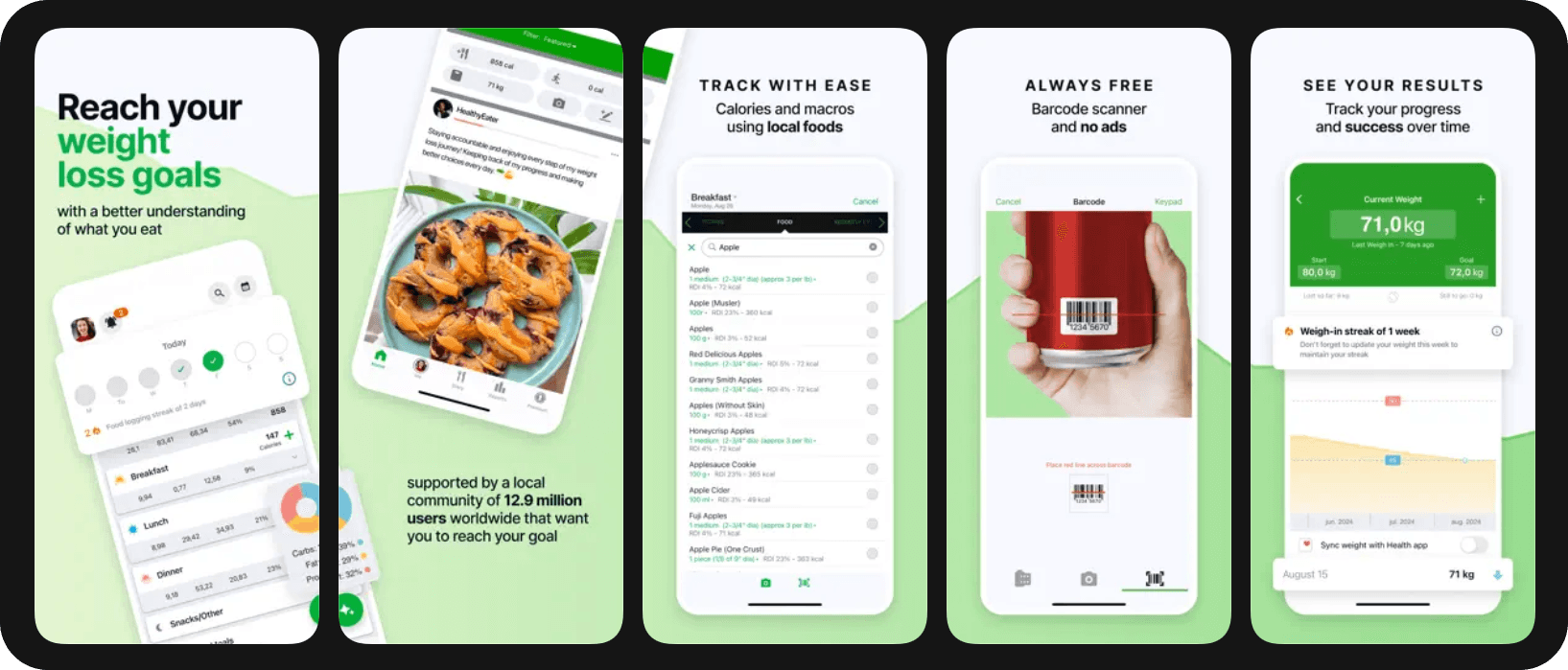
Best for: Users who want core tracking features without paying a subscription.
FatSecret started as a fully free app but now offers a premium tier with exclusive features such as a photo scanner, meal planner, water tracking, and more. It still has one of the most generous free tiers on this list, but it’s no longer the default recommendation for users looking strictly for free trackers.
The interface can feel a bit dated and the database is smaller than the leading apps, but for someone who refuses to pay for a subscription, it remains one of the most full-featured free options.
What we liked
- Most features available without a subscription
- Decent barcode scanner
What we didn't like
- Interface feels dated
- Limited regional coverage
Pricing: Free version available. Premium: $14.99/mo or $59.99/yr.
Bottom line: If subscription cost is a hard constraint, FatSecret beats anything else available for free. Otherwise, the experience gap with paid alternatives is significant.
The bottom line
Fitia is the strongest overall choice in 2026 for the broadest user base: It combines the regional food coverage that makes daily logging sustainable, the meal planning that helps you hit your targets without overthinking things, and the personalization and coaching tools to keep you confident in any nutritional decision you face.
A handful of alternatives may suit specific use cases — MyFitnessPal for US ecosystem users, Cronometer for nutrient depth, MacroFactor for adaptive coaching — but for most readers, Fitia covers all three.
Start your free 3-day Fitia trial and experience verified data and fully personalized meal planning beyond basic trackers.
Frequently asked questions
Are calorie tracking apps free?
Most of the apps on this list — Fitia, MyFitnessPal, Cronometer, Lose It!, Yazio, Lifesum, and FatSecret — offer functional free tiers. MacroFactor is the only paid-only option in our top eight. Free tiers usually cover basic tracking; advanced features like meal planning, custom macros, and detailed analytics typically require a premium subscription.
Do I really need to track calories to lose weight?
Tracking is one tool among several, not a requirement. Research shows that food awareness — even without precise tracking — is associated with better weight management outcomes. However, for people who haven't been able to lose weight through general awareness alone, structured tracking has stronger evidence behind it as a first-line intervention.
How long should I track calories?
Most dietitians and nutritionists recommend tracking until you have a strong intuitive sense of portion sizes and macro composition for your typical meals. If tracking is causing anxiety, food preoccupation, or rigidity, stop and work with a qualified nutrition professional on alternatives.
Which app is best for tracking macros (protein, carbs, fat)?
Fitia, MacroFactor, and MyFitnessPal Premium all offer strong macro tracking with customizable targets.
About the Author
 | Fabrizio Baca Olcese is a nutritionist from Universidad Peruana de Ciencias Aplicadas (UPC) and a NASM-certified personal trainer, with five years of experience in nutrition, product development, and user growth at the intersection of health and technology. As Fitia's first hire and part of the founding team, he has helped scale the company to over 10 million monthly active users across 17 countries. At Fitia, he works as Senior Business Development, leading user acquisition and B2B partnerships while combining his nutrition background with his drive to make healthy living more accessible. |
Fitia: Meal Plans & Calorie Counter
We use cookies to enhance your browsing experience, analyze site traffic, and personalize content. By clicking 'Accept', you consent to the use of these technologies in accordance with our Privacy Policy.