Best Meal Planning Apps for 2026: Save Money, Reduce Waste, and Hit Your Macros
Discover the best meal planning apps for 2026 that help you save money, reduce food waste, and hit your macro goals with less effort.
- Published
- Updated
- 9 min read
- 9 min read
The meal planning app market grew from $2.45B in 2025 to $2.71B in 2026, driven by a 47% jump in adoption. Users report saving 3 hours weekly, reducing food waste by 40%, and cutting grocery costs by $47 monthly. This guide covers apps with built-in meal plans or reusable templates that actively help you decide what to eat, not just log it after the fact.
What Are Meal Planning Apps?
Meal planning apps are complete ecosystems combining recipe management, nutrition planning, automated grocery lists, and pantry tracking. They differ from recipe apps that simply help you find dishes, and from basic calorie trackers that only log what you've already eaten.
In 2026, standard features include AI suggestions that learn your preferences, grocery lists sorted by store aisle, and real-time integration with delivery services. The category has evolved beyond simple meal logging into intelligent systems that suggest substitutions when ingredients aren't available.
Why Use a Meal Planning App in 2026?
Time Savings
Early adopters save an average of 3 hours per week on meal planning and shopping combined. That's 156 hours annually you could spend doing literally anything else.
Cost Reduction
Americans waste around $2,000 annually on food, much of it from overbuying groceries that spoil or ordering takeout because nothing's planned.
Apps that reduce your takeout habit deliver significant ROI. If you're spending $200 monthly on delivery because you didn't plan ahead, even a $15 app subscription pays for itself many times over.
Food Waste Reduction
Early adopters reduce food waste up to 40% through better planning. Intelligent meal plans aggregate ingredient quantities across recipes and suggest substitutions when items are unavailable. You buy what you'll actually use instead of aspirational vegetables that wilt in your crisper drawer.
Nutrition and Fitness Goal Alignment
Precision macro targeting helps bodybuilders and fitness enthusiasts hit exact nutritional targets without constant mental math. Apps integrate seamlessly with existing calorie tracking habits, creating a complete picture of your health data.
AI-powered personalization adjusts recommendations based on your progress toward goals. The technology learns what works for your body instead of applying generic formulas.
Best Meal Planning Apps for 2026
Fitia – Best Overall for AI-Powered Meal Planning
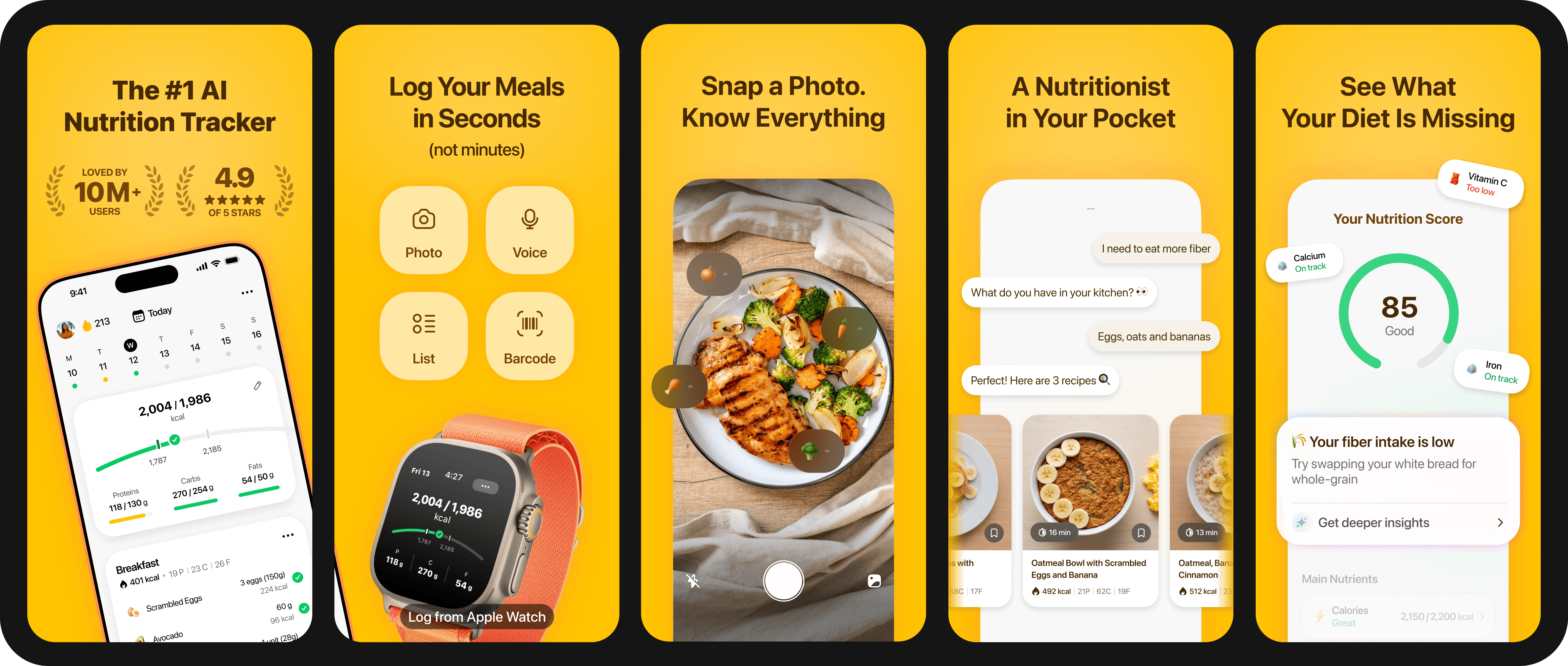
Fitia combines AI-powered recipe recommendations that actually learn your tastes with professional nutrition oversight. Every food entry gets reviewed by nutrition professionals for accuracy, addressing the crowd-sourced chaos plaguing other apps.
The app supports manual entry alongside barcode, photo and voice logging. Snap a picture of your meal or describe it out loud to log it instantly.
Fitia syncs with Apple Health, Strava, Fitbit, Garmin, WHOOP, and Oura to combine nutrition and fitness data streams. Automatic meal planning generates shopping lists that save you time every week.
Best for: Users who want AI automation with verified nutritional accuracy and comprehensive fitness integration.
Pros:
- Professional verification: Every food entry reviewed by nutrition experts eliminates database errors common in crowd-sourced apps
- Multi-platform sync: Connects major fitness trackers and health apps for complete data integration without manual entry
- Voice/photo logging: Speak or photograph meals instead of tedious typing for each ingredient
- AI learning: Recipe recommendations improve as the system learns your preferences and dietary patterns
Cons:
- Meal planning available only with a premium subscription
Eat This Much – Best for Precision Macro Targeting
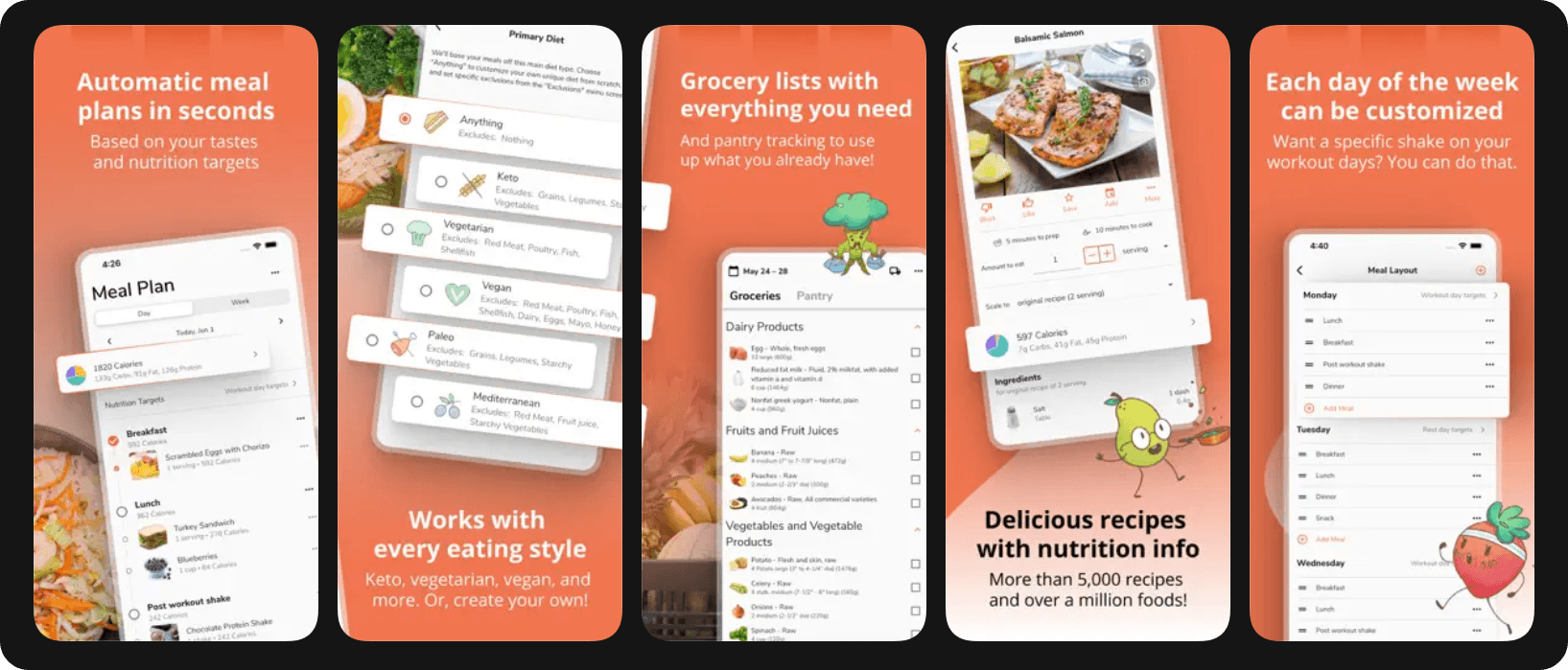
The app approaches meal planning from a numbers-first perspective, automatically generating weekly plans that hit exact caloric and macro targets.
Fitness enthusiasts love the precision nutrition capabilities. The app creates automatic grocery lists, tracks leftovers, and customizes meals for every day of the week based on your specific calorie amounts or macronutrient ratios.
Best for: fitness enthusiasts who need plans hitting exact macro targets.
Pros:
- Automatic macro matching: Generates weekly meal plans hitting precise calorie and macronutrient targets without manual calculation
- Customer support: Great customer service among tested apps for troubleshooting and questions
- Leftover tracking: Monitors what you've already cooked to minimize waste and planning redundancy
Cons:
- Numbers-focused: Less intuitive for users who prefer flexible, intuitive meal planning over strict macro counting
- Premium required: Most useful features locked behind $15/month or $60/year subscription
Mealime – Best for Busy Families and Quick Cooking
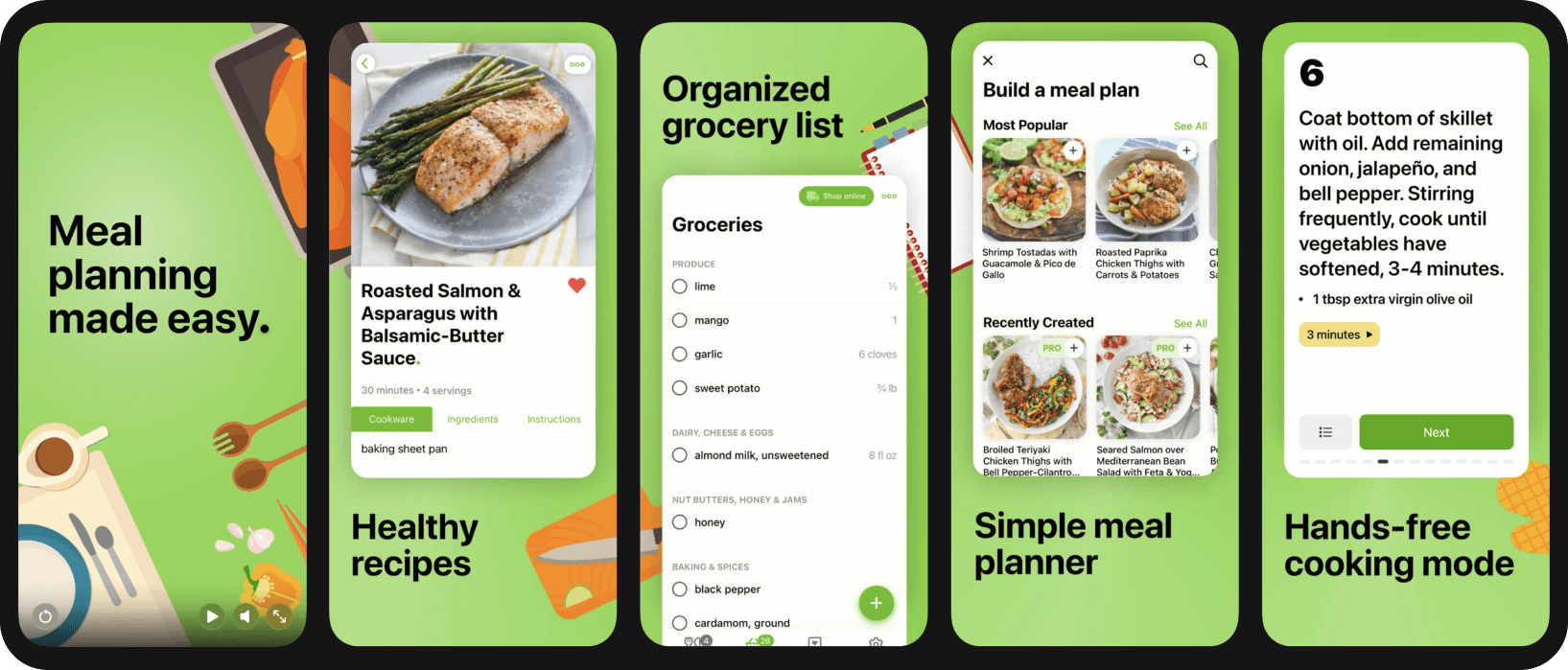
Mealime has over 7 million users adopting healthier, stress-free lifestyles. Recipes are designed for 30-minute cooking, ideal for couples and small families who need dinner on the table fast.
The app supports 12+ diets including keto, paleo, vegan, vegetarian, gluten-free, dairy-free, and flexitarian. Intelligent meal plans eliminate food waste, potentially saving hundreds of dollars yearly through smarter ingredient usage.
Mealime stands out for busy individuals who prioritize speed and simplicity over complex nutritional tracking. The straightforward interface doesn't overwhelm you with data when you just need to answer "what's for dinner?"
Best for: Busy families needing quick 30-minute recipes with minimal complexity.
Pros:
- Speed-focused recipes: All meals designed for 30-minute preparation perfect for weeknight dinners
- Diet flexibility: Supports 12+ dietary preferences from keto to vegan without separate meal planning
- Waste reduction: Intelligent planning reuses ingredients across meals to minimize spoilage
Cons:
- Limited customization: Less granular control over specific macro targets compared to fitness-focused apps
- Small household focus: Recipes optimized for couples and small families rather than larger groups
Plan to Eat – Best for Recipe Collectors
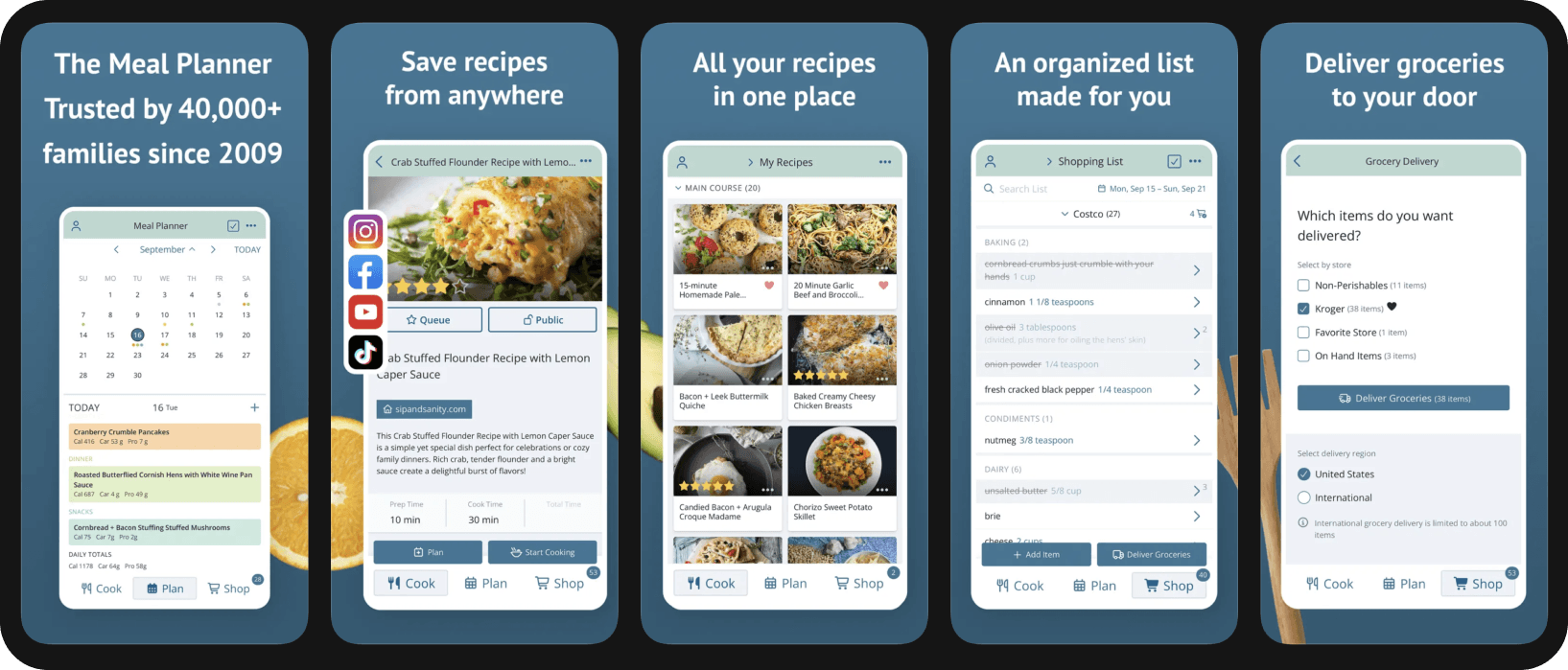
Plan to Eat users increased home dinners from 3.6 to 5.6 per week, a 56% improvement in cooking frequency. The clean calendar interface and list generator work perfectly for people who already have recipe collections they love.
Plan to Eat doesn't force you into a proprietary recipe database. Import your existing favorites and organize them into weekly plans with automatically generated shopping lists.
Best for: People with existing recipe collections who want calendar organization and list generation.
Pros:
- Recipe flexibility: Import and organize your existing recipe collection instead of browsing a proprietary database
- Affordable pricing: $5.95/month or $49/year is among the lowest in the category
Cons:
- Manual recipe entry: Requires importing your own recipes rather than providing extensive built-in options
- Basic features: Fewer advanced AI or macro tracking capabilities than premium competitors
MyFitnessPal – Best for Existing Calorie Trackers
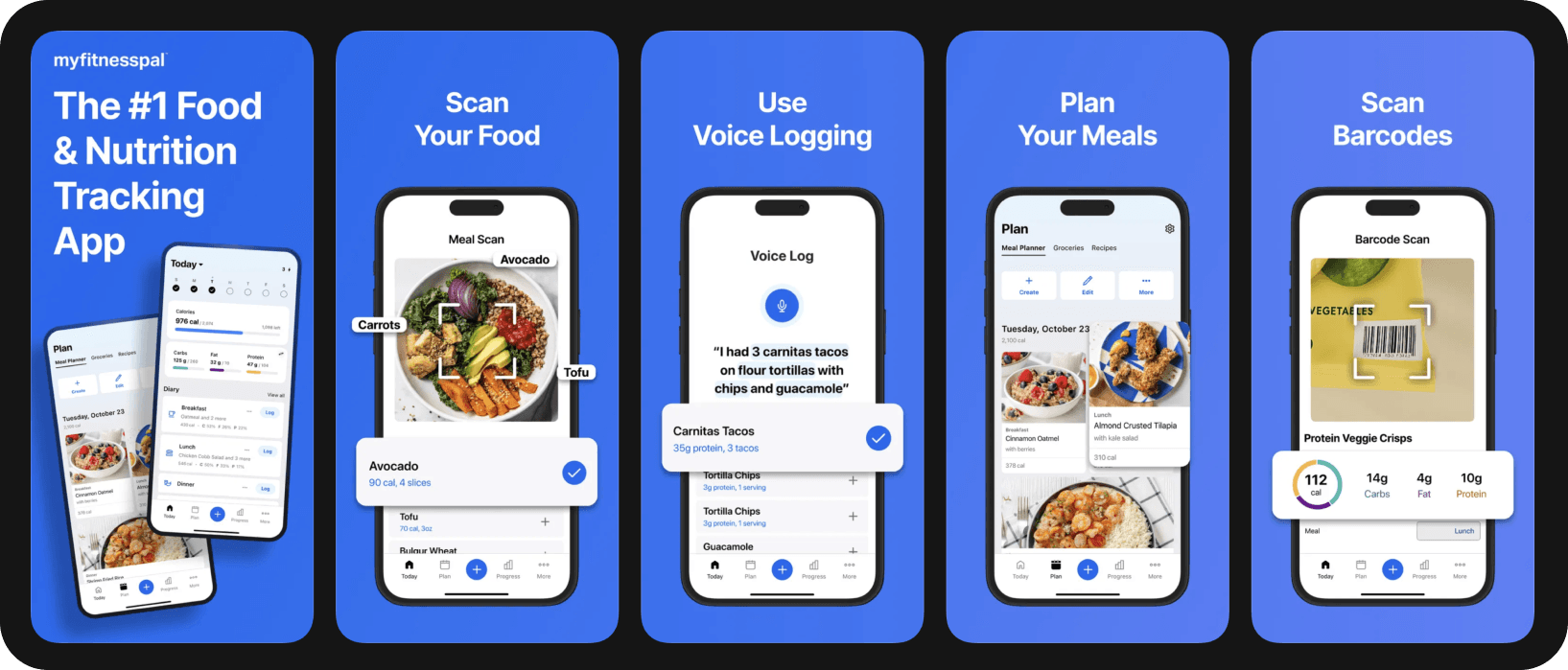
MyFitnessPal's 2026 meal planning expansion (Premium+) leverages its massive database to create plans that integrate seamlessly with existing logging habits.
The app syncs with 35+ apps and devices. Steps, calorie burn, weight, and sleep data automatically sync without manual entry.
Best for: Current MyFitnessPal users who want meal planning integrated with existing calorie tracking.
Pros:
- Massive database: 20-million-food library
- Device integration: Syncs 35+ fitness apps and wearables for automatic data collection
- Established habits: Builds on existing tracking routines for users already logging calories
Cons:
- Database accuracy: Crowd-sourced entries contain frequent errors compared to professionally verified databases
- Feature complexity: Extensive options can overwhelm users wanting simple meal planning
AnyList – Best for Grocery List Management
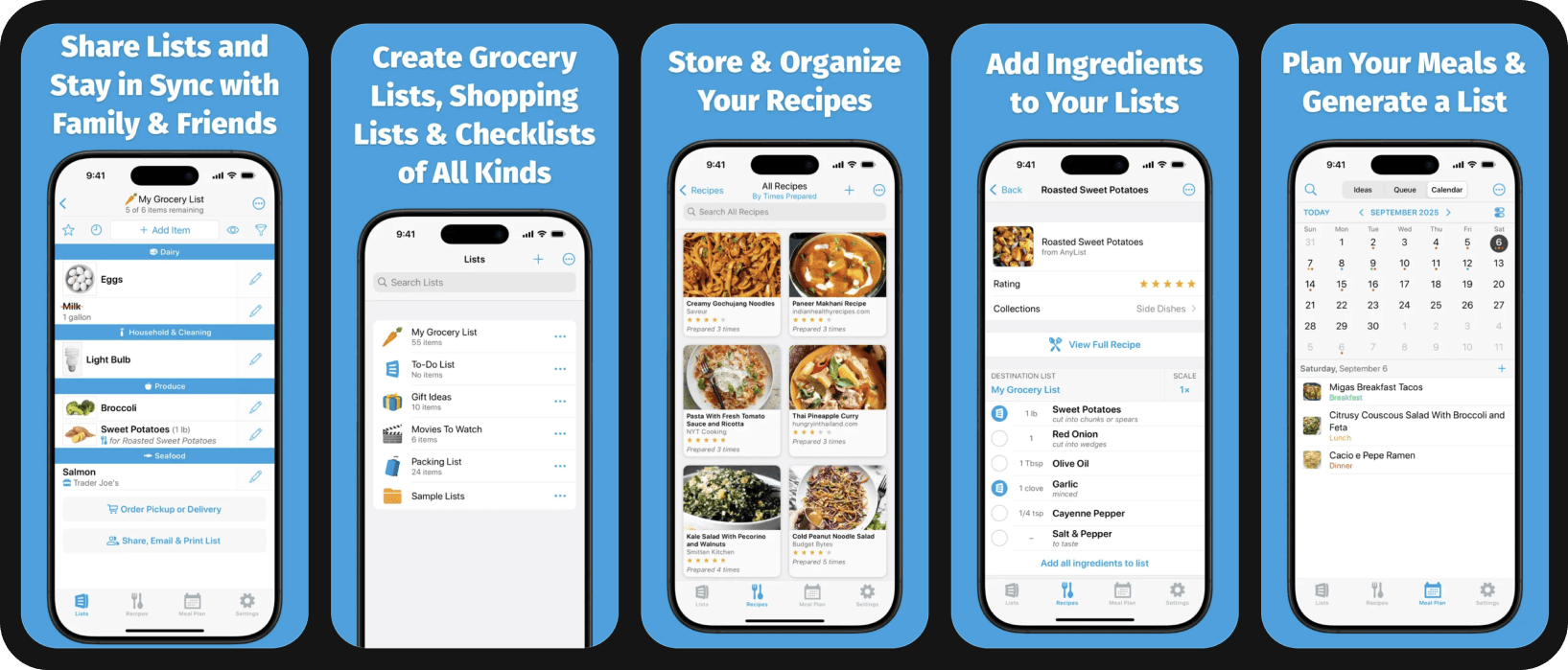
AnyList excels at grocery list management with easy recipe import and sharing features.
The app organizes lists by store aisle and allows simple recipe import from websites. Sharing features make it easy for household members to collaborate on shopping and meal planning.
AnyList prioritizes shopping organization over complex nutritional tracking. If your main frustration is disorganized grocery trips rather than macro counting, this streamlined approach might fit better.
Best for: Users prioritizing grocery list organization over detailed nutrition tracking.
Pros:
- Low cost: Free basic version or $9.99-$14.99/year for premium features
- Easy import: Simple recipe capture from websites without manual entry
- Sharing features: Household members collaborate on lists and meal planning
Cons:
- Limited nutrition tracking: Fewer macro and calorie tracking features than fitness-focused apps
- Basic meal planning: Less sophisticated AI recommendations and automated plan generation
Key Features to Look For
AI-Powered Meal Suggestions and Recipe Recommendations
AI systems learn your taste preferences and suggest substitutions when ingredients aren't available. 42% of leading apps integrate AI and machine learning for personalization and user experience improvements.
The technology moves beyond simple recipe databases into intelligent systems that understand context. Your app should remember you hate cilantro and suggest alternatives automatically.
Barcode Scanning and Food Database Quality
Core nutrition tracking functions include searchable food databases and barcode scanning for packaged items. Garmin Connect includes barcode scanning, AI food recognition, and personalized recommendations based on user data and goals.
Verified databases combat user-generated chaos. Fitia reviews every food entry with nutrition professionals while MyFitnessPal's 20 million crowd-sourced foods contain frequent accuracy errors that can derail precise nutrition tracking.
Database quality matters more than database size. A smaller, verified collection beats a massive library filled with user-submitted guesses.
Smart Grocery Lists and Pantry Tracking
Smart grocery lists with store-specific organization, automatic quantity aggregation, and aisle sorting can cut your grocery store time in half. No more aimless wandering or forgetting crucial items.
Meal Templates and Reusable Plans
Apps that reuse ingredients and batch prep save the most money and time. Creating cohesive weekly plans with consolidated shopping lists means you shop once and reduce waste.
Recipe apps help you find individual dishes. Meal planning apps create systems where Monday's roasted chicken becomes Wednesday's chicken salad, and leftover vegetables get incorporated into Friday's stir-fry.
Fitness Tracker and Wearable Integration
Integration eliminates the tedious work of transferring information between apps. Your nutrition app should talk to your fitness tracker automatically.
Dietary Preferences and Customization
Support for Specific Diets
Your app should accommodate your dietary restrictions without requiring workarounds. If you're gluten-free, every suggested recipe should already exclude gluten rather than forcing you to filter manually.
Personalization and Flexible Meal Planning
Consumers seek personalized nutrition plans with calorie tracking, recipe suggestions, and virtual coaching. Apps adjust recommendations based on user data and progress toward goals.
The convenience and accessibility of tracking intake and monitoring progress drives adoption. Flexible customization fits unique family dynamics and individual needs better than rigid, one-size-fits-all approaches.
Look for apps that learn and adapt. Your preferences will change over time, and your meal planning system should evolve with you.
Frequently Asked Questions
What's the difference between meal planning apps and calorie tracking apps?
Meal planning apps create cohesive weekly plans with consolidated shopping lists that reduce waste. Meal planning includes the entire ecosystem of deciding what to eat, shopping efficiently, and minimizing waste.
Calorie trackers log what you've already eaten. Meal planners help you decide what to eat before you're standing in front of the fridge at 6 PM with no ideas.
If your main goal is consistency, meal planning tools beat pure calorie tracking because they reduce daily decisions. Decision fatigue is real, and meal planning apps eliminate it.
What features should I prioritize when choosing a meal planning app?
Prioritize the ability to customize and tailor the app to reach specific goals. Look for an interface that feels intuitive for your workflow and features that genuinely excite you.
Choose customization options that fit your unique family dynamic. Integration with existing tracking habits and devices matters if you're already using fitness wearables or calorie counting apps.
The best app is the one you'll actually use consistently. Features don't matter if the interface frustrates you into abandoning the system after two weeks.
Try Fitia’s 3-day trial now and get smart meal plans that actually fit your nutrition goals
Related articles
 Fat Loss
Weight Loss Calorie Chart (2026): How Many Calories to Eat by Body Weight, Sex, and Activity
See how many calories to eat to lose weight, with simple charts by body weight and activity, plus why your target changes as you go.
Read article
Best Calorie Counter App for Muscle Gain in the US (2026): 4 Apps Compared for Lifters
The 4 best calorie counter apps for US lifters in 2026, compared on macros, database, adaptation, and meal planning.
Read article
Best Online Nutrition Coach in the US (2026): What to Look For Before You Pay
Online nutrition coaching in the US 2026: three tiers, what the research says, and the red flags to spot before you pay for an app or coach.
Read article