8 Best Yazio Alternatives for Calorie Tracking and Meal Planning in 2026
Looking to replace Yazio? See the 8 best calorie tracking and meal planning apps in 2026, with Fitia leading on accuracy, AI logging, and meal plans.
- Published
- 11 min read
- 11 min read

TL;DR: Yazio is fine if you mostly want a fasting timer and a clean food log. If you want a verified database, adaptive macros, or real meal planning, Fitia is the best all-around alternative — with Cronometer, MacroFactor, and Noom as the specialists worth considering.
Table of Contents
- Where Yazio Falls Short in 2026
- The 8 Best Yazio Alternatives in 2026
- Fitia
- MyFitnessPal
- Cronometer
- Lose It!
- MacroFactor
- Lifesum
- Noom
- Carb Manager
- Summary Table
- Why Fitia Beats Yazio for Most Users
- FAQ's
Where Yazio falls short in 2026
Yazio built its audience on three things: a clean interface, integrated intermittent fasting timers, and strong European food coverage. But in 2026, “calorie tracker” doesn’t mean what it meant when Yazio launched. Photo-based food logging is mainstream. Meal plans adapt around your weight trend. The food databases that used to be the moat are now the bottleneck. Half the apps you’ll read about below are quietly fighting a war over data accuracy that Yazio may be overlooking.
If you’ve been a happy Yazio user, the good news is that you may have already developed the tracking habit, which is the hard part. Now the question is whether you’ve outgrown Yazio’s particular flavor of tracking, and which app is built for the person you’ve become since you signed up.
Below are the eight tools I’d actually recommend over Yazio in 2026, including what each one is genuinely good at and where each one falls short.
The 8 Best Yazio Alternatives in 2026
1. Fitia
Quick Overview
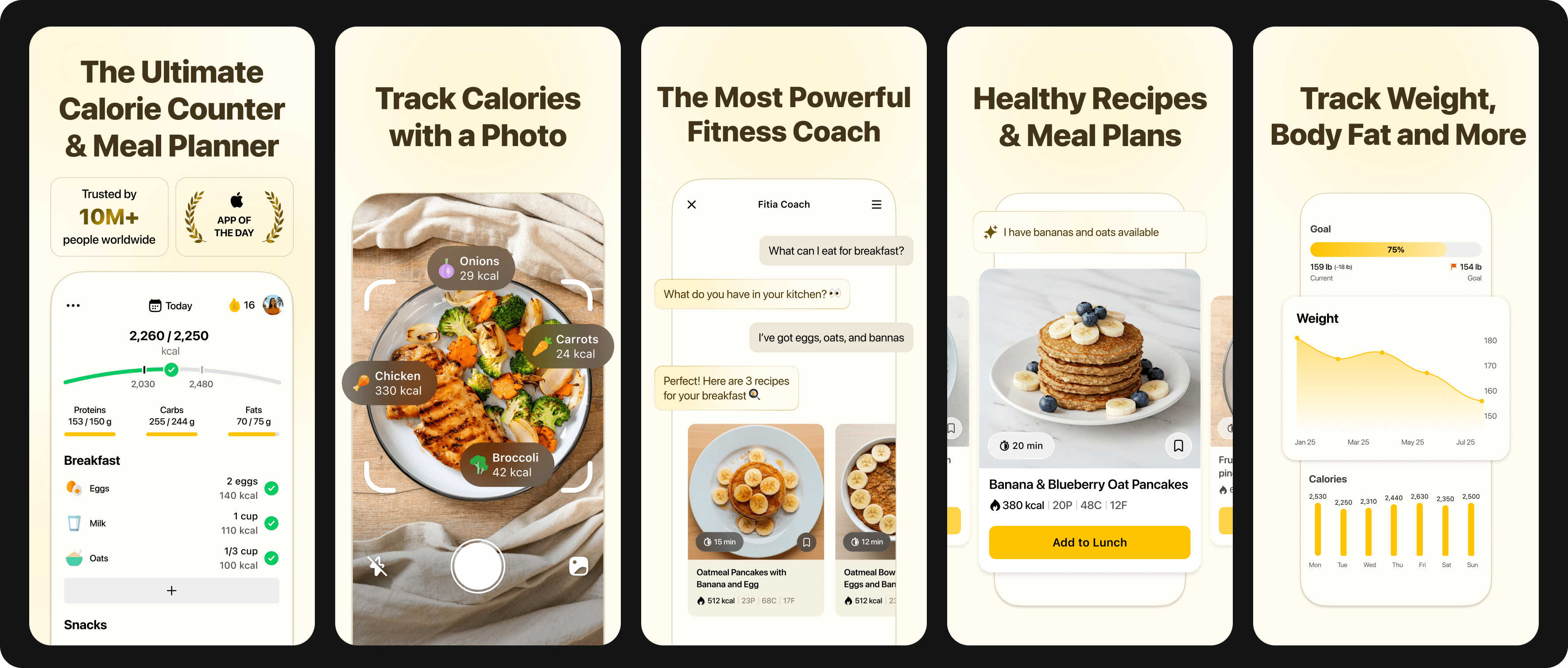
Fitia is the strongest all-around alternative to Yazio for the broadest user base in 2026 — it combines verified-database accuracy, AI and traditional logging, automatic meal planning, and regional food coverage that Yazio's European-centric database can't match.
Best For
People who want personalized meal plans alongside calorie tracking, especially those eating diverse or culturally specific foods that European and American apps mishandle.
Pros
- Verified food database, not crowdsourced. Fitia's team of nutritionists built the entire 10+ million-item database from scratch instead of accepting user submissions
- AI logging via photo, voice, or text. The AI is trained on the verified database, so accuracy stays intact even at speed. When you're following a Fitia meal plan, logging is often a one-tap confirmation.
- Adaptive meal plans built on 150+ studies. Fitia generates a complete weekly plan based on your calorie needs, macro split, food preferences, schedule, and budget. The algorithm calculates caloric needs using validated metabolic equations and adjusts them based on activity level, body composition, and goals. As your weight changes, the plan adjusts.
- Automatic shopping list. The weekly plan converts to a smart grocery list.
- Fitia AI Coach + Fitia Social. The AI Coach provides daily nutrition guidance without the cost of a human coach. Fitia Social creates a safe space to share anything fitness-related and adds a social accountability layer, including friends, coworkers, challenges, and leaderboards, for users motivated by community.
- Intermittent fasting integration. Custom timers for 16:8, 18:6, 20:4, or any window.
- 20+ nutrient tracking, including new vitamins and minerals. Beyond calories and macros, Fitia tracks fiber, sugar, saturated fat, sodium, and a full vitamin/mineral panel, with a Nutrition Score that summarizes your day at a glance.
- Wearable and Health app sync. Pairs with Apple Health, Health Connect, and downstream tools (Strava, Fitbit, Garmin, Oura) so activity data feeds into your calorie targets automatically.
Cons
- Premium subscription required for full meal planning. The free version handles tracking, calorie counting, and basic logging well, but the personalized meal plan generator, advanced reports, and grocery list automation live behind the Premium paywall.
- Available in English and Spanish only.
Pricing
Free version available. Premium: $19.99/month or $59.99/year. The Family Plan is available for $89.99 annually, offering shared access and 75 % savings compared to individual plans (2-6 members).
2. MyFitnessPal
Quick Overview
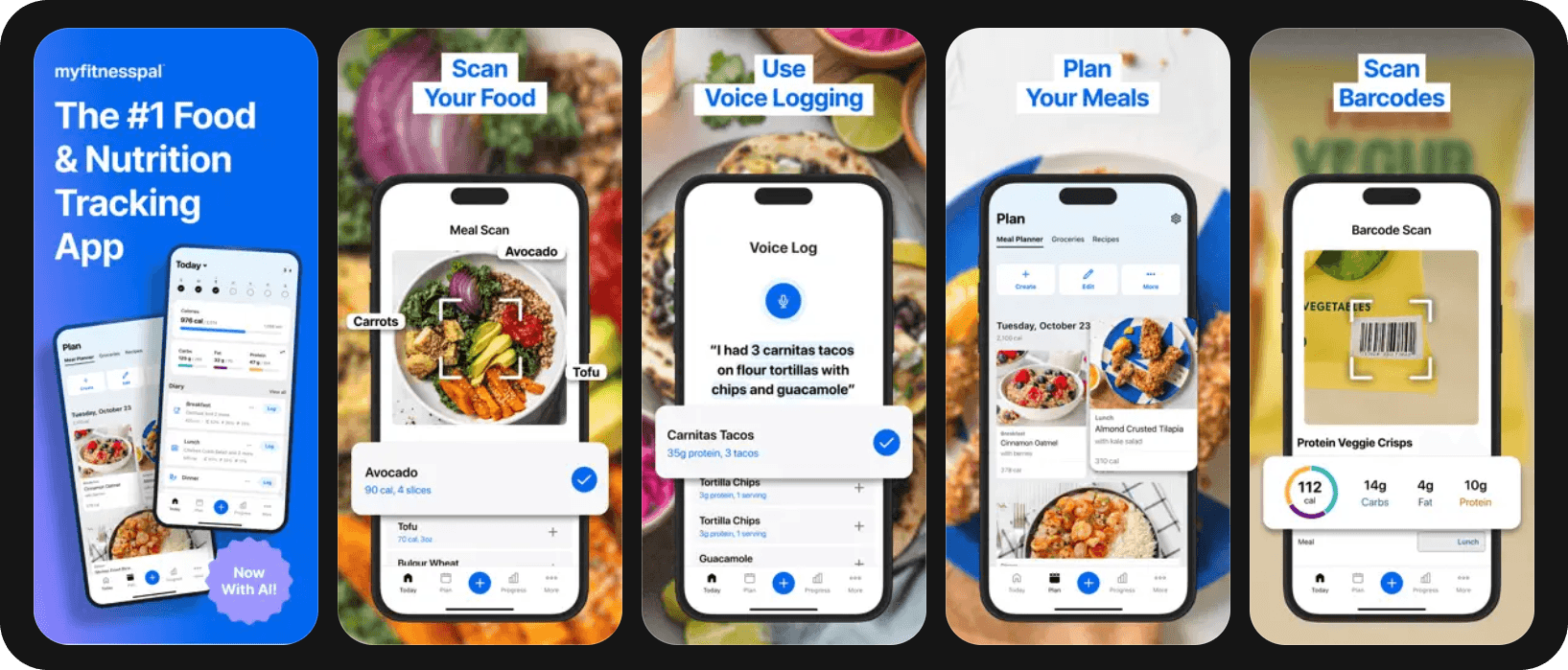
MyFitnessPal is the elder statesman of the category, with over 280 million registered users and a food database that few apps can match in raw scope. It added AI photo logging, voice logging, and personalized suggestions in 2026, closing some of the feature gap with newer apps. The tradeoff has always been database accuracy: enormous coverage, but heavy reliance on user-submitted entries means the same banana can show up with five different calorie counts.
Best For
Users who eat out often at chain restaurants or use obscure brands that verified-database apps haven’t added yet.
Pros
- Large database. Over 14 million foods.
- Deep ecosystem of integrations. Syncs with most fitness trackers, smart scales, and third-party apps.
- Premium+ Meal Planner with 1,500+ recipes. With grocery delivery integration via Instacart.
Cons
- User-submitted entries cause accuracy variance. The same food can have different macros across multiple entries; without the green-check verified flag, you're guessing.
- Aggressive ads in the free tier. The free version has become noticeably more cluttered as the company introduced its ad network in 2026.
- The new UI has been very polarizing among users (april 2026).
Pricing
Free with ads. Premium: $19.99/mo or $79.99/yr.
3. Cronometer
Quick Overview
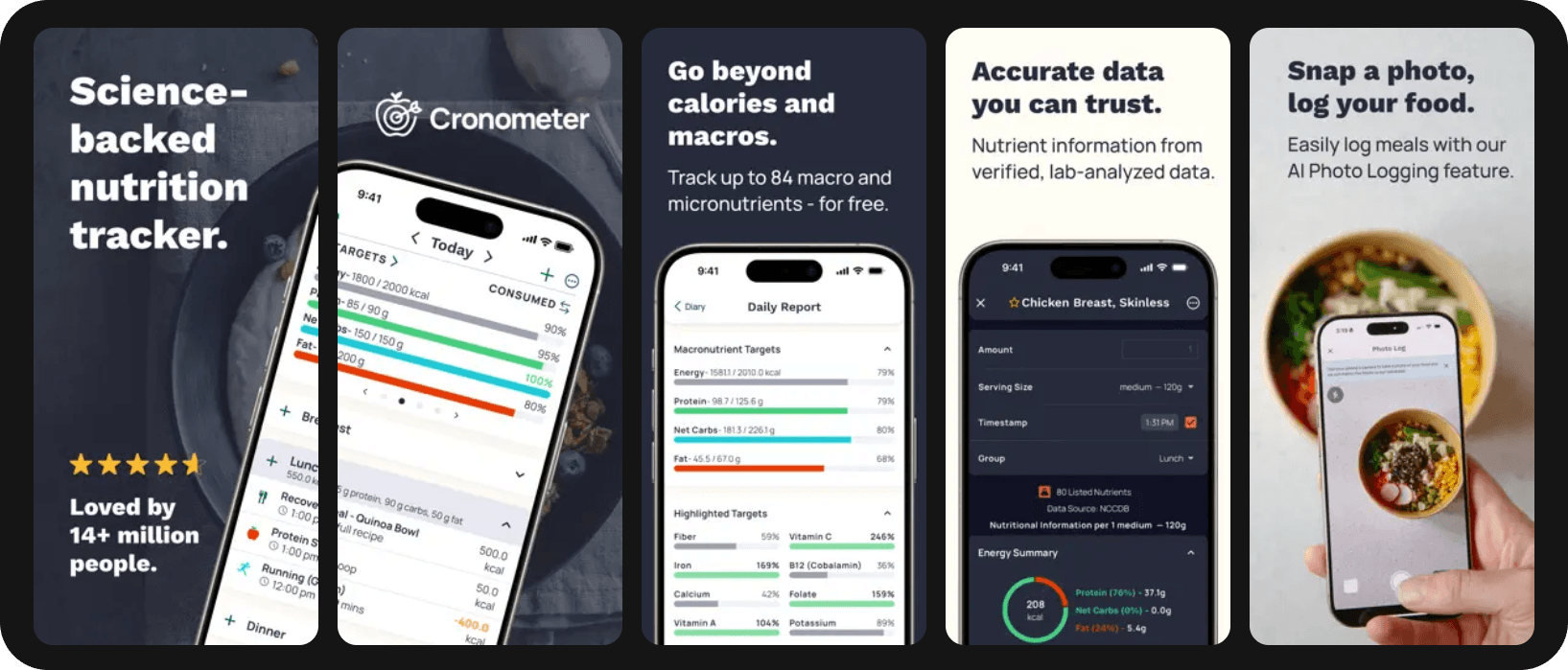
Cronometer tracks 80+ micronutrients from professionally maintained sources (NCCDB, USDA, IFCDB) and treats nutritional precision as the entire point of the product.
Best For
Best for users who need to track beyond calories, including nutrients, deficiencies, electrolytes, or B12.
Pros
- Verified, lab-grade nutrition data. Entries are pulled from official sources rather than user submissions.
- 80+ nutrients tracked per food. Far beyond the standard calorie/macro panel.
- Generous free tier. Most core features (calorie tracking, macros, micros, basic charts) are free.
Cons
- Interface feels clinical, not consumer-friendly. There's a learning curve, especially for casual users coming from Noom.
- Smaller database (~500,000 foods). Less coverage of restaurant items and niche brands than MyFitnessPal or Fitia.
Pricing
Free version available. Cronometer Gold: $10.99/mo or $59.99/yr.
4. Lose It!
Quick Overview
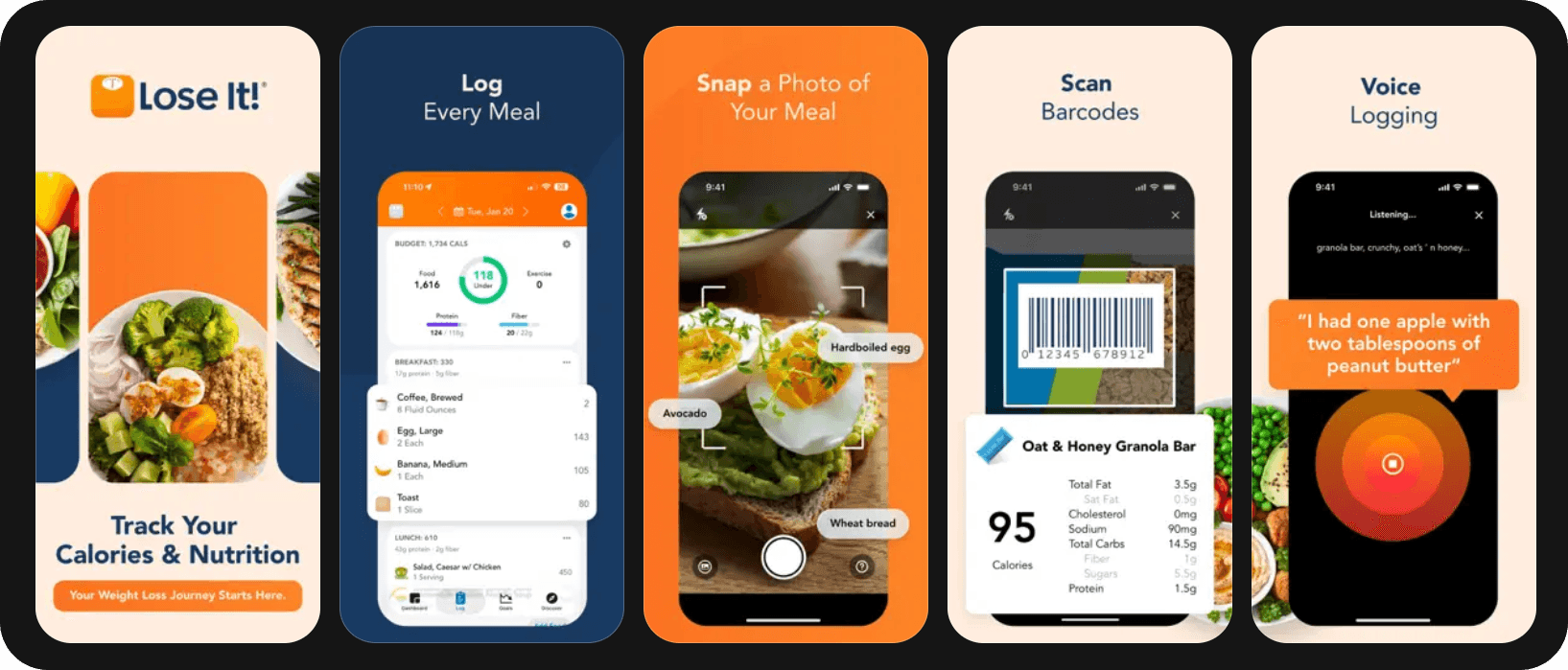
Lose It! has carved out a durable spot as the friendliest entry point into calorie tracking. Its "Snap It" photo recognition and voice logging make logging easy for beginners, and the community challenges keep people engaged who would otherwise drift away after week three.
Best For
Beginners and casual users whose primary goal is weight loss with minimal complexity, plus anyone who responds well to challenge-based motivation.
Pros
- Snap It! photo logging. Reasonable accuracy for common foods, though it leans on the user-submitted database.
- Strong community challenges. Group challenges with friends or strangers add accountability without coaching costs.
- Aggressively priced Premium tier. At $39.99/year, it undercuts most competitors on this list.
Cons
- Macro and micronutrient depth is shallow compared to Fitia or Cronometer. Fine for weight-loss-only users, less suited for athletes or people with dietary complexity.
- Database is also crowdsourced. Entries may vary in quality.
- Limited meal planning. Premium includes some meal-plan features, but the depth and personalization don't match Fitia or Lifesum.
Pricing
Free version available. Premium: $39.99/yr.
5. MacroFactor
Quick Overview
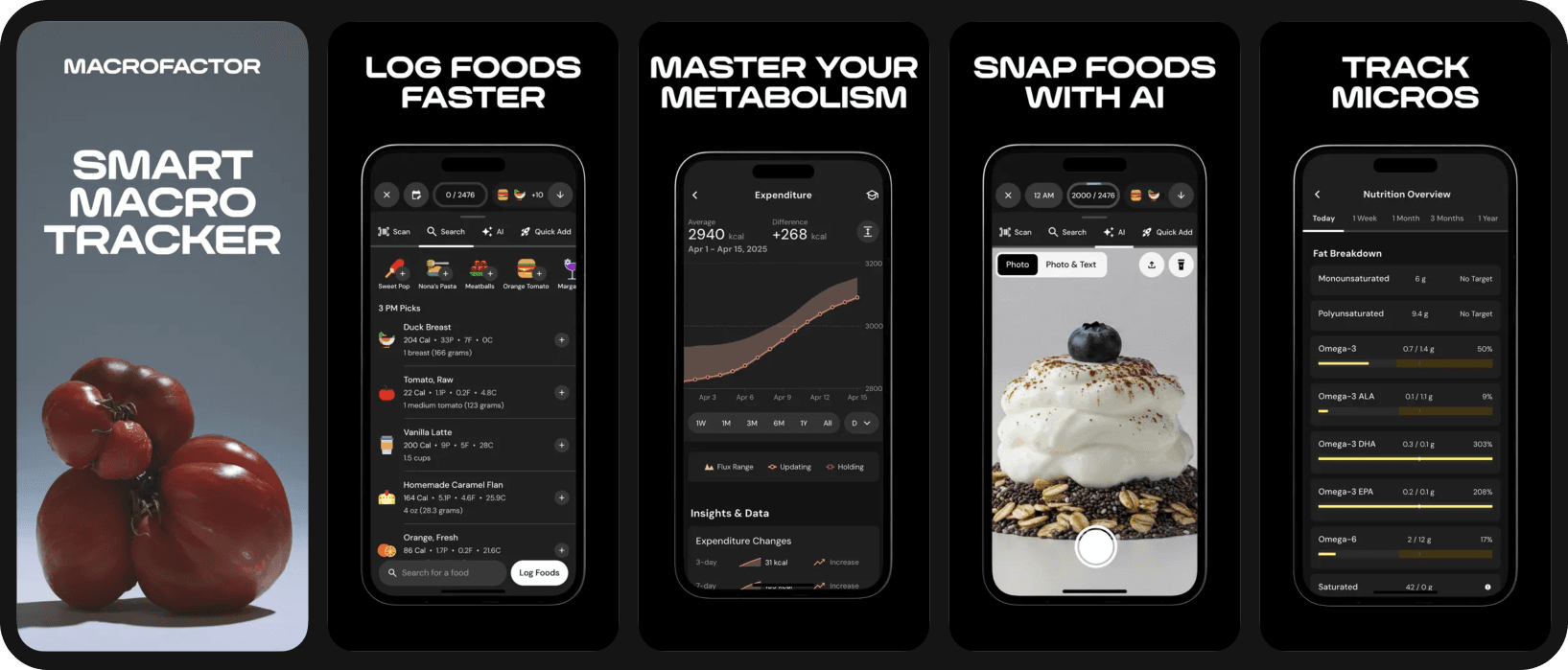
MacroFactor is an evidence-based tracker built primarily for athletes. Its core differentiator is an adaptive TDEE algorithm that recalculates your calorie and macro targets weekly based on actual weight trend data.
Best For
Experienced trackers, lifters, and anyone whose weight has plateaued on a static target and who wants algorithmic recalibration to take over.
Pros
- Adaptive TDEE algorithm. Adjusts targets based on your rate of progress.
- Verified database. Pulls from the NCC Food and Nutrient Database used in academic research.
- Adherence-neutral philosophy. No "red food" shaming; the app just adjusts when you miss targets.
Cons
- No free tier. Premium-only model is less accessible than freemium competitors.
- Minimal coaching or planning. This is a tracker for users who already know how to plan their own meals.
Pricing
$11.99/mo or $71.99/yr. No free tier.
6. Lifesum
Quick Overview
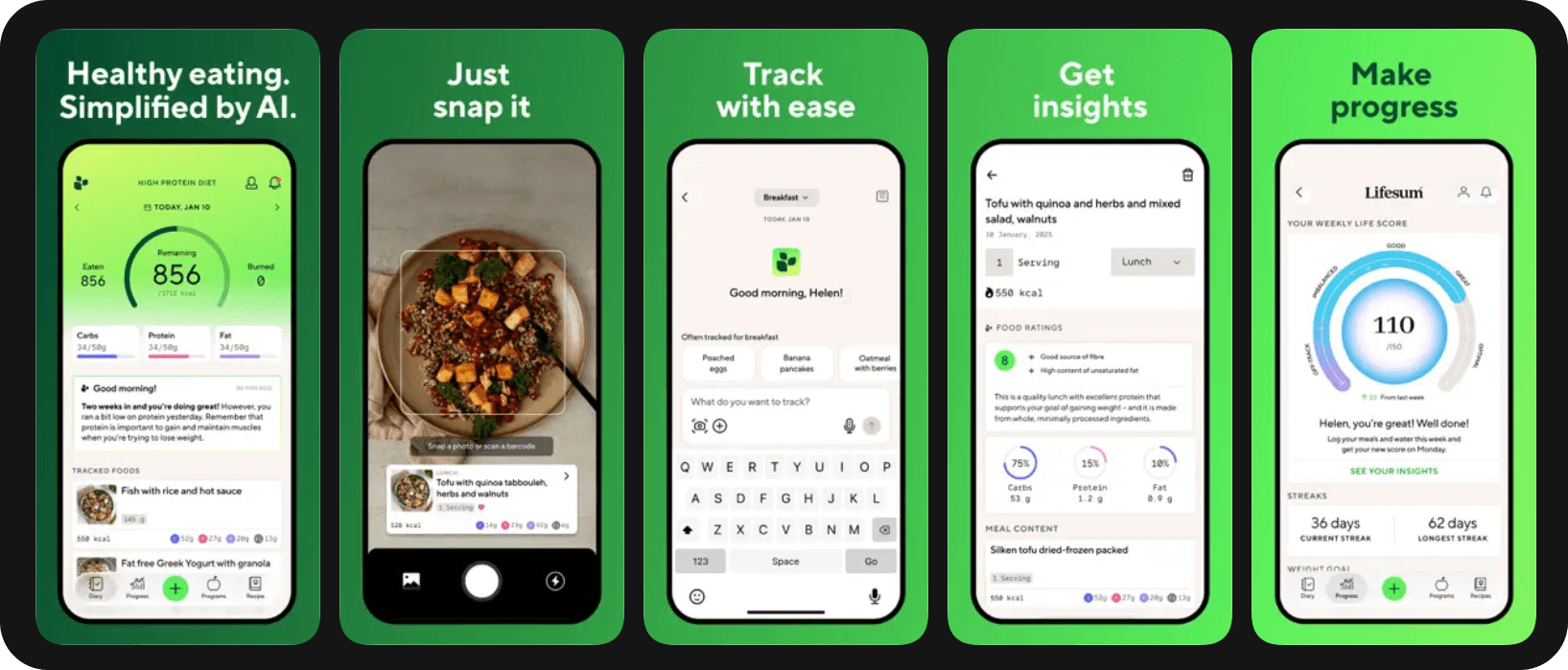
Lifesum's angle is dietary patterns rather than raw numbers. You pick a diet — Mediterranean, keto, Scandinavian, high-protein, plant-based, or one of several others — and the app scores how well your meals match that pattern in addition to tracking calories and macros.
Best For
Beginners who don't know what macro split to set themselves and prefer to follow a named diet, plus people who respond well to habit-and-pattern gamification.
Pros
- 12+ structured diet plans. Keto, Mediterranean, vegetarian, paleo, fasting protocols, all with curated recipes.
- Life Score holistic feedback. Evaluates eating quality, hydration, and activity patterns alongside calories.
- AI photo logging added in 2025. Speeds up tracking.
Cons
- Pricing varies wildly by region and promotion. Annual costs range from ~$45 to ~$100 — confusing for first-time buyers.
- Smaller database than top competitors. Coverage gaps on regional and restaurant items.
Pricing
Free version available. Premium: $18.49/mo or $99.99/yr
7. Noom
Quick Overview
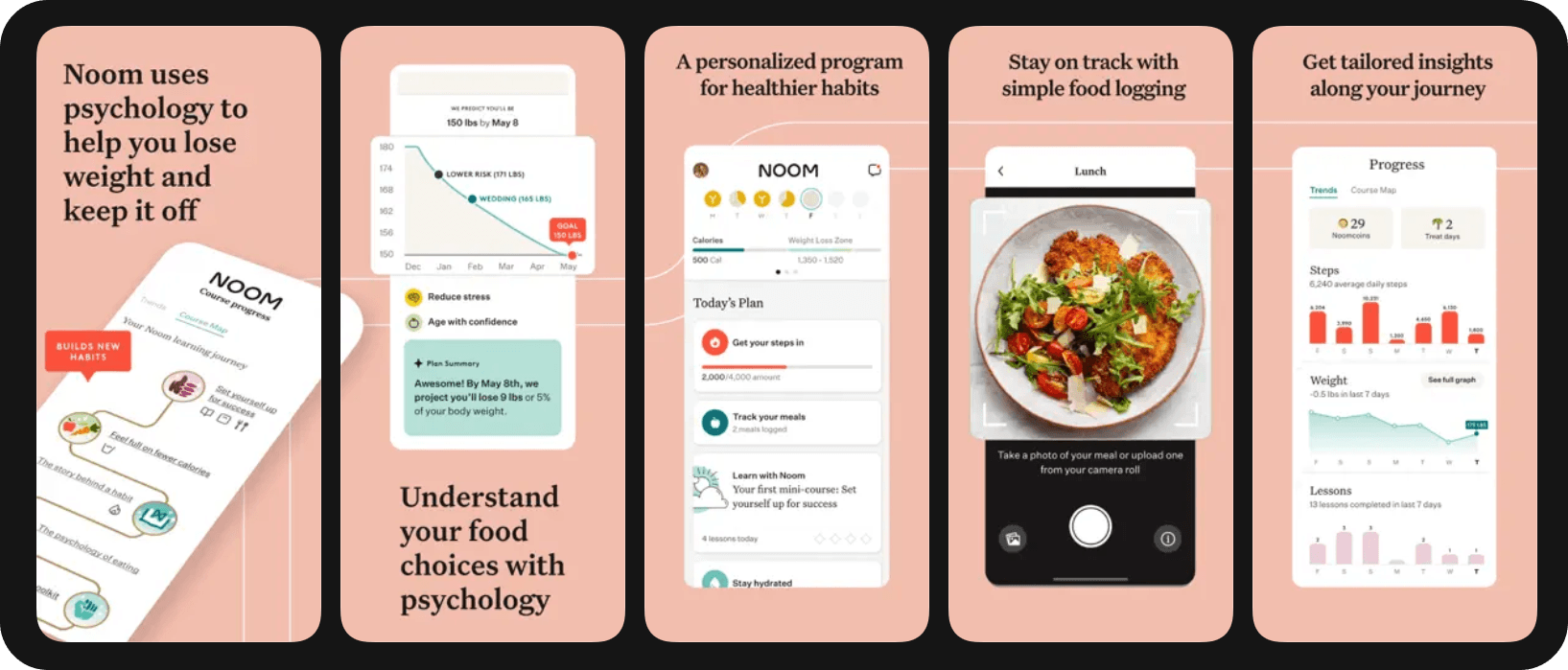
Noom is the odd one out on this list — it's a behavioral coaching program with a calorie tracker bolted on, not the other way around. Daily lessons in cognitive behavioral therapy, the green/yellow/red food categorization system, and (in the US) optional access to GLP-1 medications via Noom Med set it apart. It's expensive, and the value depends entirely on whether you actually do the daily lessons.
Best For
Users whose past attempts at weight loss have stalled because of behavior and mindset rather than mechanics.
Pros
- Psychology-based curriculum. Especially useful for emotional eaters.
- Optional human coaching component.
- GLP-1 medication access. For US users who qualify.
Cons
- The most expensive option in this list by a wide margin. You're paying for the program, not the tracker. Users tracking only for nutrition reasons are dramatically overpaying compared to Fitia or Lose It!.
Pricing
Noom pricing starts at $17.42/month for Noom Weight with a 12-month plan. GLP-1 and telehealth programs range from $69 to $149 to get started, with some plans including medication and others excluding medication costs.
8. Carb Manager
Quick Overview
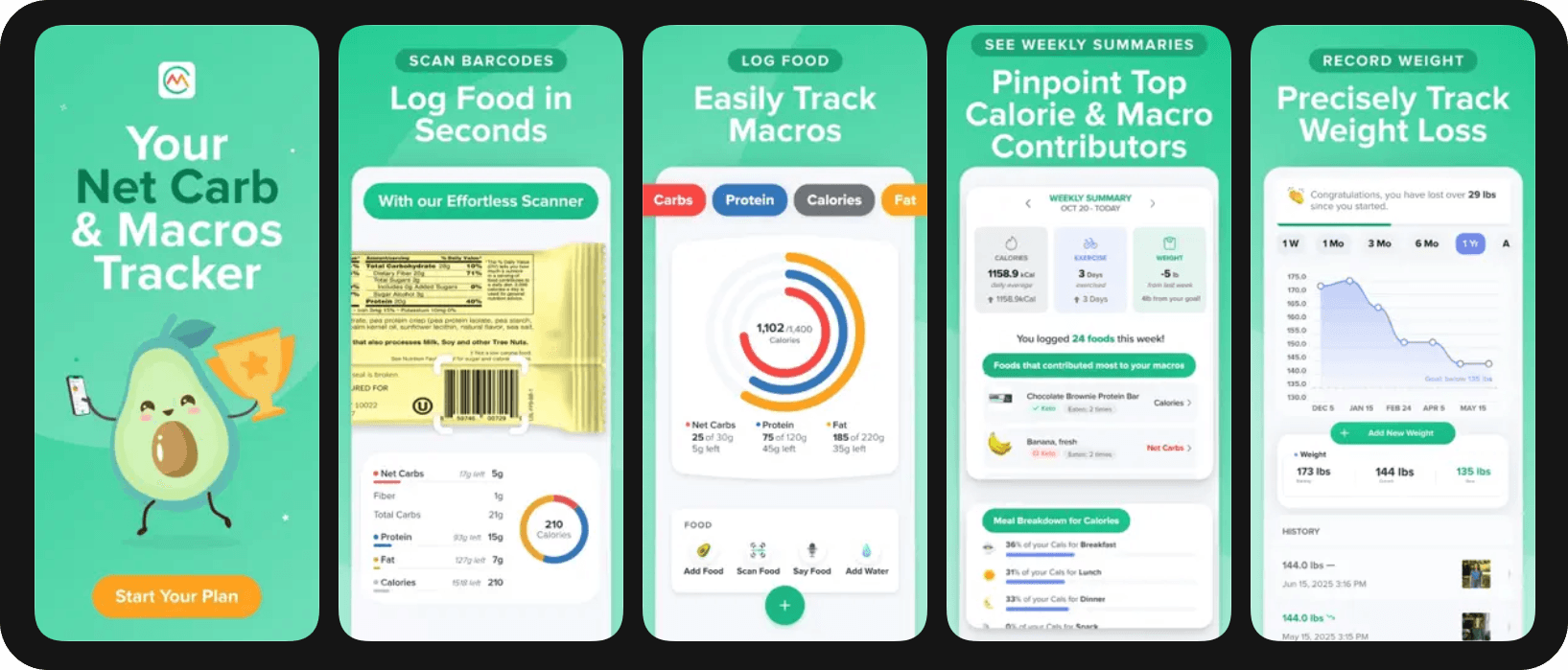
Carb Manager is built specifically for keto, low-carb, and carnivore diets, with net-carb tracking, ketone logging, and a recipe library focused on low-carb cooking.
Best For
Committed keto, low-carb, or carnivore eaters who want net-carb tracking and ketone integration.
Pros
- Net-carb calculation is automatic.
- Ketone and glucose logging integrations.
- Large library of low-carb recipes with macro breakdowns.
Cons
- Specialized focus means non-keto users won't get much value over a general-purpose tracker like Fitia or MyFitnessPal.
Pricing
Free with ads. Premium: approximately $16.50/quarter or $39.96/year.
Summary Table
| App | Starting Price | Best For | Notable Features |
|---|---|---|---|
| Fitia | $19.99/mo | All-around tracking + meal planning, regional foods | AI logging (photo/voice/text), verified database, automatic meal plans, AI Coach + Fitia social |
| MyFitnessPal | $19.99/mo | Large food database, US packaged foods | 14M+ foods, broad device sync, AI logging added 2026 |
| Cronometer | $10.99/mo | Micronutrient depth, dietary restrictions | 80+ nutrients, verified database, biometric tracking |
| Lose It! | $39.99/yr | Beginners, weight loss, community | Snap It photo logging, challenges |
| MacroFactor | $11.99/mo | Adaptive macro coaching, experienced trackers | Weekly target recalibration, no ads |
| Lifesum | $18.49/mo | Diet-pattern adherence | Named diet plans, Life Score, AI logging |
| Noom | Up to $149/month | Behavior change, psychology-based programs | CBT lessons, optional coaching, GLP-1 access |
| Carb Manager | $39.96/yr | Keto, low-carb, carnivore | Net-carb tracking, ketone logging, low-carb recipes |
Why Fitia Beats Yazio for Most Users
Each of the apps listed above has the potential to work, but the real issue becomes which app removes enough friction from each user's daily routine to keep them coming back week after week.
One simple reason why Fitia is the most successful in removing friction for the greatest number of users is because it is the only app in its class that integrates a fully verified by registered dietitians food database, AI based logging across photo, voice, and text, adaptive meal planning with automatic shopping lists, an AI based coach, and accountability through community, all without requiring multiple subscriptions to achieve this.
Where Yazio invests in a clean interface and intermittent fasting integration, Fitia invests in the data accuracy and personalization layer underneath. If that trade fits how you want to lose weight, give it a try. Download Fitia now.
FAQs
What is a calorie tracking and meal planning app?
An app that tracks what you eat and calculates your calories and macros. More advanced tools go further by generating meals for you. Basic trackers stop at logging, while full-featured apps like Fitia close the loop with meals calibrated to your goals, shopping lists, and a plan that adapts as your weight changes.
Is Fitia better than Yazio?
For most users, yes. Fitia covers Yazio's strengths — clean interface, IF tracking, decent database — and adds AI logging in three modes, adaptive meal plans, country-level food coverage, an AI coach, and a family plan. Yazio is still fine for European users who only want IF tracking and basic calorie counting.
How is meal planning different from tracking?
Tracking is reactive: you record what you ate. Planning is proactive: you decide what to eat before you eat it. The most successful users do both. Tracking gives you data, while planning turns that data into behavior change.
About the Author
 | Fabrizio Baca Olcese is a nutritionist from Universidad Peruana de Ciencias Aplicadas (UPC) and a NASM-certified personal trainer, with five years of experience in nutrition, product development, and user growth at the intersection of health and technology. As Fitia's first hire and part of the founding team, he has helped scale the company to over 10 million monthly active users across 17 countries. At Fitia, he works as Senior Business Development, leading user acquisition and B2B partnerships while combining his nutrition background with his drive to make healthy living more accessible. |
Related articles
 Fat Loss
Weight Loss Calorie Chart (2026): How Many Calories to Eat by Body Weight, Sex, and Activity
See how many calories to eat to lose weight, with simple charts by body weight and activity, plus why your target changes as you go.
Read article
Best Calorie Counter App for Muscle Gain in the US (2026): 4 Apps Compared for Lifters
The 4 best calorie counter apps for US lifters in 2026, compared on macros, database, adaptation, and meal planning.
Read article
Best Online Nutrition Coach in the US (2026): What to Look For Before You Pay
Online nutrition coaching in the US 2026: three tiers, what the research says, and the red flags to spot before you pay for an app or coach.
Read article